


Your Browsing History


Philip M.
Joined on 10/27/12
0
0
product reviews
- 3
Good Mobile Notebook
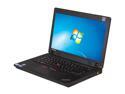
Lenovo ThinkPad Edge 14 05796AU 14" LED Notebook - Core i3 i3-380M 2.53GHz - Black Textured
Pros: Simple design (some would say boring), solid build quality, fast 1st Gen i3 processor, proven HM55 chipset (no Intel bloatware as in the HM77), good keyboard with TrackPoint (the little red pointing device), good screen (no glare issues), decent touchpad, some good ThinkVantage tools, excellent serviceability - very easy to upgrade both memory and storage plus fan cleaning or replacement will be a snap
Cons: Worse speakers of any notebook I have purchased since my Compaq Contura 3/25 and tweaking through the Realtek HD audio manager does help much; no glossy finish, no rubberized coating, no silver trim like other Thinkpad Edge models - just textured black plastic which looks and feels cheap (BTW unlike other online resellers Newegg's pictures of this 0579-6AU version are accurate); slow performance with the stock 2Gigs of memory (fortunately a very easy upgrade on this model and RAM is cheap right now), poor battery runtime with the stock 6 cell battery unless you use an aggressive power savings setting, just 3 2.0 USB ports (one of which is the combo USB/eSATA port) and no always on power USB port as in other Edge 14 models
Overall Review: This Edge 14 is not a real Thinkpad but what do you expect at this price? A real Thinkpad like a T series will cost at least 2 1/2 to 3 times as much. That being said, I actually really like this notebook, especially at this price. It is well made, has a fast processor, a good keyboard with TrackPoint (a must for me), and is easy to upgrade/modify/maintain. I bought this notebook to replace a Edge E420s that had died a early death. The Edge E420s was faster, thinner, lighter, and better looking. But it did not last long due to bad EEPROMs on its motherboard. And the E420s was not maintainable - in fact even its battery was not user serviceable. This Edge 14 is the exact opposite. I have already upgrade to 8 Gigs of memory (Crucial 2x4GB kit, $36 here at Newegg), a SSD (Crucial M4 128GB, on sale for $110 here at Newegg) and a 9 cell battery ($115 here at Newegg and it is a Lenovo part so no issues with the ThinkVantage power manager). So now for less than I paid for my E420s brick I have a lightening fast notebook that runs on battery for six to seven hours easy (got to love a SSD with a 9 cell battery). So if you can get past the cheap plastic look and can use a screwdriver and do some basic upgrades (more memory is a must) than this could be a notebook for you. I am very happy with it
12/6/2012See more detail
Newer isn't always better

Quicken 2017 Deluxe
Pros: -its Quicken -it was on sale -will take data from older versions (but see Cons)
Cons: -if your previous Quicken version is very old (mine was 2002) it is very, very tedious (but doable) to get your data into the new version but your old data may not transfer correctly to the new database requiring hours of manual corrections -Quicken 2017 will auto schedule or enter transactions from the old data so lots of manual deletions required -Quicken 2017 is optimized for someone who does lots of financial stuff online which I don't
Overall Review: Had to replace my ancient 2002 version of Quicken when my XP desktop finally died. Had huge issues getting the 2002 database into this 2017 version. It takes some time - basically you update the ancient database by stages until you get it converted to a version that 2017 will recognize. But then you have to manually clean up the data because how the 2002 version saved the data isn't how the 2017 version looks at it (ex. I had multiple spurious entries for credit card payments in my checking account after data conversion.) I had to delete all scheduled transactions (Quicken 2017 had automatically scheduled hundreds of them) and then manually audit all my accounts. SO after many days of work my Quicken 2017 is working. In hindsight it would have been better to just start all over again instead of trying to convert data from Quicken 2002 to Quicken 2017. IMHO unless you do a lot of online banking and do updates of other investment accounts via the internet then Quicken 2017 isn't worth upgrading to. If my Quicken 2002 would run reliably on my new desktop I would have just kept using it.
2/5/2017See more detail
Decent Value
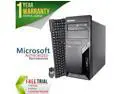
Refurbished Lenovo M57P Tower Intel Core 2 Duo E6550 2.33G / 4G DDR2 / 250G / DVD / Windows 7 Professional 64 Bit / 1 Year Warranty
Pros: Priced right (around $100) The right form factor for me (a tower) since I plan to swap components (video card etc.) from my deceased M51 to this one A Windows 7 machine
Cons: The case and front plate had a few minor dings. Found a small screw rattling around in the case. Also had to re-secure some loose power cables - obviously there were components removed during the refub The provided keyboard and mouse are very cheap generic ones - fortunately my Logitech trackball and 20 yr old IBM KB-8923 keyboard work fine with this M57 The free trial software it comes with is not Office but Word Perfect X7 and the security program is something called Bulldog
Overall Review: I needed a quick and cheap replacement for my 11 year old IBM M51 desktop when its motherboard failed. So I went with this refurbished M57 because it was priced right. The item arrived quickly (I had it in four business days) and was as advertised. Definitely used but it booted right up and so far runs fine.
1/20/2017See more detail