
Your Browsing History


Douglas K.
Joined on 02/11/08
0
0
product reviews
- 4
Great White
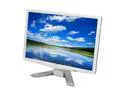
Acer 22" WSXGA+ LCD Monitor 5 ms D-Sub, DVI P223Wwd
Pros: If you're afraid you're spending a lot more money just to get a white monitor, don't be. This monitor blows me away. There are some complaints about brightness, but there's a button on the monitor that allows you to quickly dim or brighten the image. You don't realize how big 22" is until it's sitting the in front of you. It's a lot of money to step up from a 19" to a 22" but it's really worth it. I work in graphic design and I can put two standard size pieces of paper side by side in Photoshop on this monitor.
Cons: I have no complaints about this monitor. No dead pixels, no stuck pixels, and it arrived two days after I ordered it in great condition.
Overall Review: I will be using this monitor along with my MacBook. I had to buy an adapter cable from Apple for the DVI but it's worth the clearer image. The screen is huge and blows you away. I watch movies on this monitor from across my dorm room. The 22" are well worth your money over a smaller monitor. The only problem with it is I might never leave my computer. Simply amazing.
2/21/2008See more detail
Good Set Up
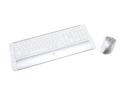
Logitech Desktop S 530 Laser for Mac Model 967664-0403
Pros: Keyboard: It feels good. The volume buttons and iTunes button are my favorite. Another button opens iPhoto. Other buttons scroll the page up and down. The keys are natural feeling. Mouse: What can I say, this mouse is great. There are volume controls on it, as well as a four directional scroll wheel. The mouse fits your hand perfectly and slides like a dream.
Cons: Keyboard: The "Mail" button opens apple mail, and so is kind of useless to me. The "Home" button opens Safari... and I use Firefox. Not big deals though, just something to know about it. Mouse: It's just about a perfect mouse I'd say.
Overall Review: The USB signaler is a little big but not too big. Connecting is easy. I really like this keyboard and mouse set up. It goes nicely with my MacBook, white Acer monitor, and white and silver mouse pad. I guess I'm obsessed with the color scheme, but it's nice to look at definitely.
3/31/2008See more detail
Cool Stand
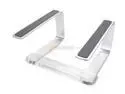
GRIFFIN Elevator Desktop Stand For Personal Computers Model 1093-CURV2
Pros: This stand is as attractive as it looks on the site. The metal is thick and sturdy. The laptop doesn't slide at all, the rubber holds it nicely.
Cons: If you type on the stand your laptop will jiggle. The plastic connector does look a little cheap but it isn't that bad looking.
Overall Review: Shipped quickly. If you can't decide whether to use a shoe box (like I used to) or to buy this, I'd say go with this if you've got the scratch. It makes your desk feel more open and allows you to run cords under your laptop.
3/29/2008See more detail
Good Mouse

Logitech MX 620 6 Buttons Tilt Wheel Cordless Laser Mouse
Pros: This mouse slides well. It fits comfortably in your hand, although logitech makes other mouses that fit better. I use this mouse with a mac and the software downloads fine and works well. The back and forward buttons near the thumb are nice. I suggest using a hard surface mouse pad like my Allsop. It's only $15 bucks and the mouse moves like it's on ice. The scroll wheel is great. I adjusts from smooth to chunky scrolling. The side scroll is also easy to use.
Cons: The mouse could be bigger. Its design is sleek but sometimes I wish more of my hand (which isn't a very big hand) would fit on it. Other than that I really have no complaints.
Overall Review: This is a good mouse for your money (don't trust rebates though). I do graphic design work and the mouse is great for long hours. The USB attachment is small. The power button on the bottom of the mouse will save me tons in batteries. When I first plugged my mouse into my Mac it started working. If you download the software the buttons work correctly. I tried it on a PC and you have to download the software before you can do anything. The mouse was here two days after I ordered it. I'm continually blown away with Newegg's shipping. Solid mouse for my money.
2/21/2008See more detail