
Your Browsing History


Michael C.
Joined on 09/03/07
0
0
product reviews
- 8
Ryzen compatible
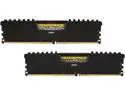
CORSAIR Vengeance LPX 16GB (2 x 8GB) 288-Pin PC RAM DDR4 2666 (PC4 21300) Desktop Memory Model CMK16GX4M2A2666C16
Pros: A-XMP works at both profile 1 and 2 (2400 and 2666 MHz), much cheaper than the DDR-3200 kit which is a bad use of your money compared to buying a faster CPU with the dollars saved. Tighter timings are possible and also undervolts well (2666 at 1.20v 16-17-17-17).
Cons: Still having the occasional cold boot problem and warm boots are almost always a no go (restarting from windows or leaving the BIOS setup screen). 2133 will occasionally warm reboot vs anything higher never working. Still not sure if this is a memory compatibility issue or Ryzen's immature BIOS. I've tried multiple memory kits and they all do it, but they all use Hynix IC's which could be the root cause.
Overall Review: MSI B350 Tomahawk, Ryzen 5 1600
7/13/2017See more detail
SLOW

Team Group 64GB C186 USB 3.2 Gen 1 Flash Drive (TC186364GB01)
Pros: The pro is it was around $5.
Cons: Writing a large file to it now which is the best case scenario, I am plugged into a USB 3.1 header and getting constantly fluctuating speeds from 6 mb/s to 20 mb/s which tells me the controller for the memory is absolute garbage, the average speed is so bad it might as well be USB 1.0
Overall Review: If you saw USB 3.2 and thought you were going to get a reasonably fast USB thumbdrive for your money look elsewhere, this is so slow it's basically only good for accessing stored files.
12/3/2024See more detail
Buy these!!!!
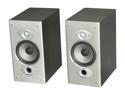
Polk Audio RTi6 Bookshelf speaker Pair (Black oak finish)
Pros: I bought a set of these used over 5 years ago and have never been more pleased with a purchase! These are my primary left/right speakers in my home theater surround sound and I have NEVER felt like I needed towers. I use speaker stands to set these at ear level (when seated) and also recently bi-wired which actually did improve the tweeters. I use 14 gauge for the main woofers and 22 gauge for the tweeters. When listening in stereo these speakers combined with a good subwoofer are absolutely sublime. I am not pretentious enough to call myself an audiophile but I definitely know a thing or two about good sound.. Stop reading, click buy already- you want these speakers and at $199 it's a STEAL! I bought these 5 years ago and am taking the time to write a review, that should tell you all you need to know!
Cons: NONE!
Overall Review: My setup: Polk RTi6 main speakers Polk CS2 center channel Polk R150 satellites 12" custom made 500 watt subwoofer Sony STR5400ES 7.1 ch receiver Pioneer Elite BDP-23FD Blu-Ray player Media Center PC
4/14/2012See more detail
More than I expected
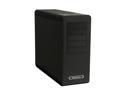
SilverStone Fortress Series FT02B-W Black Aluminum / Steel Computer Case
Pros: My previous mid tower case temps soared after I installed a Radeon 4870 (previously had an Nvidia 8600GT). Using Core Temp I would see idle temps of 30-35 C and ATI overdrive showed ~60 C on the GPU. After switching everything over to this case with all fans set to low, 17-19 C on the CPU and 50 C for the GPU with the fan speed at ZERO! In other words my case is now slightly below room temperature (70ish F). I can hear my Caviar black clicking away but that's the only sound other than the fan whoosh on initial startup.
Cons: Would have LOVED to buy this from Newegg but what's up with having to pay for shipping? $25 on top of the current price is too much.. with minimal searching you can find this case for the same price but with free shipping elseware, and from a very reputable source no less. I'm still coming back here for more, but when did the free shipping disappear? I used to filter results by free shipping and not consider anything else, but doing that now gives you almost no selection.
Overall Review: Phenom II X3 720 BE Saphire Vapor X Radeon 4870 (amazing cooler!) GSkill DDR2 800 1T 4-3-4-10 Jetway 79GDG-LF (unlocked my 4th core!) Western Digital Caviar Black 500gb Seasonic S12 II SS 500 PSU
2/17/2010See more detail
Huge bang for the buck
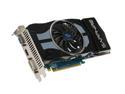
SAPPHIRE Radeon HD 4870 1GB GDDR5 PCI Express 2.0 x16 CrossFireX Support Graphics Card Vapor-X
Pros: This is my first high end graphics card, just upgraded from an Nvidia 8600GT. The only game I play is COD4 and I have it completely maxed out at 1280x1024 and it almost never drops below 150fps and goes all the way up to 250fps for the less complicated areas!! I read a lot of the reviews and was worried about heat but the vapor x is definitely what you want. See other thoughts for more explanation on heat/noise.
Cons: It's a heavy card, in my case the card is noticeably bending towards the end. For the time being I have a piece of foam wedged between the memory coolers and the bottom of the case to provide upward support because the bending looks like it will eventually damage my card or motherboard. I am going to buy a Silverstone Raven case to rotate the mobo and take the weight off the pci x16 connector. Also, you will need to have good thermal management in your case or this card will heat everything up and cause your PSU and CPU fans to work overtime.
Overall Review: The card puts out a lot of heat, but it can be managed by manually tuning the fan up to 65%. If you leave it on the stock settings the card is probably quieter than the other components in your system- it's almost inaudible. However that causes the heat to build up inside the case which makes everything else hotter- my cpu fan started going to 100% and my PSU was even getting hot. After adjusting the fan speed manually and changing the fan configuration in my case I was able to get everything under control. I now see 50 degrees C after a few hours of gaming which for a powerful GPU is nothing. CPU temps with the stock cooler went up, but are still in the high 30's and that's acceptable too. I'm going to ugprade to a gaming PC case with better airflow just to be on the safe side. If you have a standard case with poor thermal management then you will probably have issues with this card.
8/2/2009See more detail
My first AMD
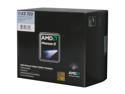
AMD Phenom II X3 720 - Phenom II X3 Triple-Core 2.8 GHz Socket AM3 95W Black Processor - HDZ720WFGIBOX
Pros: Inexpensive- $119 shipped is already a steal, but I bought mine as a combo and got a Jetway 790GX thrown in for another 50 bucks. I paid over $200 for my Core2 duo E6750 back when it came out. I wanted to give AMD a shot since from a price/performance viewpoint they are arguably better than Intel at the moment. I also didn't want to buy into the LGA775 chipset since it is no longer going to have new product made for it. At this price it was an easy decision and I have been very happy with the performance.
Cons: NO CONS, in fact see other thoughts for a pleasant surprise...
Overall Review: You can still unlock the 4th core. The Jetway mobo I mentioned before will unclock the 4th core by simply going into advanced cpu feature- ACC enabled Auto. Reboots as a Phenom II X4 040 IIRC. Stable at 1.3 volts and 3.0 ghz on my first attempt (I always use the lowest voltage possible). I would consider clocking higher but am using the stock cooler and honestly don't need any additional CPU performance so what's the point? I had no problem playing Crysis on all 4 cores so as far as I am concerned it is stable/fully functional Phenom X4.
7/19/2009See more detail