
Your Browsing History


Timothy T.
Joined on 02/28/07
0
0
product reviews
- 55
Crucial BX100 250GB SSD
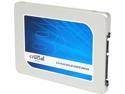
Crucial BX100 2.5" 250GB SATA III MLC Internal Solid State Drive (SSD) CT250BX100SSD1
Pros: My son used this for his first solo build. It went into a HTPC as a boot drive. He installed W7 Home Premium 64 bit and it's running like a top. Not one issue thus far.
Cons: None.
Overall Review: Very pleased with this SSD thus far. I would definitely recommend. With AHCI enabled in Bios, WEI score for this drive is 7.9.
5/2/2015See more detail
GeForce GTX 750 Ti Superclocked 2GB
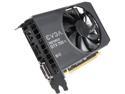
EVGA 02G-P4-3753-KR G-SYNC Support GeForce GTX 750 Ti Superclocked 2GB 128-Bit GDDR5 PCI Express 3.0 Video Card
Pros: No extra power cable required as it pulls what it needs through the PCI Express. Very quiet and runs cool. Easy install and NVidia drivers are a breeze to install. 7.7 WEI score.
Cons: None.
Overall Review: Nice card that is running in a ASRock Z97-ITX board with Pentium G3258 CPU OC'd to 4.2Ghz. My daughters computer and she loves it. She and my son love minecraft and she is able to rip thru it now. Previous computer she had was AM3 based old bag of dung.
5/24/2015See more detail
EVGA 220-GS-0550-V1 550W
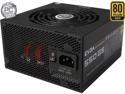
EVGA SuperNOVA 550 GS 220-GS-0550-V1 80+ GOLD 550W Fully Modular EVGA ECO Mode Includes FREE Power On Self Tester Power Supply
Pros: Excellent quality. Quiet and efficient. Full Modular. Rock Solid PSU!
Cons: None. High Quality.
Overall Review: Powering a ASRock Z97-ITX motherboard with Pentium G3258 CPU overclocked to 4.2 and 8GB of GSkill 2133Mhz memory along with EVGA 750Ti GPU.
5/24/2015See more detail
ASRock Z97M-ITX/AC
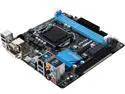
ASRock Z97M-ITX/AC LGA 1150 Intel Z97 HDMI USB 3.0 Mini ITX Intel Motherboard
Pros: Easy to overclock with this board. UEFI Bios is nice. Included Software is actually pretty good.
Cons: None really. It's a Mini-ITX, so of course your not going to get some of the goodies that larger form factors have.
Overall Review: I have this in a Corsair 250D. Paired it with a Pentium G3258 and EVGA 750Ti graphics card. OC's the CPU to 4.2 super easy. Could push more, easily, but no need. Cooling with a Corsair H60. Nice Motherboard. You could easily make this thing into a little beast with the 4790K and a newer NVidia or AMD graphics card. Also, I must say that ASRock has the fastest rebate process I've ever seen. Item ordered 5-1-15. Delivered the 5th. Rebate mailed on the 12th. I received the $20 rebate check yesterday, the 23rd.
5/24/2015See more detail
Corsair Obsidian Series 250D
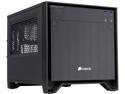
Corsair Obsidian Series 250D (CC-9011047-WW) Black Brushed Aluminum and Steel Mini-ITX Computer Case ATX (not included) Power Supply
Pros: Aesthetically, very pleasing. From a build perspective, it was easy. My 12 year old son got to use this case as the basis for his first solo build. ( A new HTPC for our living room. ) A multitude of tie down points for the included zip ties. We have a Blu-Ray installed and had plenty of room for a decent sized air cooler. We had a Scythe Big Shuriken collecting dust, that had barely been used, so my son used it for CPU cooling. Comes with (1) 120mm and (1) 140mm case fans. I did have my son replace the stock fans with (2) Gelid 120mm PWM fans and a Rosewill 140MM PWM fan. Used a 1 to 3 Silverstone PWM Fan cable for those. Excellent cooling. Running an ASROCK FM2 A88X-ITX+ mobo with AMD A8-7600 APU, GSKILL Aries 8gb (2x4) 2133Mhz memory. House temps stay at 24-26° C (76-78°F) Mobo temp staying right at room temp, with APU temp at idle @ 32-35°C. My son set up the fans to run standard mode. You have to be within 3-4 feet to hear it and even then it's the faintest sound.
Cons: None for me.
Overall Review: I ordered another one to build my daughter a new PC as hers has reached the end of it's usefulness. The Power LED is very bright, however the included utility software from ASRock has a function where you can turn the Power LED off. The Hard Drive activity light is dim. This case is very well made. It's not cheap or flimsy. I would recommend a modular or full modular power supply. You could use a non-modular but you'll need to be creative in securing excess cables out of the way. Can definitely be done, but better for airflow with less cables and looks better with modular. Couldn't be more pleased with this case. I would definitely recommend.
5/2/2015See more detail
Updated Review after Build Completion.
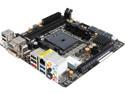
ASRock FM2A88X-ITX+ FM2+ / FM2 AMD A88X (Bolton D4) USB 3.0 HDMI Mini ITX AMD Motherboard
Pros: Running like a champ. My 12 year old son completed his build based on this board. It is being used as we speak as an HTPC. My wife loves the fact that we can disable the Power light on the front of the Corsair 250D case. It's possible through the ASRock software included. I must say, the software they include is really nice. Usually that stuff from any manufacturer is pretty buggy but I am very pleased.
Cons: None so far. Nothing I would call a con, just things that are common place when building around an ITX board. You can't expect ATX or Micro ATX.
Overall Review: Not a con for me but as I stated in an earlier review of this board during the build, the onboard usb 2.0 ports can be hard to reach if you attach a large cpu heat sink before attaching the usb 2.0 cables. I recommend using low profile memory. I.E. GSKILL Aries or similar. Large heat sinks can block the inner most memory dimm if you use taller memory. My son tested the motherboard on our test bench before mounting in the case. He used a Rasberry Pi Remote keyboard with track pad. Reason: It doesn't require a driver to operate. Here are a list of parts in the build for anyone looking at compatibility. Case: Corsair 250D ( ITX case) Great airflow and nice appeal. Power Supply: Rosewill Capstone -550M Modular CPU: AMD A8-7600 Memory: GSKILL Aries 2133Mhz Memory 4Gb x 2 ( 8Gb ) CPU Heatsink: Scythe Big Shuriken CPU Cooler. SSD: Corsair BX100 250GB ( Boot Drive ) Data: Seagate 1Tb Mechanical Hard Drive TV: Hauppage 2250 Dual TV Tuner Card. My son swapped the included Corsair Case fans for these: 1 Rosewill 140mm PWM fan, 2 Gelid 120mm PWM fans. Being there is only one 4pin system fan header, he used a Silverstone 1 into 3 4pin splitter. Works like a charm. For the remote he used the infrared receiver from an HP Media Center remote. It's attached to I/O panel via usb. We have the HTPC connected to our Onkyo AVR via HDMI. The Onkyo is attached to TV via HDMI. We are able to control all three devices with a Logitech Harmony One Remote. My son set up the HTPC to go to sleep when the power button on the Harmony One is pressed. The TV turns off and the Onkyo AVR turns off but the PC will go to sleep. When we want to turn the tv on and watch tv, we simply touch the "Watch TV" screen icon on the Harmony One and a few seconds later we are watching tv. One tip if anyone has this problem and can't figure it out. If you watch live tv through your computer and get an annoying flickering, go into catalyst control center (if you are using AMD based graphics) and select video, quality, and uncheck the "enable dynamic contrast" box. So proud of my son on his 1st solo build. The only thing he messed up and old daddy had to help with was when he put the motherboard in, he didn't notice that one of the little metal tabs on the inside of the I/O shield caught the HDMI In port and bent where it blocked you from inserting the HDMI cable. Took a couple seconds to remedy and voila! If anyone is curious as to how it is doing temperature and sound-wise, here are the numbers. CPU at idle ranges 27-31C, Motherboard 26-29C. I have the fans set to standard mode in bios and it is barely audible. You have to be within a couple feet to hear it and even then it's very faint. Also with everything at stock settings our Windows WEI scores are: CPU 7.4 Memory 7.7 Graphics 6.9 (both) Hard Drive ( SSD ) 7.9 I can say this is a fine little motherboard and I would recommend.
4/24/2015See more detail