
Your Browsing History


ERIC H.
Joined on 08/17/06
0
0
product reviews
- 10
Great budget ultraportable
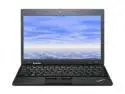
ThinkPad X Series 11.6" AMD E-350 4GB Memory DDR3 1333 Windows 7 Professional 64-bit X120e (05962RU)
Pros: There is not a hint of gloss anywhere on this ultraportable. I wouldn't say it looks "all business", but it doesn't look like a toy like most other consumer laptops do. The keyboard is fantastic, especially for a machine of this size. The physical build of the machine oozes quality (for an ultraportable under $500). Performance is stellar for the price. This is not an i3; I would equate it with an early Core 2 Duo in general usage. I have no problem playing older games with it (System Shock 2 with texture pack and model enhancements, Unreal, Deus Ex, etc). Linux/FreeBSD virtual machine seems to run just fine, even with a desktop environment running. DOSBox also has good performance with everything I've thrown at it so far. Battery life is ~6-6.5 hours, depending on how the system is configured and what you're doing. The underside gets to "warm" and stops. Even when running 720p (haven't tried 1080 yet) it does not even approach "uncomfortable."
Cons: I don't really have any outstanding complaints about the system, just nitpicking. The screen is almost too small for the resolution (1366x768). If your eyesight is bad I'd say go for a larger screen. As far as performance goes, you have to know what to expect. This is not a gaming machine, and it is not for doing heavy-duty work. Low-requirement virtual machines are fine and so are older games. Crysis WILL actually run on this, just not very well... I'm trying to think of something I dislike about this and am coming up short. It has fulfilled all of my expectations thus far. The battery jutting out of the back will probably annoy some people, but I always get extended batteries and I'm used to it. My biggest complaint is that the screen can be difficult to open if you don't have fingernails. I miss the lid latch, but I can understand why it's not on this machine (size/cost). If you're in need of a full-sized laptop, you can get a very similar configuration for ~$100 less.
Overall Review: My egg score does not mean the machine is perfect, but price/performance/size ratio is good to me. You can get a full-size laptop at this price, but graphics performance is not going to be as good unless you catch a good deal. I didn't get this machine from Newegg, but after reading over the details of the configuration they're offering, it seems like a pretty good deal. You get 4gb of RAM (which I had to upgrade to) and Bluetooth. One of my friends got the HP dm1z, and they're basically the same machine, but the HP has a *really* glossy screen, different (but nice) keyboard, and a super cr@ppy touchpad. The general design is nice, but the x120e beats it hands down, imo. This is great for a college student, as a desktop compliment, or even as a single machine (if you don't have the need for brute CPU strength). I really can't say enough good things about it. Even if you don't get this machine (you should, though) and you're torn between an E-350 and an Atom, go with the E
4/30/2011See more detail
Don't buy this card
ADATA 4GB Class 6 Secure Digital High-Capacity (SDHC) Flash Card Model TurboSD SDHC 4G
Pros: It gave me problems only sporadically for the first month.
Cons: After owning the card for three months, it's started to fail. I use this card in my Eee PC, and I have a swap partition enabled in Linux, but it's *never* used, and I've disabled temporary file caching (all temporary files are written to RAM instead). There is NO REASON this card should be acting the way it is.
Overall Review: Maybe I got a dud. My next SDHC card won't be an A-Data, though.
3/24/2008See more detail
My favorite keyboard
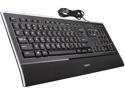
Logitech K740 Illuminated USB Keyboard
Pros: As someone who prefers short key throw, the first time I sampled this keyboard I knew I wanted it. I saved my meager retail-slave pennies and bought it with my employee discount. I'm no professional typist (if such a thing exists), but I played games pretty frequently at the time and it performed admirably. I also type extensively at work, so I bought a second one for that. I have been typing on one of these for approximately 50 hours a week over the better part of 3 years, and have no problems with any kind of hand fatigue. It's quiet, the backlight isn't too dim and isn't too bright (thanks to adjustable settings), and it isn't fatiguing to type on. It's also very light, and quite stylish IMO. While I do not review keyboards on a regular basis, I consider myself quite picky and have only liked a few keyboards out of the dozens I've owned. This one is easily my favorite. After my first one was damaged (see Cons), I called up Logitech and explained the situation. There were no fees, no misunderstandings, no language barriers. The support analyst asked for my address and shipped me a brand new keyboard, free of charge. This was easily the best support experience I have ever had from any company and made me even more of a believer in Logitech than I was before.
Cons: My first one (out of 3) lasted me until my ex's ferrets tore two of the keys off. It still worked just fine, but it was really difficult to get the keys back on. Even after I managed to snap the keys back on, it weakened the metal rivet (not sure of the technical term) that the scissor switch snaps onto and it eventually broke off. I wound up giving this one to a friend who needed some spare keys. The fact that the keys were ripped off were no fault of the keyboard's, but it was difficult to "repair" and lasted for maybe 5-6 months before the rivet-thing broke off. As others have stated, the F1-F12 text on the function keys are not backlit. This does not bother me, as I don't have difficulty finding the function key I'm looking for, but I understand why it would bother others. This is not a gaming-oriented keyboard and does not have macro buttons or anything of that nature. On that note, and *this will be important to some*; my first Illuminated Keyboard did not have any ghosting issues, but my second one sometimes did not register A or D while holding Shift and W (can't circle-strafe if moving forward). I don't really play many games anymore so this isn't much of a problem to me, but I would not recommend this keyboard to a hardcore gamer. I repeat: *I DO NOT RECOMMEND THIS KEYBOARD FOR HARDCORE GAMERS*.
Overall Review: After buying my first one, I bought a second because I liked it so much and wanted to use it at work, and then I recommended it to a friend (who also loves his). I have not used a mechanical keyboard in quite some time, although I had the opportunity to try out some Razor model with Cherry Blues (don't remember which one). I may be biased, but I definitely preferred this keyboard. Something with buckling-spring or another type of Cherry switch may be better for what you're looking for, but for me this keyboard has yet to be surpassed. Do your research and try one out at the store if you can. Keyboard preference is subjective and what works for one person may not work for another. This keyboard works very, very well for me.
12/1/2012See more detail
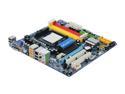
GIGABYTE GA-MA785GM-US2H AM3/AM2+/AM2 AMD 785G HDMI Micro ATX AMD Motherboard
Pros: *Disclaimer*: I haven't overclocked yet, and I'm not sure if I ever plan on doing it. However, this board is more than capable if you choose to do so. This motherboard is so loaded with features I don't really know where to start. I definitely learned a few new terms when I was going through the manual. DDR2 was a plus for me, as I was on a very tight budget and I had some lying around. This board also has 4 DIMM slots, and while most other micro-ATX boards have this, too, there are others that only have 2. AM2/AM2+/AM3 compatibility wasn't a huge deal for me (I'm using a Phenom II X2 550), but spanning three generations of processors can't be bad for those like me (poor). The board layout pretty nice and I didn't have too much difficulty setting everything up, considering my space restrictions and CPU cooler. The Radeon HD4200 is nothing special, but it's heads and tails above Intel GMA garbage. Morrowind is quite playable at 1680x1050, as is Oblivion, albeit with low
Cons: Again, I haven't overclocked anything on this computer, and I don't know if I ever will. It doesn't really interest me too much. With that said, the BIOS is *packed* with options for RAM timings, FSB speed, and voltage settings. I never expected a micro-ATX motherboard to be so feature-filled. I just realized I didn't put any "cons" in here. I honestly can't think of any. The color scheme might not appeal to some people...?
Overall Review: Turn on AHCI and Virtualization, as they are not on by default. I believe it prompted me for AHCI, but I don't remember as I built it a month ago and I was drunk at the time. This is the second Gigabyte motherboard I've owned, and second computer I've built for myself. Both motherboards have been fantastic (the other is still happily chugging along at my friend's house) and I plan on using them again. Specs for the curious: (this motherboard) Phenom II X2 550 @ 3.1ghz ZALMAN 9500A CPU cooler Antec mini-P180 (AWESOME case) 3GB DDR2 RAM of different speeds (667-800mhz ): ) 160GB SATA HDD (told you I was broke) ...and as for the video card, I'm rockin' the integrated for now. I built this computer primarily for Photoshop, DOSBox, and running virtual machines. It's not a Corei7, but for what it does it's kicking @ss.
1/20/2010See more detail
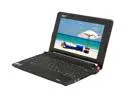
Acer Aspire One AOA150-1049 Onyx Black Intel Atom N270(1.60 GHz) 8.9" WSVGA 1GB Memory 160GB HDD Netbook
Pros: For me, the keyboard is easily the best feature of the Aspire One. It felt very natural the second I used it. The build quality is amazing; I'd have to say it's the nicest Acer I've ever used (and I see a variety of them on a day-to-day basis). It feels very sturdy and I know it's safe in my bookbag with minimal cushion. So far, the Atom has been a very snappy processor. I've ran a few VM's on it (NOT simutaneously) and they're pretty smooth. Kubuntu with KDE4 wasn't the fastest thing ever but I didn't tweak it past the install so that could probably be worked with. DOSBox works really well and only stutters with relatively 3D-heavy games (Daggerfall works pretty well in the starting dungeon). I thought I had high expectations for the Atom but Intel exceeded them. Last, but definitely not least: the battery. I've reached about six hours with general usage like using the internet or doing word processing. It also adds extra support to the base.
Cons: The gloss on the case and screen. It was a tremendous fingerprint magnet for the first few days I had it. After carrying it a few places the fingerprints don't seem as prominent, so to me this isn't really much of a con. Maybe I'm in the minority about ths, but I think the case looks great otherwise. I don't usually like glossy surfaces but I don't think I'd want this computer any other way. Everything applies to the screen there as well. They're easy to wipe away, so it's not a big deal. I don't think the gloss is as reflective as other laptop screens I've seen, either. Upgrades? You have to take the whole thing apart. I'm not shy with opening electronics, and I'm hesitant to open this (probably won't last..). The hard drive. This isn't much of a con either, but an SSD is great because they're basically shock-proof. 160GB on this, though? I'll take that much HD space over a 16GB SSD any day of the week.
Overall Review: This is the best deal for a netbook since the original Eee PC. For what you pay, you get a pretty fast processor (which uses *very* little power) in an attractive case. It's not going to beat a Core 2 Duo machine, but those generally don't come in 2.3 lb formfactors. The battery life was a real winner to me. There are other netbooks with 6-cell batteries, but there are none that I know of that are at this price point. I had an original Eee PC (701 4G Surf), and this beats it hands down. The Aspire One has very minor flaws, and I think it's more aesthetically pleasing than the Eee PC (any generation). The five rating does not mean I think the Aspire One is perfect (see Cons), but it reflects what I think of the overall package. Overall; great computer A++ would buy again
10/26/2008See more detail
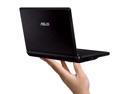
ASUS Eee PC 4G Surf - Galaxy Black Intel Mobile CPU 7" WVGA 512MB Memory 4GB SSD NetBook
Pros: This is an extremely small computer. You can't really appreciate it until you're holding one in your own hands. I can put it in my bookbag and it adds virtually no noticeable weight (next to my textbooks, anyway). I feel something that is downplayed a lot is the solid-state hard drive and flash-based storage. Subconsiously I tend to treat any electronic device that carries a hard drive as if it were glass, as I'm constantly afraid of damaging the platter. This is not a problem at all with the Eee PC. I still can't get used to the concept of a computer with virtually no moving parts (save for the fan).
Cons: The keyboard is quite small, and it will take getting used to. I have thin hands so it was pretty easy for me to adjust; someone with larger fingers may have problems. In the end it depends on the user and their ability and willingness to adapt. Some reports say that the fan is loud. It is certainly audible if you try to listen for it (eg. putting it next to your ear), but I have absolutely no complaints here. There is no CD/DVD drive, which might cripple the system to a more mainstream user. I wasn't used to installing an operating system from a USB drive but in no way do I personally find the absense of an optical drive a "negative" point. It is worthy of note, though. The screen is probably the biggest con. 800x480 resolution is pretty low and makes the viewing of some web pages slightly painful. The positive points far outweigh this, however, and I got used to the screen after a few hours of use.
Overall Review: The best and worst thing about the Eee PC is that it has enabled me to take a computer anywhere. I'll find myself checking my email at the bus stop, which is entirely unnecessary yet so much fun. At this point in time, most Linux distributions aren't entirely supported, but "eeeBuntu" seems to be working pretty well for me. Asus includes Windows XP drivers with the system, which is a huge plus. Some users may find XP more comfortable to use, however I personally could not stand to use it on the Eee. It's not the most user-friendly of processes, either, so don't buy this with the expectation of popping in a thumbdrive, installing XP, and being on your merry way. Overall this is one of the most useful pieces of hardware I've ever purchased. It's light, durable (for a computer), and does everything I need it to do in a very small package. If you've done your research and think this system is for you, don't hesitate to buy it.
3/6/2008See more detail