
Your Browsing History


Kevin S.
Joined on 08/08/01
0
0
product reviews
- 3
HDMI actually works
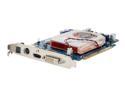
ASUS EN7600GT/HTDI/256M GeForce 7600GT 256MB 128-bit GDDR3 PCI Express x16 SLI Supported Video Card
Pros: HDMI carries audio and video for a clean install. Good graphics card overall. Haven't noticed the fan noise in my Shuttle sb86i.
Cons: Minor artifacting in video (may be solved by driver upgrade; using drivers included with card currently). Hissing / popping audio occasionally; may also be a driver issue. Expensive.
Overall Review: I have tried the ATI HDMI solution and I could not get audio to pass through so returned it for this card. This one worked right away and includes a toslink cable to connect spdif optical from motherboard to video card for pass through to tv via hdmi. So far it works.
12/27/2006See more detail
Don't use ATI for HDMI
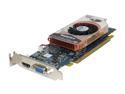
SAPPHIRE Radeon X1600PRO 256MB GDDR3 PCI Express x16 CrossFireX Support Graphics Card 100167L
Pros: If buying this card for HDMI capabilities, then NONE.
Cons: Audio pass through from coax spdif in will not pass through via hdmi to TV. Spent hours testing various drivers and configurations and ultimately ATI tech support recommended I return the product. Sapphire never answered my requests for support. Also had problems with screen reolution with newer drivers.
Overall Review: Nvidia has an HDMI solution that works so go with them. I am normally an ATI fan but this product is not well designed.
12/27/2006See more detail
Excellent way to add HD DVD to PC
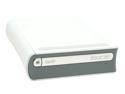
Microsoft Xbox 360 HD-DVD Player Add-On
Pros: Easy way to add an HD DVD drive to your PC. Using recently released Cyberlink PowerDVD Ultra (retail availability) can play HD DVD movies. You could add a Blu-ray drive to your computer as well and be able to play both formats.
Cons: External and bulky. Ugly addition to my HTPC but it works well. Windows does not recognize a memory device in the drive - but it is not necessary for a computer connection. Compared to a standard DVD drive it is still expensive.
Overall Review: If you want a cheap way to play HD DVDs on your HTPC / Media PC with 1080p (yes, 1080p on a PC) picture quality, this is the way to go. Make sure your computer and monitor can handle it. I have a Win XP MC, Cyberlink PowerDVD Ultra, C2D 6300, 2GB RAM, 7950GT video card (supports HDCP), and a 47" Westinghouse LCD TV (also supports HDCP) and it plays HD DVDs in 1080p beautifully. Sound also plays well through the HD audio on my motherboard; SPDIF out to receiver is awesome! Make sure to check your system compatability.
12/28/2006See more detail