
Your Browsing History


Michael B.
Joined on 04/16/08
0
0
product reviews
- 10
Why do I need this?
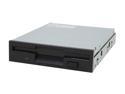
SAMSUNG Black 1.44MB 3.5" Internal Floppy Drive Model SFD321B/LFBL1
Pros: Keeps me in touch with older technologies. Works like it should. It's black... like how I like my coffee.
Cons: Some people might make fun of you.
Overall Review: Certain people think that having a floppy drive on a new computer is lame because the technology is so outdated. Others feel that a computer just isn't a computer without a floppy drive. For me the nostalgia is a factor, but also some older equipment I work with still uses this ancient device. Some of the CNC milling machines I use on a day to day basis require floppy discs to import part programs. I still enjoy it's simplicity and ease of use.
8/7/2008See more detail
Great Buy
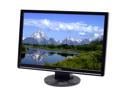
ASUS 21.6" WSXGA+ LCD Monitor 5 ms D-Sub VW221S
Pros: Great color and resolution for the price. No dead pixels. Movies are decent. Have tried some small-time solidworks applications with an evga gaming video card and was impressed. At the time of purchase the discount and rebate brought the total below $150 with free shipping... gotta love Newegg!
Cons: Stand may be a little wobbly for some... I just don't plan on bumping my computer desk very often.
Overall Review: Not a gamer so I can't comment on its shoot-em-up capabilities.
10/28/2008See more detail
Be careful with the F5 BIOS
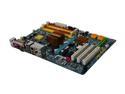
GIGABYTE GA-EP35-DS3L LGA 775 Intel P35 ATX Intel Motherboard
Pros: Board worked great before trying to update the BIOS to F5. Install was easy. Had my computer running great for about 2 1/2 months.
Cons: Not really a con of the board itself... just a caution to noobs like me about getting greedy. I had this board running a Q6600 SLACR overclocked through the BIOS to 3.0 ghz no problems. I kept trying to push it further but ran into the problems everyone's been having keeping the vcore settings in the BIOS, so I figured I'd try the F5 BIOS. Downloaded them from Gigabyte website and flashed in the qflash utility in the BIOS using a floppy per instructions, said it was successful after completing. Upon reboot now it only powers on the fans and case lights for about 8 seconds before reset then repeating in an infinite loop. No logo/post screen and keyboard does nothing. Monitor doesn't show a single character and there are no alarm beeps whatsoever. No way to rollback BIOS version. Clearing CMOS and removing battery does nothing. Tried every technique I've come accross in forums. Positive it's not a hardware conflict because system worked great pre-BIOS update.
Overall Review: Like I said previously I'm not bashing this board. It's great and easy to use. Just be cautious about getting greedy. If you plan on updating the BIOS be sure you know what you're doing and are aware of the risks involved. This all happened after the Newegg 30 return policy, so I'm out of luck on an RMA. Trying to contact Gigabyte for assistance. Will post if problem is resolved. Keeping fingers crossed tightly. It's what I get for being a greedy noob, but hey you gotta start somewhere!
8/24/2008See more detail
Neato
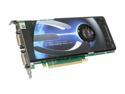
EVGA GeForce 8800 GT 512MB GDDR3 PCI Express 2.0 x16 SLI Support Graphics Card 512-P3-N801-AR
Pros: Handles Vista really well. 5.9 rating for GPU. 5.6 rating overall. Not a gamer so I can't comment on that. Paired with a Q6600 and adequate ram it rips though my tasks.
Cons: Price dropped $20 about a month after I bought it. I don't know if this is common, but the power cable to the this card is nearly touching my hard drive.
Overall Review: System: Q6600, Gigabyte GA-EP35-DS3L, 4GBCosair DDR2 800, EVGA 8800GT, AC Freezer Pro 92mm, 500GB WD Caviar, PC Power & Cooling 610W, Raidmax Smilodon ATX-612WEB, Vista Ultimate 32bit
8/7/2008See more detail
yummy
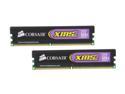
CORSAIR XMS2 4GB (2 x 2GB) DDR2 800 (PC2 6400) Dual Channel Kit Desktop Memory Model TWIN2X4096-6400C5
Pros: Cheap way to max out Vista 32 bit ram. I didn't have to return it. Both sticks work great. Not an overclocker so can't comment.
Cons: I've found no way of installing this memory in my brain bionically... I think it's an issue with the timings.
Overall Review: I think 2 x 2GB sticks is the way to go versus 4 x 1GB. Usually cheaper. More upgrade potential. It's half the components to fail on you. System: Q6600, Gigabyte GA-EP35-DS3L, 4GBCosair DDR2 800, EVGA 8800GT, AC Freezer Pro 92mm, 500GB WD Caviar, PC Power & Cooling 610W, Raidmax Smilodon ATX-612WEB, Vista Ultimate 32bit
8/7/2008See more detail
It"s great.
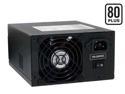
PC Power and Cooling S61EPS 610W Continuous @ 40°C EPS12V SLI Certified CrossFire Ready 80 PLUS Certified Active PFC Power Supply compatible with core i7
Pros: It powers everything in my computer. Runs cool. 5 year warranty. Came with a rebate. Feels really sturdy and well built. Good reviews.
Cons: Does not supply one point twenty-one gigawatts. I have no idea how I'm going to make it back to 1985.
Overall Review: System: Q6600, Gigabyte GA-EP35-DS3L, 4GBCosair DDR2 800, EVGA 8800GT, AC Freezer Pro 92mm, 500GB WD Caviar, PC Power & Cooling 610W, Raidmax Smilodon ATX-612WEB, Vista Ultimate 32bit
8/7/2008See more detail