
Your Browsing History


David K.
Joined on 01/17/03
0
0

product reviews
- 8
Comparison, with RAID 0.
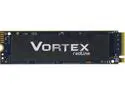
Mushkin Vortex 2TB PCIe Gen4 x4 NVMe 1.4 M.2 (2280) Internal SSD - Up to 7,415MBs - PS5 Gamer Compatible - MKNSSDVT2TB-D8
Pros: In my pictures, I benchmarked all my NVME drives to help provide some basis for comparison. The first 3 pictures are the CrystalMark "Real World" tests. (1r) Adata XPG Gen3. (2r) Dual Sabrent Gen3s in RAID 0. (3r) Dual Mushkin Vortex Gen4s in RAID 0 The last 2 pictures are the CrystalMark "Peak Performance" tests. (2) Dual Sabrent Gen3s in RAID 0 (3) Dual Mushkin Vortex Gen4s in RAID 0. Other than that, Just looking to see how these drives will last. I'll be using them as a Steam Drive, so there's be much more reading than writing so that really should provide a long life. If something happens, I'll post here.
Cons: The pre-attached sticker Heatshield is much thinner than I've seen come with my Gen3 drives. I find that a little cheap since Gen4 drives are known to get so hot.
Overall Review: At this price point, kinda hard to beat this performance. Will see if they endure.
7/15/2022See more detail
Mine even included the Alder Lake brackets
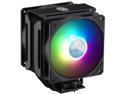
Cooler Master MasterAir MA612 Stealth ARGB CPU Air Cooler, 6 Heat Pipes, Nickel Plated Base, Aluminum Black Fins, Push-Pull, Dual SickleFlow Fans for AMD Ryzen/Intel 1200/1151 LGA 1700 Compatible
Pros: Works good, and RGB has a good full range of color to match any theme. Also, great price.
Cons: I purchased it in a combo that included the LGA 1700 support bracket to make it work with my 12900K, only to find out all those parts were already included. Can't fault newegg really, even the instructions says that only the newer boxes are packaged with the new LGA 1700 bracket.
Overall Review: Totally recommend for Alder Lake. This wasn't my first choice, but LGA1700 options were slim, and I wanted something that would arrive with the other parts, not 2 weeks later, so this was the best option.
3/10/2022See more detail
QFLASH is awesome. Use it before RMAing if your board doesn't post.
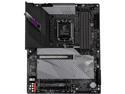
GIGABYTE Z690 AORUS PRO LGA 1700 Intel Z690 ATX Motherboard with DDR5, Quad M.2, PCIe 5.0, USB 3.2 Gen2X2 Type-C, WiFi 6, 2.5GbE LAN
Pros: QFLASH saved me from trying to RMA this board. The earlier BIOS firmware shipped with this board didn't support many of the new DDR5 memory sticks (I picked Corsair DDR5 5600). As a result, it doesn't POST and people get upset and just RMA the board. No need, use QFLASH. QFLASH allows you to flash the the BIOS even without being able to POST. Ingenious. You can find better instructions by searching QFLASH Z690, but simply put: Download bios Extract to folder Rename .f5a (or f6a, or whatever) to gigabyte.bin Copy gigabyte.bin to a FAT32 formatted USB. Put USB in the QFLASH SPECIFIC USB port. Press QFLASH button on motherboard itself. Haven't had one issue since.
Cons: I tried to make it 4 eggs because frankly, things should work out of the box. I get manufacturers want to be first on the shelf but dang.
Overall Review: If this board meets your feature list, I do recommend it. I will say this, my last board was MSI and I was spoiled by the feature rich BIOS. I wanted to try a different bran this time. This Aorus BIOS has a decent feature list, but some features tend to be harder to find and it feels less ergonomic and functional than my MSI board did. Had I known this, I probably would've looked again at the MSI boards. I'm not unhappy with my product though and if you're a Gigabyte fan, this board will certainly please.
3/10/2022See more detail
Great board! Good price, lots of features! Good MSI Support *Updated April 2nd, 2016*
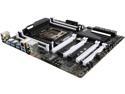
MSI X99A SLI KRAIT EDITION LGA 2011-v3 Intel X99 USB 3.1 USB 3.0 ATX Intel Motherboard
Pros: -USB 3.1 -Lots of USB 3.0 -128MB RAM max, variety of speeds (enabled XMP and it worked flawlessly for my G.Skill DDR4 3000) -Dual Bios -HD Boot logo, very intuitive and useful BIOS menu. -Good collection of drivers and useful utilities -12 Phase power -You can start out with 1 stick of RAM, or 2, or 4, allowing you to buy a larger size that you can double later down the road. -Very stable -MSI Support was spot on for my RMA, (read update below for why I RMA'd and my experience)
Cons: -Optical out won't output 5.1: This wasn't a deal breaker as I just went back to using the HDMI output on my Graphics card, but the fact this board had the updated chip over the SLI plus was one of the (smaller) considerations I decided to go with this board. You can still get 5.1 if you use analog computer speakers, but I run everything through my receiver and digital surround sound is a big deal to me.
Overall Review: Compared to the way things used to be, this was real EASY to put together. I'm only 1 week in, so I will update this review if things change. *Update below* This was the board I really wanted, but I was really worried after reading some of these reviews. It seemed like with about all these x99 boards, it was difficult to find a board that worked great, had many features, and a good price, at least based on reviews. I decided to take the chance. I had built systems with MSI boards in the past and had no issues. -8 OUT OF 12 PHASE running just fine on BIOS N.30 (I don't think N.40 allowed this, update below) One of the reasons I picked this board was the 12 phase, and didn't think to check my PSU to see if it had 3 of the 4 pin ATX connectors. I had purchased a Corsair HX750 last year with doing a build in mind, but didn't check it for a 3rd 4pin ATX connector. I ordered one as soon as I realized I needed one, but i really couldn't wait to get this machine running. It powered up just fine, installed windows, and ran fine using BIOS N.30. -SINGLE, DUAL, OR QUAD CHANNEL RAM: I didn't want to buy 4x4gb, and have 16gb, only to later have to throw them away if I want to go larger than 32 gb. Luckily, with this board, you can do like I did. Buy 2 8gb now, and 2 more later, that way, you're not throwing away money, buying 4 small sticks just to replace them later. Just make sure when you buy more sticks, they match exactly what you have. This board is not stingy with the usb 3.0, they're everywhere and for that I am thankful. -DUAL BIOS: Thank you MSI for Dual Bios. Use it wisely. If one of your BIOS gets corrupted trying to update it, don't try to update your other one, or updating that particular one again before fixing the corrupted one. *UPDATED April 2nd, 2016* MSI Live updated showed my N.30 Bios was out of date, and asked me if I wanted to let it update it. Back in the day, we never did BIOS updated in windows, even if the utility program thought it could, it usually could not. We always had to boot in DOS and apply the BIOS update. I've been mostly out of the scene for about 6 years, and seeing how far things had progressed when building this, I decided to let it do the update. Well after the update, black screen. Tried to reboot. Didn't see anything. Motherboard looked and acted normal, but nothing on the screen. I assumed that updating the BIOS in windows failed and I should've updated it in DOS. Keep in mind, this could be entirely because I was still only using 8 of the 12 total phases as my adaptor had not yet arrived. Possible that version N.40 checks for all 12 phases. I turned it off, flipped the switch to my other BIOS and just continued on my merry way for about a week, all the while thinking about that failed BIOS and wanting to get it going again. The manual said to fix a corrupted BIOS, make a DOS bootable flash drive with the BIOS file you want to apply, boot to DOS from the good BIOS, then switch the BIOS switch to the other BIOS. When I flipped the switch, the BIOS light never changed, I should have realized the importance of this. I did after I watched a video on youtube about it, but that was after the fact. Since the BIOS light never changed, it was still "connected" to my working BIOS. I applied the update, and everything showed success on every step. Reboot, black screen. Potentially, this could still be because I didn't have my adaptor for the 3rd 4pin ATX connector. Of course, at that moment, that was not going through my head, in fact, it was almost as if ALL wisdom and knowledge I had from years of pc building, troubleshooting, etc was sucked from my brain as in a moment of confusion, I flipped the BIOS switch back and forth once. "OOOPS OH NO!!," I said as I swiftly pulled back my hand. "WHAT DID YOU DO THAT FOR HAND?" The moment I did that, the light for my power switch went off, although the fans etc were all still running. Afterward, powering on, still turned on all other leds, and fans, but not the one for my power light. TLDR; Both BIOS's corruped Welcome to RMA town. Dang it. I contacted MSI support with what happened, they directed me to RMA. RMA Approved. Sent board to MSI. MSI sent replacement (with N.40 BIOS), and everything has been fine ever since. I am real pleased with my RMA experience with MSI, so don't let the other reviewers scare you off if you been eyeing this board. TLDR; MSI RMA was awesome. OVERALL: I've been very impressed by this board. I plugged everything up, and everything came on. Everything worked! Everything feels real solid. The black will go well with anything, the white would reflect any color you're putting in your build. Newegg also has been great. I been a customer for at least 12 years, and I've never had an issue dealing with them.
4/1/2016See more detail
BAM!
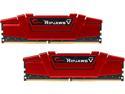
G.SKILL Ripjaws V Series 16GB (2 x 8GB) DDR4 3000 (PC4 24000) Desktop Memory Model F4-3000C15D-16GVR
Pros: Put a pair into a MSI X99A SLI KRAIT EDITION and turned on XMP. BAM! 3000MHZ! BAM! 15-15-15-35! BAM! AWESOME!
Cons: BAM!
Overall Review: Will get another pair in a few months to go quad channel
2/16/2016See more detail
These reviews really hype it this case up, it deserves it too!
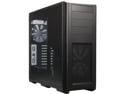
Phanteks Enthoo Pro Series PH-ES614P_BK Black Steel / Plastic ATX Full Tower Computer Case
Pros: I can't begin to convey how awesome this case is for the money. The same amount of money gets you alot more case these days. -Plenty of room. -Great cable management -Everything is put in with screws, so you don't like something, or something's in your way? Take it out. -Extremely configurable. Want 8 fans? go ahead. Want a water cooler? go ahead. It's open anywhere you need it to be that you can do just about whatever you want. -Wow, an actual manual? I've never had a case with a manual before. -All the screws come in an organized plastic case. Very classy!
Cons: none!
Overall Review: Initially, I was looking at a Rosewill. They've been around awhile and every computer related product i've had in the past has always been good. I liked the looked of this case, but never heard of "Phanteks." I've had a cheap case before. A cheap case will take the joy out of building your system. The reviews for this case were overwhelmingly positive. I'm not talking about the egg rating, i'm talking about the amount of people that actually took the time to type out how awesome this case is. It was enough to try it out and I am so glad I did. This case is extremely beautiful. Alot of thought was put into this case and it shows. It is a pure joy to load this box up! I will definitely recommend!
2/16/2016See more detail