
Your Browsing History


Marinos H.
Joined on 07/30/01
0
0
product reviews
- 3
More Depth to my earlier review
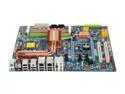
GIGABYTE GA-X48T-DQ6 LGA 775 Intel X48 ATX Intel Motherboard
Pros: The RAID works great, I have 4 1GB disks in 2 Mirror (RAID 1) sets. Everything is fast, my core temps (in a rather warm room) stay around 95F/36C and have gone as high (sustained) as 105F/40C.
Cons: The cable for the IDE Drives is not long enough for the first connector to reach my first DVD burner. The second connector will reach either drive. I had to get a new cable to hook up both drives. If you use 2 2GB sticks of RAM you cannot add 2 more sticks. This kept me from rating the mobo a 5. I really wanted to add 2 more 2GB sticks later but now I will need to buy 2 4GB sticks instead. I'm also concerned about overclocking, but as I usually don't OC, I'll let it go. The mobo with an earlier rev BIOS was setting improper values forcing overclocking. The overclocking was causing the machine to hang. (More below)
Overall Review: Update to the new E5 BIOS. I had a problem mentioned earlier where the FSB was being reset to 400 when I wanted 333 - this was causing the machine to hang and require a powercycle (which made the RAID sets need to verify, taking hours). After upgrading the BIOS to E5 I set all my memory and CPU timings manually. Its been 5 days and things are great again. Before the E5 BIOS the machine was hanging 2 or more times a day, no hangs in 5 days since updating. The E5 BIOS may have made it so that setting the FSB to 400 will work with my E8500 chip but I really don't want to test. It's fine now and I'm happy.
8/6/2008See more detail
I Love It!
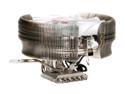
Thermaltake MaxOrb CL-P0369 120mm CPU Cooler
Pros: I love this fan. It's big, but it fits nicely in my case and on my mobo (GIGABYTE GA-X48T-DQ6). I was able to orient it in the case so that the bracket goes up (toward the power supply) and that gives some air on the open side to cool the RAM and it allows me to get to the RAM sticks.
Cons: None that I can think of.
Overall Review: Keeps my CPU core temps (in a warm room) between 95F/35C and 105/40C. If I have the window open and window fan running the temps (with the cooler air from outside) drop about 2-5F to 93-100F on average still hitting 105 occassionally depending on what I'm doing.
8/6/2008See more detail
Crazy Cool made me crazy
GIGABYTE GA-X48T-DQ6 LGA 775 Intel X48 ATX Intel Motherboard
Pros: I'll do a more indepth review later, but wanted to warn others that may have this proble. So far the board looks great though - once I fixed the problem (detailed below in the cons section.)
Cons: The Crazy Cool plate no longer comes pre-installed, it's in a bag and you must install it if you want it. I installed the plate because the Thermaltake CL-P0369 120mm CPU Cooler I have will fit on this board with the Crazy Cool plate installed. There were no issues getting the pins through the board, they went in very easy. HOWEVER, the plate isn't well insulated. It was shorting against the mobo and causing all sorts of weirdness. I finally figured out that it was the Crazy Cool plate (problem was easily repeatable). I removed the plate, removed the insulating pad, and applied heavy electrical tape around the edges where the insulating pad did not reach. I used an exacto knife to cut holes for the screws and then I put the insulating pad back on the Crazy Cool plate. Now I have a nice fan and the Crazy Cool plate together.
7/20/2008See more detail