
Your Browsing History


Jordan H.
Joined on 12/10/03
0
0
product reviews
- 11
Very good for a TN panel, but has some limitations
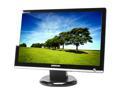
SAMSUNG 21.6" WSXGA+ LCD Monitor 5 ms D-Sub, DVI-D 216BW
Pros: Good contrast & black level, *if* you're careful to sit directly in front of the monitor. Backlight bleed unnoticeable on anything but fully black screen. Setting "Color Tone" to "Warm" makes images and movies look more natural. Very dark scenes are still look a bit washed-out. Decent scaling of non-native resolutions. Very lower power consumption for its size, especially at reduced brightness. A benefit of TN panels rarely discussed is that they use less power, compared to MVA, PVA, or IPS. Some measurements from a Kill-a-Watt meter: bright. wattage 0% : 18 W 7% : 22 W ("Text" default) 25% : 29 W 33% : 31 W 50% : 34 W 100%: 41 W 100% is painfully bright. I run mine at 0%(!) most of the time, plenty for text work, browsing etc, in a dimly-lit room. For movies, 5-10% looks best. Under bright overhead lights in an office, some might want to go as high as 50%. Extra brightness headroom does allow for tube aging. Price is hard to beat!
Cons: Vertical viewing angle should be within 30deg of dead-center for best results (typical TN); sitting too close can be a problem. No support for 1:1 pixel mapping, and no way to force 4:3 aspect. Resolutions like 1024x768, 800x600, or 640x480 will be "stretched" to fill the screen; can be bad if you like older games, or need to run other legacy app. needing a particular res. Dynamic-Contrast mode is mostly useless. It should adjust brightness based on picture content, but is too slow to react to changes, and also forces brightness to 100% (no manual adjustment). In other MagicBright modes, any change (even brt/contrast) will shift to Custom mode, overwriting any previous Custom parameters. Best to just leave it on Custom. Mine sometimes emits a soft hum from its backlight inverter. Thumping or squeezing the case can make this go away for a while. Most people wouldn't be bothered, as it probably can't be heard over the noise of a typical PC, fan, AC, etc. but SPCR folks m
Overall Review: Switching from a 22" Mitsubish 2040u CRT, I lost ~ 1/2" of screen height, but gained ~ 3" of width. Sharpness, linearity, geometry are near perfect, contrast only slightly worse (CRT was ~ 2000:1). Decided on 216BW vs. 226BW because of improved contrast ratio. I run this via DVI from a Linux machine, using a Matrox G550 card. Analog is nearly as good, but DVI gives a slightly better black level. Here are some X.org modes that work well for me: # Native @ 59Hz; 112 MHz dotclock limit via DVI on G550 ModeLine "1680x1050" 112 1680 1696 1704 1800 1050 1051 1053 1059 +hsync -vsync # some lower-res 16:10 modes for old games (MAME, etc) # 372 lines is the lowest non-Doublescan vertical resolution a 216BW # will upscale to full-screen in DVI ModeLine "768x480" 30.21 768 784 896 960 480 490 492 525 -hsync -vsync ModeLine "640x400" 25.17 640 656 752 800 400 412 414 449 -hsync +vsync ModeLine "592x372" 22.20 592 608 696 744 372 376 378 415 -hsync +vsync
10/6/2007See more detail
Sudden death after 2 years
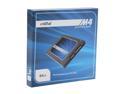
Crucial M4 2.5" 64GB SATA III MLC Internal Solid State Drive (SSD) CT064M4SSD2
Pros: Ran very fast, and completely trouble-free in my Linux desktop-- up until the day it failed. Gave a significant performance boost to random I/O over the mechanical SATA disk it replaced.
Cons: Died after 2 years, 3 months of service (installed August 2011), while the computer was under light use (editing text, browsing the web, and playing music-- minimal disk activity, mostly read-only). The failure mode was such that all stored data quickly became inaccessible. On trying to access one particular file, the SSD would completely freeze up, taking itself off the SATA bus until power-cycled (a reboot wasn't enough). It then worked normally for a few minutes more, until attempting to read the same file again caused an identical failure. Running bad-block scan from a recovery CD showed no errors up to that first bad spot, after which EVERY SECTOR tested bad! One or two power-cycles later, the drive stopped responding at all, and could not be brought back-- motherboard BIOS would hang forever probing its port until the SATA cable was physically unplugged. Fortunately, I had a current backup, and so lost only a tiny amount of work, but the way in which it failed-- about 10 minutes from perfect operation to "bad secotr in one file" to 100% gone!-- was quite disturbing, suggestive of a possible design flaw in the controller logic, or perhaps the part of flash storage used to track sectors remapped for wear-levelling.
Overall Review: I had made an effort to minimize unnecessary writes to this drive, hoping to extend its lifetime (e.g. no swap file or partition, filesystems mounted with -noatime, downloads, caches and othertemp files directed to ramdisk or mechanical HD), but apparently to no avail... unless that helped me get 2 years out of rather than the 12-18 months other reported. Drive is still within its 3-year warranty period, at least. Hopefully I won't have any trouble with the RMA process, but I'm reluctant to trust a Crucial drive with anything important now. May throw its replacement in my gaming machine and try an Intel SSD on the main workation.
12/17/2013See more detail
Poor thermal design, buggy ASM1051 chip can't safely use UASP
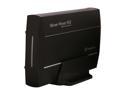
Thermaltake Silver River 5G ST0025U Aluminum 3.5" Black SATA I/II/III USB 3.0 External Enclosure
Pros: Runs reliably at USB3 speeds, so long as UASP is disabled on its port. Sealed aluminum shell and plastic sled inside cut out most drive noise, especially high frequencies. Compact and sleek-looking. White LED in front (a light-spreader bar spanning most of the case width, which stays on but brightens/dims slightly to indicate activity rather than blinking on/off) isn't distractingly bright.
Cons: No real thermal coupling at all between drive and outer aluminum case, due to use of a PLASTIC mounting sled! - the HD is mounted to this, which then slides into the aluminum shell. A relatively cool-running WD Green 5400rpm drive (WD30EZRX, 4 platters) reaches 57 degrees C after 2hr of heavy use (bulk transfer of ~900GB), 58C after 2.5 hr, very close to WD's specified 60C limit. Between Thermaltake's history with CPU cooling products, and the aluminum enclosure, I'd hoped for a decent passive-cooling solution, such as an inner metal sled coupled to the outer shell with a thermal pad, as used in the Scythe Silent Drive enclosure. Sadly, this is not the case. I definitely wouldn't recommend putting a 7200rpm (or faster) drive in one of these! I consider it barely adequate for 5400rpm drives that are only occasionally switched on, for backup & archival use. The controller chip is an older Asmedia AS1051, known to be unreliable when used with UAS/UASP. As mentioned in another review, Linux detects this situation and reverts to its standard BOT/usb-storage driver ("UAS is blacklisted for this device, using usb-storage instead"). It's not fair to say this is "not compatible with Linux", though - it still connects at USB 3.0 rates, and gives 2-3 times the performance of USB 2.0 (I measure 90 - 108 MB/s for bulk transfers), with about a 20% performance loss, and slightly higher CPU overhead due to use of the older driver. This is NOT Linux-specific - hopefully drivers for Windows and other OSes also recognize the situation and avoid using UASP, but if they do not, that might explain complaints from other reviewers about random bus disconnects and such, something I've never experienced (using Linux exclusively, various kernels between 3.14 and 4.9.xx over the past 4-5 years).
Overall Review: I'd recommend the Rosewill 3.5" USB3 enclosure instead (Newegg item N82E16817182247), which has a newer, bug-free AS1153 chip that can safely use UASP, a switchable 80mm cooling fan, and metal mounting rails inside that should give better heatsinking even with the fan turned off. It's also currently selling for $5 less. The only negatives are that it's slightly bulkier & heavier, and emits more noise due to the vented design. I've had my Thermaltake Silver River cases for about 5 years now, so it's possible current ones being sold in 2019 have improved on some of the Cons listed above. Mine identify as USB vendor/product ID 174c:5106 - any with a different ID likely have a different controller chip inside.
3/9/2019See more detail
No longer uses Realtek RTL8309 chip
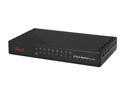
Rosewill RC-408X 10/100Mbps 8-Port Fast Ethernet Switch
Pros: Performs as advertised as a plain unmanaged 10/100 switch. Very inexpensive. Easily keeps up with data flow when multiple 100M ports are being saturated to line capacity. Fanless, cool-running, low power use. All cables, including power plug into the back (preceding RC-406 model had power jack on the side). LEDs on front & flat-top case makes it easy to stack with other components.
Cons: Although it was never an advertised/documented feature, and something very few people will care about... the RC-406 model this replaced used a Realtek RTL8309SB or RTL309SC switch chip, and so could be modified to support 802.1q VLAN tagging for router/firewall use (by adding a properly-programmed 24LC02 EEPROM chip to load the config registers -- this did require some fine-pitch soldering to a surface-mount chip). With the RC-406X, though, Rosewill has switched to using the IC+ (ICPlus) IP178D chip, which lacks any such VLAN feature. Oh, well, it still works fine as a plain switch, but I do wish I'd bought more of the older RC-406's when they were still being made.
Overall Review: Does anyone know of another small switch still on the market that's built around the Realtek RTL8309SC chip? How about the Rosewill RFS-108 recently added here at Newegg? (item N82E16833166078)?
6/15/2014See more detail
Working great in an old Fujitsu P1120
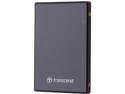
Transcend 2.5" 64GB PATA MLC Internal Solid State Drive (SSD) TS64GPSD330
Pros: PATA SSD's are rare these days, and this one is a great way to give an older laptop a nice performance boost (though you should max out the RAM first). No special drivers or operating system tweaks are required, since its behaves identically to a mechanical drive. I bought this about 18 months ago, and it's still running well in my 2003-vintage Fujitsu Lifebook P1120 (a 2.2lb, 9" netbook from before that word had been invented), which has no fan and is now completely silent. Being limited by the IDE bus and other bottlenecks on such an old system, of course it isn't as fast as a modern SATA SSD, but random access (important during boot-up and application launch) is definitely quicker. Not having to worry about spin-up/spin-down settings, trading off delays and noise vs. power consumption is also nice.
Cons: Minor point, but at least on my unit, the disk-activity indicator remains permanently on-- this is true not only when installed in the netbook, but in a desktop I had it in temporarily, as well as in an external USB enclosure. Besides rendering that indicator useless for monitoring disk I/O, having another LED constantly lit could slightly decrease battery runtime (though in my Fujitsu it's a non-backlit LCD segment).
Overall Review: I didn't notice any significant increase or decrease in battery life, as compared to the Seagate 5400rpm mechanical disk this replaced, which had been set up for aggressive spin-down after just a few seconds' idle time. This is better than an older PATA SSD I used for a while (M-Systems brand, meant more for ruggedized industrial use) than got quite warm, and drew more power than an ordinary HD.
12/17/2013See more detail
Cheap & Reliable, even at 240/960Mhz mem clock
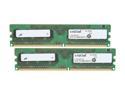
Crucial 2GB (2 x 1GB) DDR2 800 (PC2 6400) Dual Channel Kit Desktop Memory Model CT2KIT12864AA800
Pros: Good value. Using these on a Gigabyte GA-EP43-UD3L w/ E5400 CPU - despite being specified for only 200/800MHz operation, I've been running them at 240/960MHz (in order to increase CPU FSB by 20%) for nearly a month, at stock voltage with no issues at all -- overnight run of memtest86+ gives no errors.
Cons: Others have noted the lack of heat spreaders-- I wouldn't want to risk raising voltage on these much at all. In my case, even though they're set to "Auto" / stock, the motherboard voltage sensor shows closer to 1.9V, so if that isn't just measurement error they may be overvolted slightly. No ill effects, though, and they don't seem to get too hot.
11/6/2010See more detail