

Your Browsing History


John G.
Joined on 09/26/01
0
0
product reviews
- 3
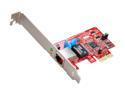
Rosewill RC-401-EX Network Card Gigabit Low Profile 10/100/1000Mbps PCI-Express 1 x RJ45
Pros: Marvell Yukon 88E8053 chipset. Marvell's latest is the Alaska chipset, but this one works well. - Marvell still updating drivers for this chipset, available at their site. - The offloading on the chipset is nice - Jumbo frames enabled by default (MTU 1518) - won't be used unless you have a full gig-E network, 10/100 ethernet networks default to standard-sized frames. - Works as described, better than Realtek onboard ethernet.
Cons: - Yukon chipset instead of Alaska chipset, extremely minor con.
Overall Review: Got this card to replace my dying Realtek 8111C onboard ethernet controller that was dropping connections constantly. Plugged this PCI-e card in, then disabled onboard ethernet in motherboard BIOS; problem solved.
3/8/2010See more detail
Asus WL330gE Review
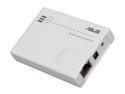
ASUS WL-330gE Wireless Router IEEE802.11g/b/d, IEEE802.3/3u/IEEE802.1X, WPA/WMM/IPv4/IPv6
Pros: Broadcom BCM5354 SoC based portable NAT Gateway/AP/Bridge. -Small size. -Extra accessories (bag, usb power cord). -Version from Newegg had the latest firmware. -Working flawlessly with no drops for over a month.
Cons: . -Asus hasn't made a new model that supports IEEE 802.11n-2009. -Couldn't find my landlord's router (b) when in one of the 3 AP modes. Workaround was putting the device into "b" mode (DSSS) only, thus shutting down the "g" modulation (OFDM). The device caught the router's SSID broadcasts no problem after that. -No power switch, minor gripe - can just unplug the AC adapter from the back of the unit.
Overall Review: Using this device as a cheap Xbox 360 wireless adapter (less than half the price of Microsoft's own accessory, and much more versatile). 1. Plugged the power into this device, and crossover ethernet adapter into my PC, then requested the web config. interface from it by connecting to its IP(default is 192.168.1.220) via web browser. 2. Changed it to adapter mode 3. Connected to landlord's router via selecting radio button next to the router's SSID. 4. Unplugged ethernet crossover cable and plugged it into the Xbox 360. Closing thought: The device runs very warm, and is passively cooled (no fans); so I've decided that when I'm not running the Xbox 360, to just unplug the AC adapter from the back of the unit to prevent unnecessary heat stress on the chips.
5/13/2010See more detail
Fix the spacebar
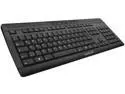
Cherry G85-23100EU-2 Stream XT: G85-23100 Ultra-Flat POS Keyboard
Pros: - Slim keys, scissor-style switches. - Fairly low activation force, medium duration for return to neutral. - Nice matte finish. - Orange LED's not to bright. - Competitive price. - Decent key layout, albeit not completely standard 104.
Cons: - Below average tactile feedback from scissors, however still better than membrane-style keys. - Space bar only has one contact in the dead center rather than the industry default of putting two contacts on the left and right side of the bar. This causes no spaces to register if the space bar is hit on the left or right side. The user must hit the space bar DIRECTLY in the center, else spaces will not register. This is actually a huge design flaw, and it will not add spaces extremely often. Only docking one egg for this, although I should take off two.
Overall Review: The space bar having only one center contact is a huge issue, spaces don't register often. If you can deal with this by training yourself to hit DEAD CENTER of the space bar, then it's a 5. Buyer beware.
2/18/2010See more detail