
Your Browsing History


TIMOTHY M.
Joined on 04/13/03
0
0
product reviews
- 8
Drive underrated, but know what you're doing!!
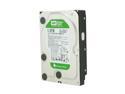
Western Digital WD Green WD10EARS 1TB 5400 RPM 64MB Cache SATA 3.0Gb/s 3.5" Internal Hard Drive Bare Drive
Pros: Quiet, power-efficient, good price. Also, fast enough. It's a 5400RPM drive, so that's what you get, but the performance of my RAID1 array is more than acceptable. I haven't had them a long time, so I can't tell you how reliable they will ultimately be, but here's what I know: They're been running continuously ever since I got them. SMART data reports good health for both drives. They also survived very heavy initial utilization when I was setting them up and copying on large files (Time Machine backups).
Cons: If you don't know what you're doing, you can get lousy write performance (a factor of 3.3 performance drop across the board, according to an article on OSNews). See Other thoughts.
Overall Review: You really need to know what you're doing if you're going to use these drives with Linux. Windows 7 reportedly does the right thing, while Windows XP does not. WD claims that Linux is "unaffected", but this is false, since many critical Linux tools like fdisk do not do the right thing by default. To use fdisk, create a primary partition like normal. Once the partition is created, type 'x' to get into expert mode, then use the 'b' command to move the starting sector of the partition. Make sure that it is an integer multiple of 8. The problem is that fdisk starts partitions on "cylinder" boundaries. The thing is, the cylinders are faked, and they're reported as being 63 sectors. As a result, your partitions will start on 63-sector boundaries. 63 is obviously not a multiple of 8. Move the start of your first partition to block 64, and it makes all the difference in the world. Same goes for all other partitions. Realign them.
2/27/2010See more detail
DOA (?)
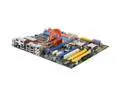
MSI X48 Platinum LGA 775 Intel X48 ATX Intel Motherboard
Pros: The specs are nice. It's probably great. Won't find out until I get the replacement.
Cons: When I assembled my new PC with this board and a Q9450, it wouldn't power on. Troubleshooting with MSI showed that it was either the CPU or the mobo, but we can't tell, so I have to exchange them both.
Overall Review: Newegg is taking care of me, giving me free over-night shipping on the replacement order. There's no reason why this combination of motherboard and CPU should be a problem. Just bad luck. It could be a bad Intel CPU, but more likely (my guess), it's a bad motherboard. MSI's tech support is really good, though! Initially, I was irritated that I had to leave a message to get support, but they called back in less than an hour!
6/27/2008See more detail
3 out of 4 survived
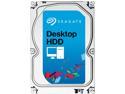
Seagate Desktop HDD ST1000DM003 1TB 64MB Cache SATA 6.0Gb/s 3.5" Internal Hard Drive Bare Drive
Pros: Fast, quiet, cheap, mostly reliable. No DOAs.
Cons: Hard disk makers have given up on avoiding drive failures. It's now accepted across the industry that mechanical drives are ticking time bombs. The statistics for me are a 25% failure rate from Seagate.
Overall Review: I bought four drives in November 2012. Only now that they're three months out of warranty does one them decide to start throwing bad sector errors. Of course, it's always a bad idea to trust important data to desktop drives, so this failed drive was part of a RAID array (one subject to very light activity) and is also regularly backed up to another drive. No data lost. Hard drives now are designed around very wide manufacturing tolerances. Vibration sensors, strong ECC, lots of redundant sectors, etc. One negative effect of this has been to slack off on the hardware quality because the failsafes can hide so many soft failures.
2/9/2015See more detail
Excellent board; be careful about populating all four DIMM slots
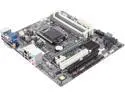
ECS H87H3-M (V1.0) LGA 1150 Intel H87 HDMI USB 3.0 Micro ATX Intel Motherboard
Pros: Everything just works. It was easy to set up. The BIOS settings are extensive. I put an i5 Haswell in, and it runs really cool. Also, just want to mention that I had no issues getting it to work with Linux either.
Cons: Well, everything works great, except the RAMs. I have four 2GB DDR 1333's from Crucial. They worked fine two-per-channel on my old motherboard (from MSI) that I'm replacing. On the new board, they work perfectly one-per-channel, but nothing I did could get the system to be stable with all four slots populated (I tried increasing the voltage, various combinations of positions, and tinkering a bit with the DRAM timing values). I've got an RMA going now with Crucial, and they're replacing my DIMMs that have 16 chips per DIMM with some that have 8 chips per DIMM, and that should fix the problem. So just keep in mind that this board may have some challenges if you want to populate all four DIMM slots.
Overall Review: It has only one case fan port, but unless you're going to put a massive GPU in there, it runs so cool, it doesn't need more than one case fan. In my case, I want to blow air across the RAID array, and some people on an overclocking forum suggested a trick where you power multiple fans from the one port, but make sure that the RPM-sense wire is connected to only one. This way, I can make them all variable speed. I have't fully vetted that idea, though, so do it at your own risk.
9/23/2013See more detail
Memory slot problems, bad costumer service
MSI X48 Platinum LGA 775 Intel X48 ATX Intel Motherboard
Pros: Has lots of features, ostensibly great for overclocking, good price for what's packed into it.
Cons: There seems to be a design flaw that makes memory slot 2 not work with at least some memories. MSI doesn't have good customer service; when you need help, you have to do email or leave a message, and it often takes a while for them to get back with you. If the board works for you, you've got a great deal. If it doesn't, you're stuck. I've heard rumors about MSI quality being hit-or-miss, and it seems like I'm one of the unlucky ones. Before posting this review, I have given MSI plenty of opportunity to make good, but they're totally dropping the ball.
Overall Review: I have four Kingston KVR1333D3N9/2G DIMMs. These are good memories, but they're not 'performance' memories, so I run them at stock voltage and SPI timings. Each one works fine in slots 1, 3, and 4. None of them work in slot 2. When I run certain stress tests, like the GIMPS Mersenne Prime program, they'll quit after a few hours reporting a compute error if any memory stick is in slot 2. (Or sometimes, I'll get a freeze or reboot.) I did an RMA exchange with MSI. It was like pulling teeth to get them to do a cross-shipment. When I got the replacement board, it was actually WORSE, but I didn't find out until I had already shipped back the first one. When they get it, they can't reproduce the problem, and they seem totally unwilling to try the test I was running. Since they can't/won't reproduce the problem, they're telling me there isn't a problem, even though it's easily reproducible with a simple prime number generator on my end. Very disappointing.
1/10/2009See more detail
Fast, good price
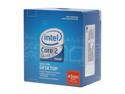
Intel Core 2 Quad Q9450 - Core 2 Quad Yorkfield Quad-Core 2.66 GHz LGA 775 95W Processor - BX80569Q9450
Pros: I have compared performance of compute-intensive tasks between the 2.33GHz 65nm Core2 Duo on my MacBook Pro, and the Q9450. The clock speed of the Q9450 is 14% higher, but for a single thread, performance is measurably even greater than that, probably because of the larger caches and faster FSB. Obviously, it's also nice to have the two additional cores.
Cons: No cons to this processor, although I'm looking forward to Intel's next generation of processors, Nehalem, next year. :)
Overall Review: This processor's clock speed is 6.4% faster than the Q9300 at 2.5GHz, while being 22% more expensive. The next processor up, Q9550 at 2.83Ghz, is 6.4% faster while being 66% more expensive. Because of variation in silicon manufacturing, the faster processors (at a given voltage) are naturally going to be rarer, so the exponential price increase with clock rate is natural. Always do a cost/benefit analysis like this before you decide what to buy.
7/5/2008See more detail