
Your Browsing History


Steven C.
Joined on 03/17/05
0
0
product reviews
- 4
This is what "unifies" the UniFI system!
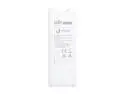
Ubiquiti Networks UC-CK-US Secure Unifi Controller Hybrid Cloud Key, stand-Alone UniFi Controller Hardware
Pros: Easy to set up and use. Small physical size, hangs off of your network switch like a dongle. Runs on PoE, no external power needed. Can run off of USB power if you don't have a PoE switch or injector. Provides simple, quick way to change all the settings on your wireless networks; change settings on this one device and it rolls out changes to all the connected access points. No more having to program each individual access point device! (this only works with Ubiquiti UniFI devices) Lets you monitor who is connected to each access point, and gives options to block or reconnect them. It keeps track of how long users are connected, and keeps track of how long each access point has been up and running. Can be configured for remote access with port forwarding through your network's router. Can also be configured for cloud access through Ubiquiti's website, but I have not tried it. Direct remote access through port forwarding has worked just fine for me. This is much more stable and user friendly than using the PC based version of the UniFI software on a server. I tried using the software version, and I would have to physically go to the computer it was on and restart the program at least once a weak because it would stop connecting to the network, preventing remote access. This device has been running now for over a month and has had no connection reliability issues whatsoever. This can be configured to send out email alerts for events, like access points losing power or rogue WIFI channels interfering with the network. Very handy!
Cons: None so far. Cost seems fair, considering how useful it is.
Overall Review: Definitely get this if you have 2 or more Ubiquiti UniFI access points! Saves so much time and hassles!
6/27/2018See more detail
Works with AMD Ryzen and Asus Crosshair Hero VI WiFi; Beautiful RGB!
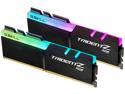
G.SKILL Trident Z RGB (For AMD) 16GB (2 x 8GB) DDR4 3200 (PC4 25600) Desktop Memory Model F4-3200C14D-16GTZRX
Pros: Compatible with my Asus Crosshair Hero VI WiFI mobo and AMD Ryzen 7 1800X. Works at advertised 3200 MHz, 14-14-14-34 timing straight out of the box. RGB is bright and colorful! It is compatible with Aura Sync and you can program it to match your mobo lights, but I prefer to leave them in their stock configuration that cycles through multi-colors, like they appear in their product photos. Very cool!
Cons: Expensive! Otherwise, none. I could only afford to buy one set, will buy a second set later (waiting for price to drop or go on sale).
Overall Review: When first building my system I went with a cheaper option (brand initials T. G.). They did not work at the full 3200 mhz speed with my motherboard and processor, even though they were advertised to do so. They would cause post errors when I tried running them at 3200, and even running at 2133 mhz my games would crash. With these G.Skill TridentZ I have had absolutely no problems whatsoever, and they worked at their advertised speed right away after first configuring their setting in the bios. I highly recommend them!
7/22/2018See more detail
Excellent Bracket: SATA to SATA
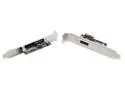
Syba SD-SATA-EP eSATA to SATA Bracket Port For External Hard Drive -
Pros: This is a well made bracket for adding a SATA port to connect to an external hard drive. By not having a built in cable, you can connect any SATA cable you wish to use inside your computer, which is why I got this particular one, as I like to use thin, round SATA cables that are inconspicuous. Most other similar brackets have an ugly red ribbon cable attached.
Cons: Not a real big con, but the external port on this is not eSATA, it is just a regular SATA port. If you have an external drive that uses an eSATA connection you will have to get a cable with a SATA connection on one end and an eSATA connection on the other, as they are different shapes and not inter-compatible.
Overall Review: The description for this bracket should be changed from "eSATA to SATA" to "SATA to SATA" because both the internal and external ports are SATA. If I had realized this when I bought it I could have gotten the correct SATA to eSATA adapter cable to connect to my external hard drive when I ordered the bracket. I had to wait a week before I could use it while I ordered the correct cable.
7/12/2018See more detail
Excellent WAP
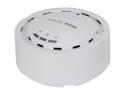
EnGenius EAP300 N300 Business Class Indoor High-power Long-range 800mW Wireless Access Point/WDS Bridge/WDS AP with Smoke Detector Housing & 802.3af PoE Support
Pros: I bought this to use at home, to replace the wireless function of a Linksys WTRG-54 wireless router, with the goal of faster wireless and better coverage in my average sized house (2 stories + basement). This product delivered in both areas. I mounted it on a wall on the ground level floor of my house and I get full signal strength in every room of my house. I'm sure my neighbors can even get a signal, hehe. The user interface is very intuitive and easy to use. I was able to set it to a static ip address and set up a wireless SSID and password in about five minutes. I can even change its settings from my Blackberry Playbook (I'm sure iPad users can too). Since it is PoE I was able to use a single cable for data and power; I chose a white network cable so it blends in with the white walls of the room it is mounted in. The unit has three bright blue lights indicating power, network connection and wireless activity; all three can be turned on or off in the user interface.
Cons: The cons are minor, and do not effect the performance of the device. While this device is PoE, no PoE injector is supplied. It uses the 802.3af standard, so any generic poe injector will work. I went to my local brick n mortar store and bought one. The activity lights are rather bright blue, which is odd since the housing is designed to look inconspicuous when mounted on a wall or ceiling. As I mentioned in the pros though, you can turn them off individually in the gui.
Overall Review: This model has a 10/100 network connection. The EAP350 has a gigabit connection. I like the smoke detector look; no antennas sticking out. It is unobtrusive where I mounted it on a wall; if I were really ambitious I could have cut a hole in the drywall and ran the network cable through the wall and have a very clean mounting, as the cable port is on the underside of the unit. The base that attaches to the wall detaches from the main unit with a twist; it is ring shaped and you can either run the cable(s) off to the side or into the wall/ceiling through the middle.
4/23/2012See more detail