




 here!
here!
I’m your shopping assistant for PC builds, upgrades, and everything tech.
Got questions? Ask away!
Start a conversation
here!
I’m your shopping assistant for PC builds, upgrades, and everything tech.
Got questions? Ask away!
Start a conversation

Joined on 09/30/05
Free the beast
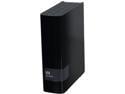
Pros: Lots of room WD Green inside Works just fine for me. Cheaper than an bare internal
Cons: Not enough air flow inside the caddy. caddy not reusable, but I wouldn't anyway. I removed an egg because while the bare drive is fine the bit encryption makes this drive impossible to restore data if caddy fails, and it will.
Overall Review: This drive had mixed reviews when I bought it, but it was really cheap, and I needed a 4TB so I took a chance. I immediately removed mine from the caddy, and formatted it. I have been keeping an eye on mine and haven't received any errors. External caddies are failure prone (heat, power fluctuations), so I am hoping the bare drive is just fine.
Great Tiny Case
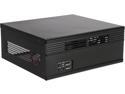
Pros: - True ITX form factor - Uses a Flex ATX PSU - Perfect for a an HTPC or retro console build.
Cons: - If you dont know what your buying this case could be terrible. For me it was perfect. - if you get teh wrong PSU this little guy can be loud. - Fan isnt 100% standard. It is thinner than most 80mm fans, and the holes are a big larger. I used a thin cooler master fan and drilled out the mounting holes.
Overall Review: I used mine to build a retro console for my living room, and it worked out perfectly. If you plan to have this case out where is can be heard you need to swap out the front fan with something quieter, and when you buy a PSU either buy a PICO PSU, or a ATX flex PSU with the fan on the same side as the internal wires. You could also swap out the 40mm fan in the power supply with a Noctua 40mm fan, but i didnt and its fine. Mine isnt any louder than any other modern console. This case has a lot without having too much. I wish it had a second expansion slot becasue then I could have added a GPU, but it doesnt and I'm not going to dock it for not having something I knew it didnt have when I bought it.
Great CPU, but slightly pricey
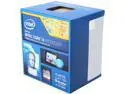
Pros: It is the most powerful I3 on the market. It has never been my bottleneck Easy to cool Compares to a I5 3570K w/ $70 difference, and much cooler.
Cons: File extraction is a noticeably slower than an I5. Other than that I can't tell a difference.
Overall Review: This was for a compact build, so heat was a major factor. Before completing my build I did some tinkering, and with the same GPU this CPU got similar results to my I5-3570K. I have not had a single problem with this CPU. I swapped out the heatsink for one with a copper core. But I had it sitting around, I’m sure the OEM heatsink is just fine.
Amazing little GPU
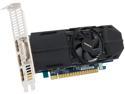
Pros: I am not playing any newer games, but pretty much everything I play once you disable anti-alising, everything seems to work just fine. Older 4+ year old games can be played at max settings. 1080p movies are no problem. This card isn’t really about gaming though, it’s about getting the most out of a low wattage PSU, and that it does! I am using a 5+ year old emachines non-80+ 220 watt PSU , and I haven’t had any issues with this card. I had a HDD crash, but it is a Seagate so it might have been faulty to start.
Cons: It gets a little toasty, I have not had any actual signs of overheating, but I wouldn't let anything touch it. MSI makes a low profile 750ti with 2 fans. Which would be better for cooling.
Overall Review: I needed a computer for a 6 mo. trip, so I built one out of an old emachines SFF case w/ a 220W PSU. w/ an I3-4370, 8gb ram, a 750 SSHD, and a 1tb HDD and added this card. It worked great! I was able to play Bioshock infinity, GW2, and Starcraft 2 w/out problems. I had to use mid to low settings but this <$700 desktop out performs any <$2k laptop. This GPU really changed my whole trip.
Just what I needed
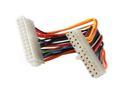
Pros: Perfect length for my build, and not overly bulky. Sturdy
Cons: None.
Overall Review: I am reusing an old emachine case and the power connector is further away from the PSU, than the original mother board. This bridged the gap without cluttering anything up.
Great for the price.
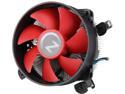
Pros: Very good for the price. same base profile as OEM, just taller and copper core. Installed easily in socket 1150. The mounting brackets were better then Intel stock
Cons: Loud 5-10C hotter then Cooler Master Geminii M4 w/ Intel I3 4370. I5 OEM heat sink had similar performance but was quieter.
Overall Review: I wear headphones most of the time, so noise is not usually a concern for me, but it is still noticeable. I can hear this fan when I walk past my office. I am using an Intel I3 4370, and it mounts just fine to the 1150 socket, but for my build it is not quite or cool enough, I did like the profile, and maybe in a quieter case it would be nice. It is a cheap replacement for an OEM heat sink, but I need something different.


