

Your Browsing History


Tim H.
Joined on 04/17/04
0
0

product reviews
- 134
Respectable Drive Performance
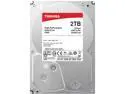
Toshiba P300 2TB Desktop PC Internal Hard Drive 7200 RPM SATA 6Gb/s 64 MB Cache 3.5 inch - HDWD120UZSVA (BULK)
Pros: • Well packaged, bare bones, no nonsense • Slightly better performance than reference (see other thoughts), for real-world file transfer of large files from SSD to HDD and same drive copy. Note that the reference drive is 3GB/s while this drive is 6GB/s; hence, twice the transfer speed. • Low latency • Fast sequential read & write • Lower IOPS for large data benchmark reads (4KiB Q32T1 and 4KiB Q1T1) • Limited 2 year warranty • Quiet – never once heard this drive • Low operating temp: idle 27C – sustained 30 minute 100% usage 32C
Cons: • Lower IOPS for large data benchmark writes (4KiB Q32T1 and 4KiB Q1T1) (minus 1 egg)
Overall Review: • Test setup: Installed in an external drive enclosure with a fan, connected via eSATA. Computer runs Intel i7 w/ 32GB RAM. • File transfer performance: This drive… Test #1 (Drive initially empty, transferred from Samsung 830 SSD) 267 large files, 186.85 total, transferred 103 MB/s in 30m 56s. Test #2 (After test #1, transferred from same drive) 267 large files, 186.85 total, transferred 49 MB/s in 30m 56s. • File transfer performance: Reference drive (Samsung-HD204UI-2GB) Test #1 (Drive initially empty, transferred from Samsung 830 SSD) 267 large files, 186.85 total, transferred 56 MB/s in 56m 46s. Test #2 (After test #1, transferred from same drive) 267 large files, 186.85 total, transferred 49 MB/s in 1h 40m 49s . • Sequential writes are very fast but are not always indicative of real-world scenarios. • Comparing large data reads and writes between this drive and the reference drive, reads on the this Toshiba drive outshine the reference Samsung drive; however, for large data writes the this Toshiba drive underperforms the older “slower” reference Samsung drive. Comparison of both drives equally full. First – this drive (Toshiba): Random Read 4KiB (Q= 1,T= 1) : 0.663 MB/s [ 161.9 IOPS] Random Write 4KiB (Q= 1,T= 1) : 0.822 MB/s [ 200.7 IOPS] Second – reference (Samsung): Random Read 4KiB (Q= 1,T= 1) : 0.451 MB/s [ 110.1 IOPS] Random Write 4KiB (Q= 1,T= 1) : 0.937 MB/s [ 228.8 IOPS] • Is this drive “better” or more performant than any other drive with similar specs? That depends on how you will use the drive. If you are budget conscious and still cannot afford an SSD, you should give this a whirl for your daily needs, but keep in mind that you won’t get that much more. • Finally, CrystalDiskMark benchmarking shows degradation in performance as the drive goes from empty to full. This is typical and to be expected. • This drive (Empty) ----------------------------------------------------------------------- CrystalDiskMark 6.0.1 x64 (UWP) (C) 2007-2018 hiyohiyo Crystal Dew World : https://crystalmark.info/ ----------------------------------------------------------------------- * MB/s = 1,000,000 bytes/s [SATA/600 = 600,000,000 bytes/s] * KB = 1000 bytes, KiB = 1024 bytes Sequential Read (Q= 32,T= 1) : 187.122 MB/s Sequential Write (Q= 32,T= 1) : 199.187 MB/s Random Read 4KiB (Q= 8,T= 8) : 1.838 MB/s [ 448.7 IOPS] Random Write 4KiB (Q= 8,T= 8) : 1.697 MB/s [ 414.3 IOPS] Random Read 4KiB (Q= 32,T= 1) : 1.823 MB/s [ 445.1 IOPS] Random Write 4KiB (Q= 32,T= 1) : 1.016 MB/s [ 248.0 IOPS] Random Read 4KiB (Q= 1,T= 1) : 0.529 MB/s [ 129.2 IOPS] Random Write 4KiB (Q= 1,T= 1) : 0.853 MB/s [ 208.3 IOPS] Test : 1024 MiB [I: 0.0% (0.3/1863.0 GiB)] (x5) [Interval=5 sec] Date : 2018/08/01 18:06:10 OS : Windows 10 Professional [10.0 Build 17134] (x64) • Full: ----------------------------------------------------------------------- CrystalDiskMark 6.0.1 x64 (UWP) (C) 2007-2018 hiyohiyo Crystal Dew World : https://crystalmark.info/ ----------------------------------------------------------------------- * MB/s = 1,000,000 bytes/s [SATA/600 = 600,000,000 bytes/s] * KB = 1000 bytes, KiB = 1024 bytes Sequential Read (Q= 32,T= 1) : 105.851 MB/s Sequential Write (Q= 32,T= 1) : 115.172 MB/s Random Read 4KiB (Q= 8,T= 8) : 1.745 MB/s [ 426.0 IOPS] Random Write 4KiB (Q= 8,T= 8) : 1.757 MB/s [ 429.0 IOPS] Random Read 4KiB (Q= 32,T= 1) : 1.666 MB/s [ 406.7 IOPS] Random Write 4KiB (Q= 32,T= 1) : 0.683 MB/s [ 166.7 IOPS] Random Read 4KiB (Q= 1,T= 1) : 0.663 MB/s [ 161.9 IOPS] Random Write 4KiB (Q= 1,T= 1) : 0.822 MB/s [ 200.7 IOPS] Test : 1024 MiB [I: 90.3% (1682.0/1863.0 GiB)] (x5) [Interval=5 sec] Date : 2018/08/05 13:51:09 OS : Windows 10 Professional [10.0 Build 17134] (x64)
8/8/2018See more detail
Almost great, but with some reservations and hic-ups.
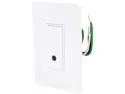
Wemo Light Switch, Wi-Fi enabled, control lights from your phone, works with Alexa
Pros: • Minimal packaging • Some recyclable materials • Great instructions for physical instruction • Switch looks modern and stylish • Indicator light on switch is not too bright and easy to identify • Works with Alexa and IFTTT • Scheduling works without any problem – on and off when expected
Cons: • App WiFi setup. Needlessly long and cumbersome. • WiFi – restricted to 2.4GHz band • Must be within range of WiFi, which can pose challenges for some households that don’t have wide-sweeping coverage. • App is average to poor. • No website for remote control.
Overall Review: • Physical installation of the unit took me about 20 minutes. 1. Find circuit breaker, and turn it off. 2. Remove old light switch. 3. Install WeMo light switch, and fit into receptacle, which was a tight fit. • App and WiFi setup took a total of 4 hours. 4 freaking hours! Why, because the WeMo switch would not connect to any of the 3 access points that I have setup. I read numerous posts on the Belkin forums, changed settings, and jumped through many hoops. Finally, I just gave up. One week later, I take a crack at it again, and it magically connects on the first try. Go figure. Very frustrating. • Practicality: Why even have a controllable light switch? It seems that novelty would be one answer. “Hey, I can turn my lights on and off with an app,” grows old very quickly when flipping a normal switch takes seconds. The key practical usage is scheduling, and this is how I use this switch in my home to control an outside light where we routinely let our dog in and out of the house from. I also light to have the light on for the added nighttime security. • Scheduling: I setup the switch to turn on at 4:30pm and off at 6:30pm every day (sunset to sunrise during the winter). This will automate a process I do every day manually when I am home and away. That’s night. What would be GREAT is if it would adjust to daylight changes…and I could just get a sensor switch on the light to control that, and it would be cheaper. • Install note: as per instructions, single pole switch only. OK, that’s not a problem, but it does limit my usage to about 60% of all switches in my house. • Install note: switch receptacle must be large, meaning deep or it will be a tight fit. • Must be within range of WiFi. This is very limiting. You can only remotely control the device if and only if the switch can connect to WiFi. Otherwise, it is just like any other switch, but 20 times more expensive.
2/9/2017See more detail
Love it. So far, so great.

ASUS ROG Swift 32" 4K OLED Gaming Monitor PG32UCDP WOLED, Dual mode 4K 240Hz, FHD 480Hz, 0.03ms, G-SYNC Compatible, Custom Heatsink, AI Gaming, 99% DCI-P3, True 10-bit, USB-C 90W
Pros: - Beautiful color representation - Deep blacks - Fast response time - Fast refresh rates - Wide array of features
Cons: - Physical button placement awkward - Expensive - Refresh rate doesn't always "stick"
Overall Review: I chose this over the Samsung G8 because that monitor had more negatives that I didn't want to live with and this was the "best of the best". This monitor does not disappoint. It's a true OLED gaming monitor with all of the bells and whistles. Just loving it. This is my primary monitor that I use for 8+ hours a day for work (software development) and 2+ hours a day for gaming (Action, FPS, RPG, etc.). I have a decent rig with a GIGABYTE GeForce RTX 4070 Eagle OC 12G Graphics Card. Every single game looks fantastic with this monitor.
1/15/2025See more detail
No nonsense memory, easily overclocked
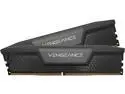
CORSAIR Vengeance 32GB (2 x 16GB) 288-Pin PC RAM DDR5 6000 (PC5 48000) Desktop Memory Model CMK32GX5M2D6000C36
Pros: Stable when overclocked
Cons: None
Overall Review: This is a no-frills no nonsense pair of memory sticks. They pair well with my MB (certified compatible with my MSI MB), so I knew they would be stable even when overclocked. Was able to tune them in the bios and have had zero stability issues. Memtest is without error.
3/29/2024See more detail
Rock solid with Quality In Mind
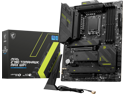
MSI MAG Z790 TOMAHAWK MAX WIFI LGA 1700(14th,13th,12th Gen) DDR5 ATX 8x SATA 6G 4x M.2 Wi-Fi 7 Bluetooth 2.5Gbps LAN Motherboard
Pros: Great features with plenty of overclocking ability (with the right CPU and Memory)
Cons: The WiFi antenna is very light and won't stand on its own and is constantly knocked over by the slightest vibration. Sure, it's magnetic, but I thought the idea was that we should keep it away from metal or electronics that can interfere with a signal.
Overall Review: I would recommend this to anyone looking for a quality MB with overclocking in mind.
3/29/2024See more detail
Great product that works well with other Arlo devices
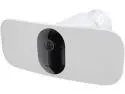
Arlo Pro 3 Floodlight Camera, Wire-Free Security Camera, 2K Video with HDR, Indoor/Outdoor Security Cameras, Color Night Vision, Spotlight, 160° View, 2-Way Audio, Built-in Siren
Pros: Great video Great resolution Bright light Motion activated Battery lasts over two weeks
Cons: Charging is quirky: I've only had luck charging with their supplied charger and not with other charges with IQ or fast charging. Hard to know when it is charging or not and when it is done. Wish there was a dock for the battery so I could remove it from the device to charge.
Overall Review: It's great for covering a large area. Picks up any movement and you can specify the exact area for detection, which is awesome
3/20/2024See more detail