
Your Browsing History


John G.
Joined on 12/19/03
0
0
product reviews
- 3
Booting from CD on RC-208
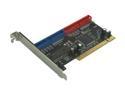
Rosewill RC-208 PCI IDE (ATA) Silicon Image Host Controller un-RAID Card - Also Supports Window Vista Ready
Pros: The card came with the latest bios (3.2.24) and it DOES boot from a CD. I loaded a working instance of Win2K with CMOS settings: Hard Disk Boot Priority set to "Bootable Add-in Cards" as first choice, First Boot Device set to "CDROM" and Boot Other Device set to "Enabled". When finished, reverse the above changes so the hard drive will boot.
Cons: None - what it says is what I got.
Overall Review: Get the latest BIOS and drivers from Silicon Image who make the chipset. Here's the path on their home page: Products by Product Number -> SiL0680A -> Support tools -> BIOS or Drivers. BIOS flashers for both DOS and Windows are available. The drivers on the floppy which came with the card are quite old so the latest can be downloaded and installed as covered in the instructions in the .zip files.
1/30/2008See more detail
Excellent Drive
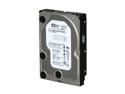
WD Blue RFHWD3200AAJS 320GB 7200 RPM 8MB Cache SATA 3.0Gb/s 3.5" Internal Hard Drive Bare Drive
Pros: This drive was tested using Western Digitaal DLG Diagnostic for Windows, Quick & Extended tests (1 hour); HDTune Error ScAn (1 hour); Spinrite 6 Level 4 (25 hours); amd MHDD F4 Scan (1 hour). Everything passed so I ran all the tests again with the same good results. The BIOS was set to "Legacy IDE". I use the excellent SMART readout in HDTune. SMART had been reset and showed time in use was only 2 hours, possibly the time to wipe and completely fill it with "FormatRack System " and do a test of some sort. SMART still shows no reallocated sectors after all of my testing. Hours are now 58.
Cons: None - it's a very good drive
Overall Review: Using the drive label build date of 14 October 2011, the maximum possible hours calculate to well under 13,000 so it should have a long and productive life ahead of it. It is a very good economical drive (not cheap) and I qould not hesitate to buy another when I need one.
2/1/2013See more detail
Load the driver and it works
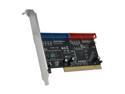
Rosewill RC-200 PCI IDE (ATA) Silicon Image RAID (0/1/0+1/JBOD) Host Controller Card
Pros: I set up only a Raid1 using one drive with an OS and a blank drive. It works as it should. This is a test for two installations in a small business which I will make next week.
Cons: The User Manual has the drive installation back on page 14 (p14) instead of up in the front where it belongs. Two clean drives will load the driver with the OS but if the primary drive has an OS, the driver is loaded with the drive connected to a mothereboard port, NOT the RC200 card and before the F3 Raid Setup procedure.
Overall Review: With one drive having an OS and data and the other drive clean it takes some time before the second drive is filled as a backup. Until this happens, booting will bring up the F3 prompt. Ignore it and it will go away in a few seconds. When everything is done the prompt no longer appears.
7/16/2008See more detail