
Your Browsing History


huy N.
Joined on 03/28/04
0
0
product reviews
- 8
Surprised How Well It Works
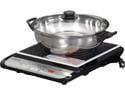
TATUNG TICT-1500W Induction Cook Top with Stainless Steel Pot
Pros: My wife was trying to cook Vietnamese Shaking Beef dish (bo luc lac) last night, but our gas stove wasn't producing enough heat to sear the cube steaks. So I cracked open the induction cooktop to try to savage this dish and it literally braised the steaks in one minute at maximum setting. We can only get this kind of intense heat with our outdoor gas wok. BTW, all of our All Clad cookware work with this unit, but the stainless Cuisinart pan did not.
Cons: Not really a con, but there are limitations to what type of cookware can be used.
Overall Review: This is the best deal out there. I looked at @mazon and there's no unit as inexpensive as this one and it comes with a pot too.
12/10/2009See more detail
Good Value
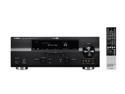
YAMAHA RX-V765 7.2-Channel Digital Home Theater Receiver
Pros: Has most features from units that cost twice as much. Decoders does a good job producing surround sound. However, I can't say that the audio is that much better than my old Yamaha RX-V800 receiver. The back of the receiver's layout is clean which makes it easy to connect the wires.
Cons: Front panel of the unit doesn't look as nice as the higher end models which have covers on them.
Overall Review: This receiver powers my Klipsch speakers and Velodyne subwoofer - which gives it decent power output.
4/4/2010See more detail
Best of both worlds
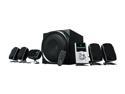
Logitech Z-5500 505 Watts 5.1 Digital Speaker System
Pros: The Digital SoundTouch control center with its generous inputs; digital signal processor is impressive for such a small unit; volume gets very loud; a convenient remote control; price.
Cons: Not much to complain here, but the satellite speakers doesn't have the natural and full sound of the Klipsch Promedia Ultra 5.1 speaker system I have. The subwoofer not quite as tightly sound as the Klipsch either.
Overall Review: I switched out the Logitech satellites for the Klipsch from the Promedia Ultra 5.1. I did this because the Klipsch satellite has separate horn tweeter and midrange speaker. Now the mix-match system sounds almost perfect. I got the Z-5500 to have the digital inputs for my PS3 and HDTV receiver, a remote, and the channel separation for movies is so much better than the Klipsch. Overall, the Logitech Z-5500 would be my 1st choice for building a computer entertaiment system.
8/3/2008See more detail
Inexpensive VPN Solution
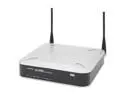
Cisco Small Business WRV200 Wireless-G VPN Router with RangeBooster IEEE 802.3/3u, IEEE 802.11b/g
Pros: Relativety easy to get it up and going. VPN connection works well and wireless connection was instant. Nice clean design - replaced my Linksys wireless G router and my Linksys VPN router. If you want a simple VPN connection, price-wise, it's hard to beat.
Cons: Just as the previous reviewer noted, it reboots a lot, and each time it takes awhile to finish rebooting.
Overall Review: A lot less money than the Linksys RV082 I bought 2 months ago, but that's a better built and more featured router. Given the plasticky feel, let's see how well this one holds up.
6/10/2006See more detail
Works with Dell printer 1100

SAMSUNG ML-2010D3 Toner Cartridge Black for ML-2510, ML-2010, ML-2571n
Pros: This toner will work on the Dell laser printer 1100. The Dell printer is made by Samsung, and is almost identical to the Samsung 2010, but prints a little slower, only has 2meg memory, and doesn't have a plastic cover for the paper tray. click on following link for support:
Cons: kinda expensive for cost per page
4/9/2006See more detail
Nice little print server
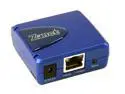
Zonet ZPS1000 Pocket-Sized Print Server RJ45 USB 1.1
Pros: Got this unit 2 hours ago and the setup took about 1/2 hour to get 5 computers up printing with the HP 3330, with thanks to the tips from reviewer gamma256 back on 10/13/2005. I 1st downloaded the latest driver/software from manufacturer's website. Then manually installed the software - used software to change the IP address, in my case, to 192.168.1.xx. From Windows, go to add printer. Choose "Local printer attached to this computer", then choose "Create a new port: Standard TCP/IP Port". Next step, enter the IP address you just gave it. Then next window under "Additional Port Info Required", choose "Custom" - click on Settings.. choose LPR protocol if Raw doesn't work. Finally, it'll ask for printer model - choose from the list or install from driver disk. Hope the tip helps...
Cons: Manual sucks...
4/4/2006See more detail