
Your Browsing History


Chase C.
Joined on 06/27/09
0
0
product reviews
- 12
Great SSD
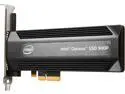
Intel Optane SSD 900P Series - 280GB, 1/2 Height PCIe x4, 20nm, 3D XPoint Solid State Drive (SSD) - SSDPED1D280GASX
Pros: It's a blazingly fast drive, I haven't done benchmarks on it but going from an Intel Cherryville SSD, Windows 10 basically boots the moment I hit the power button. Vastly increases the performance of a pagefile, which is great in a world where RAM is extremely expensive. (more expensive than this drive is, funnily enough) Heatsink does well at keeping the drive cool. Not too many people monitor their drive temps, but those temps are important, do affect performance, and the heatsink does a good job at managing them without being a bulky mess.
Cons: Takes up a whole PCIE slot. Needs a M.2 2280 version.
Overall Review: I bought the drive as I was curious just how much a "bleeding edge" SSD would improve computer usage. Like many reviewers of this device have said before, being a light consumer, this drive just doesn't really see proper use. It's a niche drive. I knew that before I bought it, but I figure everyone else should too. Not sure why this is advertised as a gaming drive. Unless your computer is running out of RAM and being forced to page gaming assets to this drive, then it probably won't help performance. Additionally, load times are a direct function of sequential read/write speeds, which is why the load times on my Samsung 960 EVO are actually a bit better than this drive's.
3/8/2018See more detail
Sapphire 7950
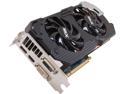
SAPPHIRE Radeon HD 7950 3GB GDDR5 PCI Express 3.0 x16 CrossFireX Support Graphics Card 100352-3L
Pros: The card has a very good computational power per watt ratio. It can do 90% the work of a 7970 while only using 80% the electricity to do it.
Cons: The cooler. I have no idea what was going on in the head of Sapphire's design employees when they put this cooler on this card. At 21C room temperature, the card has trouble staying below 80C on stock clocks and that is after I used a vortex turbine over them. Out of the four cards I purchased, two of them run inexplicably hotter than the others, even when placed entirely by themselves in a normal system. I can only assume it is due to a poor thermal pasting job.
Overall Review: I would not suggest these cards for any setup that does not have the absolute highest volume of airflow. If you do plan on crossfiring these, they will probably have to be downclocked and have their power limit lowered.
4/28/2013See more detail
Great Paste, use with extreme caution!
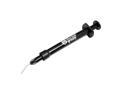
Thermal Grizzly Conductonaut Thermal Grease Paste - 1.0 Gram
Pros: I used this while delidding a 8700k. Dropped temps about 15C or so on an 8700k running at 1.39V. Works more or less exactly as advertised
Cons: A minor complaint but I'd like to see them package more than two of those black cotton swabs (at least I assume they're cotton).
Overall Review: I got careless and spilled some over the voltage regulator on a new motherboard. Well, let's just say the voltage regulator didn't like it. Cleaned it up as best I could, but the motherboard was ruined regardless and would no longer boot due to shorting. This isn't their fault (they do warn the hell out of everyone about this very thing), but I figured I would share my screw-up in hopes that maybe someone will read it and take more care than I did. The delidding process went very well since I took proper precautions, but I got excited and hurried while applying it to the exterior heatsink and it cost me a motherboard. Lesson learned, when this stuff says it's highly conductive, it means it.
3/13/2018See more detail
Great RAM
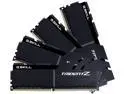
G.SKILL TridentZ Series 64GB (4 x 16GB) DDR4 3600 (PC4 28800) Desktop Memory Model F4-3600C17Q-64GTZKK
Pros: Operates at the advertised specifications. I got my timings down to 16-17-17-38 instead of the default XMP at 17-18-18-39 while staying at 3600 MHz without any stability issues. Any lower and the sticks failed to boot. Kept voltage at 1.35
Cons: The sticks get a little toasty at 52.8 C @20C room temp, but overall pretty good temps, especially for a 64GB kit with all four sticks huddled together. I don't have anything to compare it to, but I'd prefer the sticks be in the 40s at 20C room temps. A more aggressive heatsink might not hurt.
Overall Review: RAM is pretty straight forward, it either works at advertised speeds or it doesn't, and these do. Been using G.Skill RAM for eight years and not a single problem yet.
3/13/2018See more detail
295X2
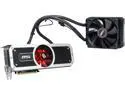
MSI Radeon R9 295x2 8GB GDDR5 PCI Express 3.0 CrossFireX Support Graphics Card R9 295X2 8GD5
Pros: Absolutely destroys nearly any game even at 3840x2160 resolution. The frame time variance is also low, with frame times tending to hover around 20ms. While Nvidia solutions tend to have lower overall frame times, they'll have higher frame variance. That means comparing the 295X to say, 980 SLI, you'll have less microstutter. If you're especially sensitive to frame stutter then you'll want Crossfire over an SLI setup. I have the radiator in a push-pull fan configuration and it has never gone above 67C. Pretty impressive considering the 500W power draw.
Cons: Still makes a lot of fan noise, especially during gaming in excess of 30 minutes. You can't control the fan profile on the radiator, but you can opt to buy a quieter fan and replace the reference fan. The VRAM fan sounds like jet engine if the ambient temperature of your case gets above 27C
Overall Review: I RMA'd this card to Newegg thinking I had received a bad card (no video output) however the problem was in fact my motherboard. I had to update the BIOS for the card to properly initialize. My apologies to Newegg for being dumb. My motherboard is a Gigabyte G1.Sniper 3 and I had to update the BIOS to version F7.
10/19/2014See more detail
Samsung 4k Monitor
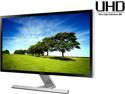
SAMSUNG UD590 Series U28D590D 28" UHD Monitor with Metallic Easel Stand 1ms 4K HDMI Widescreen LED Backlight TN Panel 370 cd/m2 1000:1 - Black
Pros: Brilliant bright, high resolution screen. I've encountered no manufacturing defects and the monitor works as advertised. I like the one-button menu and having the switch on the back of the monitor. It is actually less confusing than other monitor menus because you're never asking yourself which button you should be pressing to perform a certain action. The button itself operates similar to a hat switch on a joystick (up-down-left-right). In my opinion it is an improvement over most monitor menus. Games are amazing and responsive. I end up running most games at 1440p due to 4k being a bit too much for my system, but the monitor itself still offers an above-average 1080p and 1440p experience.
Cons: The stand could definitely use improvement. While I think some people may have exaggerated the amount of wobble this monitor can experience, it is indeed more than your average stand. It's not a problem unless you violently shake your desk or move the monitor.
Overall Review: As of today 4k is not well supported. Know that some of your favorite programs will experience very strange problems if they weren't made with 4k in mind. Small text, scaling errors, and overall buggy performance is very possible, even in popular applications such as browsers. As an example, I use Windows 7, and while Windows 7 solves most of these issues using it's display scaling, even set at 150% (the maximum value) text can be difficult to read. Some programs do not respond well to scaling, either by not scaling at all or becoming graphical abominations. If you're willing to spend quite a bit of time simply adjusting various functions on your computer to become compatible with this monitor then this monitor can be absolutely amazing. If you aren't willing or generally don't like fixing software, then I would suggest waiting at least a few years before hopping aboard the 4k train.
9/9/2014See more detail