
Your Browsing History


Jang L.
Joined on 01/05/04
0
0
product reviews
- 14
DS3 is the best. Regardless of Rev.
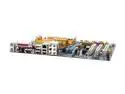
GIGABYTE GA-965P-DS3 (rev. 1.3) LGA 775 Intel P965 Express ATX Intel Motherboard
Pros: This board is great. Actually came out later than rev 3.3. but it's rev 1 board with 1033FSB support. So audio codec is older than 3.3 and only have 1 fan header. plus its capacitors and inductors are selected and located different than 3.3
Cons: As someone mentioned already, the northbridge is hot. But keep it mind almost every motherboard with 965P chipset becomes hot when you run and OC with it. Rev 3.3 too. Just put 40 or 50mm fan on it. Or get the Zalman chipset cooler.
Overall Review: I'm running E4300 350FSB x 9 @ 1.4v without problem and orthos 10+hrs stable. G.Skill NQ DDR2 800 running at DDR975 5-5-5-15 speed. Don't forget to enable adv bios setup with ctrl+F1. Enjoy great DS3 board with less money
5/3/2007See more detail
Sent it to RMA
CORSAIR 1GB (2 x 512MB) DDR 400 (PC 3200) Dual Channel Kit Desktop Memory Model VS1GBKIT400
Pros: Actually didn't have any good experiences with them.
Cons: One of the stick was defective and sent it to RMA for refund.
Overall Review: Well, based on short experience it's good RAM for the price. but one of them was defective and caused problem. Originally i sent it for replace, but then I decide to go for 2x1gb G.skill ram for overclock. Well, I will never get value ram. If one of them is not defective I would love it.
4/11/2006See more detail
*****HDD Capacitiy Restore****
SAMSUNG Spinpoint F1 HD103UJ 1TB 7200 RPM 32MB Cache SATA 3.0Gb/s 3.5" Internal Hard Drive Bare Drive
Pros: Fast and reliable with 3 coasters instead of 4~5 like other vendor. Obviously huge space 1TB =).
Cons: I had hard time install this drive. In the BIOS and windows, it only shows 32MB as a capacity. I searched the web and found out you need to run HDD Capacity Restore Tool to make it 1TB. SInce I'm running vista x64, I had to use other machine to run that tool (that tool doesn't support x64 OS). I ran it couple of times, but it only restored to 32GB... I almost gave up, but suddenly it shows 1000GB after running this tool over and over.
Overall Review: You probably will not have this problem. Or running this tool once would solve problem. But without knowing this you probably think this drive is defective. The manufacturer should tell the customer about it. I'm running this HDD in system with following spec: Q6600, Gigabyte P965-DS3, 9800GT, 4GB DDR2 800
12/2/2008See more detail
Best 9800GT out there
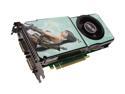
ASUS GeForce 9800 GT 512MB GDDR3 PCI Express 2.0 x16 SLI Support Graphics Card EN9800GT ULTIMATE/HTDP/512M
Pros: This one is the beast! Actually this is 8800GTX with G92 core. The stock core/memory speed is much faster than other 9800GT out there, and you have more room to OC it. It takes up 2 slot of card slot because of this huge cooler. But the cooler works fine and keep it around 60~65C.
Cons: Too big? well, it only takes up 2 slots. When I set the fan to 100%, it makes loud fan noise.... But my cpu cooler already makes that kinda noise with full speed (zalman 9700).
Overall Review: This card is huge and long, almost same length as motherboard. So keep that in mind and check your system has enough room before you purchase. System: Q6600 (3.2G), XMS 4GB, 9800GT, Silverstone 650W
10/24/2008See more detail
IDE to SATA (not the other way)
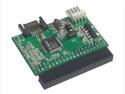
SYBA SY-JM-SIDE SATA/IDE Adapter, Connect IDE Devices to SATA Port on Motherboard
Pros: It does a job. I could connect my IDE Hard Drive to SATA port with this kit.
Cons: It sticks out little bit too much. Can be interfere with PCI cards. And problably not able to use, if your HDD mount is opening towards sideway (towards you).
Overall Review: You can only use this with IDE device. It only make you to connect IDE devices to SATA port in your motherboard or eSATA. NOT THE OTHER WAY AROUND.
9/30/2008See more detail
If you want to get into QUAD, this is the one
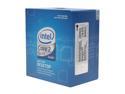
Intel Core 2 Quad Q6600 - Core 2 Quad Kentsfield Quad-Core 2.4 GHz LGA 775 105W None Integrated Graphics Processor - BX80562Q6600
Pros: PRICE Overclocking beast!!! (3.2GHz at 1.35v) I insert Q6600 into Gigabyte P965-DS3 F11 with Zalman 9700 Cooler. Corsair XMS2 DDR800 4GB (2x2GB). Achevied 3.2GHz (356x9) and DDR890 easily with just up the voltage little bit. Around 55C on 100% load.
Cons: the price is going down...
9/30/2008See more detail