
Your Browsing History


Matt F.
Joined on 05/20/05
0
0
product reviews
- 15
Perfect burner in every way!
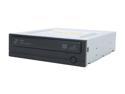
SAMSUNG 20X DVD±R DVD Burner with LightScribe 20X DVD+R 8X DVD+RW 16X DVD+R DL 20X DVD-R 6X DVD-RW 16X DVD-ROM 48X CD-R 32X CD-RW 48X CD-ROM Black SATA Model SH-S203N LightScribe Support
Pros: Burns cleanly, has LightScribe (not Litescribe, not Light-scribe...), SATA interface, no useless audio connectors, jumpers, or 40-pin connectors hogging space, and NO riplock (see below)!
Cons: Had an issue with LightScribe practically locking up my computer (by hogging the SATA controller) while burning a label, but that seems to be fixed after switching my ICH9 controller to AHCI mode instead of IDE-compatible mode. Now EVERYTHING is faster! Check your BIOS (but put your boot drive on another controller first!)!
Overall Review: This drive is great. It has no Riplock, meaning it can read pressed CDs and DVDs at full speed - perfect for, uh, "backing up" DVDs. Other drives, like LG, need a firmware hack (MediaCodeSpeedEdit - MCSE) to remove the limitation. Not needed here, it doesn't exist! Clean burns, too... I don't care for speed since slower burns are better (and I use 8x Taiyo Yuden media). Get this drive for the win! :)
1/3/2008See more detail
Unusable for gaming. Just "gets the job done".
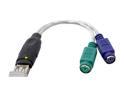
BYTECC BT-2000 USB (Male) to PS2 (Female) Adapter
Pros: Gets the job gone. Converts PS/2 to USB. Small, sleek and stylish (-ish?) design. No parts to break, no thick cables to tear out of the casing. Well designed (aesthetically). Flexible shielded wires.
Cons: Random mouse clicks as you move the mouse around the screen... I often end up with random middle-clicks (performing "auto scroll" in Firefox) even though my mouse doesn't even have a middle button, for example. The onboard keyboard controller only emulates one keypress at a time - so if you're playing a game, you can't go forward and strafe left (W+A) at the same time - it'll strafe left (A), but when you release it (and are still holding W), you just stop because the W was released when A was pressed. You have to release and press the key again.
Overall Review: Several PS/2-USB adapters seem to have both of these problems (with different computers and different KB/mouse combos), and from the reviews it seemed like that wasn't a problem. But no, it's exactly the same with this adapter as well. I would have RMA'd it, but it's not worth the postage, plus, as I said, it "gets the job done". I could use an adapter none the less. I use it with a Cybex SwitchView automatic 4-port KVM switch, and use the USB/PS2 adapter to connect my laptop to it.
1/3/2009See more detail
Low-performance garbage with way-too-cheap cooler
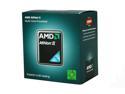
AMD Athlon II X4 640 - Athlon II X4 Propus Quad-Core 3.0 GHz Socket AM3 95W Desktop Processor - ADX640WFGMBOX
Pros: Cheap, functional for low-budget builds and low-performance PCs
Cons: Performs worse than my Core 2 Quad Q6600 (2.4GHz). Even with optimized settings and dual channel memory, performance leaves much to be desired while heat pours out of the puny, dismal heat-sink it's provided with. Heat sink is a formed aluminum block with a putzy, poorly-designed double-throttled fan (both throttled by PWM and by a thermistor in the airflow). Almost like AMD went to pick out literally the cheapest heatsink/fan they could find and threw it in a retail box. AMD used to provide sleek, heat-pipe designed coolers - or at least a nice AMD logo sticker - but this one merely has production numbers printed on the fan. Appallingly cheap. Low performance in rendering and encoding, updating or extracting/installing (single core CPU usage = 100% for far too long). Definitely not what I would expect from a modern CPU.
Overall Review: I'm quite familiar with PC hardware and performance - stuck a little bit in the older Core 2 days of technology (due to budget), but I've worked with some amazingly high performance systems - the i7s and i5s of the world. AMD has severe branding problems, where all their CPUs, from the budget CPUs to the "extreme performance" CPUs, share the same name: Athlon. Everything is an Athlon and no difference is drawn between them. Here, an extremely low-performance CPU somehow nets 5 eggs despite being a heat monster with low encoding/rendering performance. Definitely will not be recommending AMD for any new builds in the future until AMD changes the Athlon branding.
7/8/2013See more detail
Well, since Newegg still hasn't implemented review editing...
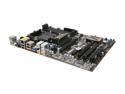
ASRock 970 EXTREME3 AM3+ AMD 970 + SB950 USB 3.0 ATX AMD Motherboard
Pros: Excellent placement of connectors on board. *** Excellent visual design of the board. *** Excellent performance - starts booting in under 5 seconds, has mind-blowing SATA transfer rate in pre-OS mode (before Windows drivers take over) for even faster boot. *** Absolutely stunning feature set. I could not recommend a better board to buy with any more features than this board already has.
Cons: Poor BIOS default settings. Absolutely amateur - there is ABSOLUTELY no excuse for having AHCI disabled ("IDE mode") by default. That's downright stupid, clumsy, and insulting. IDE mode cripples performance and functionality of modern HDDs and SSDs. It should not even be allowed, let alone default. *** Fan temperature control is also disabled by default. Are you effin' kidding me? This is 2013, and fan control is disabled by default? Absolutely stupid and that alone is worth knocking a star, because many ignorant/novice computer builders and lazy shop-techs never change the default BIOS settings and these will severely harm performance and capability of this amazing board. *** Also, per my last review (which I can't edit, thanks to Newegg's also stunningly daft oversight of this basic feature), there is a plastic packaging film on the two heat-sinks on the board, which will impair cooling. Since they're not tabbed or printed, you can't even tell it's there unless you try picking at an edge and find it peels off. Ridiculous! Come on ASRock, this board is capable of being absolutely flawless as long as you know where to overcome its easily-overlooked installation hitches...
Overall Review: Newegg really needs to support editing reviews. Period. There is no excuse for lacking that basic functionality.
4/11/2013See more detail
This is (almost) how they should all be designed.
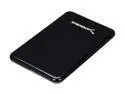
SABRENT EC-25WS Aluminum 2.5" Black SATA I/II USB 3.0 SATA I/II External Enclosure
Pros: Uses the correct USB3 standard "micro" connector developed for this purpose. Most of these 2.5" enclosures use an incorrect, non-standard "A" plug (as seen on the PC side) and tend to cause issues. Also has a pretty sweet automatic idle spin-down to keep the drive from spinning and producing heat while the drive is not in use (great if you're a laptop user and the ports are always powered up, or using a powered USB hub). The controller logic also has another added bonus: it passes-through ATA commands and is compatible with HD Tune Pro's SMART functions. Performance is blazing fast, 1:1 with the speed of the drive in the enclosure (no USB loss - just like eSATA). Metal construction keeps the drive completely cool.
Cons: The enclosure finish is a little too shiny - "fingerprint finish" - and has no rubber bumper feet to keep it from skidding (scratching) around the desk.
Overall Review: After coming from some junk Keydex enclosures (well, gotta admit, they were the first to make USB3 enclosures), this is a godsend. The connection is sturdy and reliable, well designed, and sure to stand up to years of use.
12/22/2011See more detail
Random Clicks = Unending Annoyance
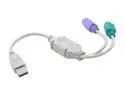
Syba SY-USB-PS2 USB to PS/2 (Keyboard & Mouse) Adapter
Pros: Adapts your (non-USB-capable) PS/2 keyboard and mouse to a USB port, particularly great for laptops.
Cons: Random mouse clicks (in my model; YMMV) caused by poor design and QA.
Overall Review: I own an identical model to this one (sold as a no-brand generic) and it seems to be doing better than other reviews here have indicated. Mine only has one glaring issue - I'm typing on it right now (which presents no issues), but moving the mouse always ends up right-clicking, clicking, even middle clicking (on a mouse with no middle button, an old IBM eraser-button-scroll mouse), whenever the mouse is moved! It seems to be related to USB bus "noise", as I tried it with a USB hub, which worked normally until I attached a USB storage device - the clicks and movement went nuts! So try attaching it to a root (computer-side) port, not on a hub, if at all possible. Keyboard side works great for me, but I'm definitely shopping for an alternative at this very moment!
12/14/2008See more detail