
Your Browsing History


Stefan B.
Joined on 09/26/10
0
0
product reviews
- 15
Adequate performance, exceptionally strong build
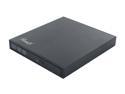
Rosewill Model ROD-EX002 - Slim Aluminum 8X DVD Writer - USB 2.0 - External Optical Drive for PCs - Black
Pros: Pretty aluminum case, exceptionally solid build. As small as the optical drive inside allows. Bus powered (no need for external power).
Cons: The solid build makes it heavy; this is fine with me but some may prefer a flimsier but lighter case. Users with USB ports far apart from each other (such as older Macbook Pros) will need a USB cable extender (a 3ft type A M-F from the dollar store will work fine).
Overall Review: I replaced the optical drive on my Macbook Pro 8,2 with a second hard disk, hence my purchase of this external burner. So far it works exactly as the internal drive (minus of course the speed, as expected since we compare SATA and USB), including booting the machine off it with no issues. The speed is adequate for an USB device. On my machine is works well with only one USB port. On some machines it might need two ports, and if the ports are too far apart the supplied cable will not reach; this is easily fixed by purchasing a dirt cheap 3ft type A USB M-F cable (from a dollar store or similar), as I did in the past in a different context (with a hard disk enclosure) The drive is pretty. It is also on the heavy side, which is kind of expected given the exceptionally strong build (can withstand a lot of abuse).
11/17/2011See more detail
Outstanding
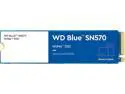
Western Digital Blue SN570 NVMe M.2 2280 2TB PCI-Express 3.0 x4 TLC Internal Solid State Drive (SSD) WDS200T3B0C
Pros: Plenty of speed for my use case, runs cool, fair overprovisioning, good price, good warranty
Cons: None that I can thing of, perhaps not coming with the mounting screw? Many people seem to complain about that, and it is true.
Overall Review: This just replaced the disk in my secondary laptop (a two-year old Thinkpad X1 Yoga). So far I copied over about 150 GB worth of data over USB3 from the old disk (at sector level, using dd) and then some 700 GB over a local network from my primary laptop (at logical level, using unison). I finally did a full backup of the Windows partitions (actually I only use Windows once in a blue moon, but it is there so it was worth backing up). The disk went through all of this like butter. It handily saturated my 1Gbps network. On speedier connections I was able to attain 400 MBps (3275 Mbps) peak speed and 355 MBps (2900 Mbps) sustained speed over 100GB+ data. That is close enough to the published specs to make me a happy camper. Overall I found the disk performance perfectly comparable with the 2TB Samsung 970 EVO Plus and the 512GB WD Lenovo OEM I have on my other (main) laptop (a Thinkpad X1 Extreme), but at a substantially lower price. The overprovisioning is also comparable with my more expensive disks (though obviously I did not see this first hand just yet), and so is the excellent 5 year warranty. To my pleasant surprise I also noticed that this disk runs substantially cooler than the ones I have on the Extreme. No matter what I did I was unable to raise the temperature over 38C external/55C internal. My other disks run slightly hotter than this at idle! In fairness though, the cooling solution for the Yoga includes a thermal pad that my Extreme lacks plus that the Extreme has two disks in close proximity, so the difference in temperature may be explained by external factors. In any event, I am overall very happy with this disk. It fits perfectly in my use case at a price substantially lower than the competition. What is not to love?
12/30/2022See more detail
Snappy but picky
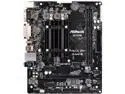
ASRock J4105M Intel Celeron Quad-Core Processor J4105 (up to 2.5 GHz) Micro ATX Motherboard / CPU Combo
Pros: Snappy performance, low power draw, great value
Cons: Very picky when in comes to RAM
Overall Review: I am running Gentoo Linux on this machine, meaning that I compile everything locally. The performance is perfectly adequate and is actually better than I expected based on the specs. As an example media-libs/mesa builds in just under 13 minutes, compared with the 3 minutes it takes to build it on my server. That might seem quite a bit slower, but that server has 32 cores and fast disks so my expectations (which based on specs hovered around 20 minutes) were handily beaten. The integrated graphics are perfectly adequate to drive my three monitors (one 4K and two 1080p), so much so that the discrete GPU I planned to use with the board turned out to be unnecessary. Note however that my application is a media computer; gamers might not find the integrated graphics that satisfactory (or might who knows, I have not tested). Hardware accelerated media encoding and decoding is a definite plus for my application. The power draw is very low (about 25W at idle for the whole system, and not much more on high load). Overall I like this board quite a bit and I can see multiple applications at which it would excel, including but obviously not limited to a media computer (like in my case), a router/firewall, or even a file server. The available PCIe slot could accommodate things such as a big multi-port NIC (for the router role, where the WiFi/BT M.2 socket would also be useful), a RAID card (for the file server role), a discrete GPU (for more serious graphics), and so on. This all being said, I have to take one egg off for pickiness. The motherboard is very picky when it comes to RAM. I had to return two sets of RAM sticks that rendered the system utterly unbootable (the system will not even POST). The third time was a charm, but beside the aggravation I also lost in the process the mail-in rebate window. It would appear that observing the (very short) list of compatible RAM modules is a must for this board (I can confirm in particular that Corsair Vengeance sticks work fine).
4/1/2019See more detail
Best I could find for use with Logitech products
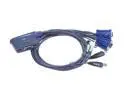
ATEN CS62U 2 Port USB KVM with with Bonded Cables and Audio support
Pros: Works even with the most challenging keyboard/mouse combination (Logitech), good cable length, hot keys programmable without external software (unlike at least one other manufacturers), small, does the job
Cons: Quirky when combined with the Logitech unifying receiver and keyboard/mouse combinations (but what KVM isn't?)
Overall Review: I am using this switch for keyboard sharing only (between an HTPC and an Android smart TV) so I cannot vouch for video switching. The switch works without a hitch with all the keyboards I tried (both wired and wireless), except for the keyboard I intend to use which is a Logitech K830 keyboard/mouse combination. For one thing, the Logitech keyboard has neither a Num Lock nor a Scroll Lock key, so I had to use another keyboard to change the default hot keys. Other than needing an extra keyboard the process was painless and the keyboard part of the K830 started to work well. The mouse part required the additional step of enabling the KVM mouse emulation (without which all the clicks turned into right clicks) and then once more started to work like a charm. Logitech is notorious for not playing nicely with KVM switches, and this switch is no exception: now and then the hot key switching stops working. It can be brought back by resetting the switch (not practical) or by a bit of black magic which in my case consists of tapping twice the switch hot key while keeping both mouse buttons pressed (this will not result in a switch, but the capability of switching will be restored). This being said, it is worth noting that quirks while using any KVM switch with Logitech wireless keyboards actually lay in the realm of best case scenarios. Many other switches will simply refuse to work. Some others I could not try because they require external software to configure, which is an impractical proposition for me (since my switch is connected only to Linux and Android boxes, while the software is invariably Windows or Mac OS). Overall, as far as I am concerned this is the best budget KVM switch, especially for Logitech products.
3/16/2019See more detail
Not that cool
![ORICO SuperSpeed USB3.0 & eSATA to SATA External Hard Drive Docking Station for 2.5" & 3.5" HDD, SSD Enclosure 12V2.5A Power Adapter and eSATA Data Cable Included [Support 8TB] - Black (6619SUS3-BK)](https://c1.neweggimages.com/ProductImageCompressAll125/AAMW_1320231488983930872svkAWgNrd.jpg)
ORICO SuperSpeed USB3.0 & eSATA to SATA External Hard Drive Docking Station for 2.5" & 3.5" HDD, SSD Enclosure 12V2.5A Power Adapter and eSATA Data Cable Included [Support 8TB] - Black (6619SUS3-BK)
Pros: Sturdy, accommodates many kinds of disks, appropriate connectivity
Cons: Disks tend to run pretty warm
Overall Review: I am using this docking station for (off-site stored) backups. It works well with all the disks I threw at it (up to 6TB). I have only used the eSATA connection. The station is heavy, which is a good thing since this contributes to stability and ease of undocking the disks but does not contribute to portability. In all, the station does its job very well, with one wrinkle: the disks get pretty warm. I clocked my 6TB disk at 47 Celsius during backup, which is still in the acceptable range but nonetheless somehow uncomfortably high. An L bracket and a fan brought the temperature to a more comfortable level; given the weight of he station I did not even have to screw in the bracket, it is perfectly stable just sitting under the thing. It would have been nice if the station itself came with a fan though.
3/8/2018See more detail
Excellent mid-range PSU
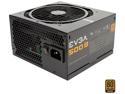
EVGA 500 B1 100-B1-0500-KR 80+ BRONZE 500W Includes FREE Power On Self Tester Power Supply
Pros: stable, silent, on sale often :-)
Cons: none
Overall Review: This is a budget to mid-range PSU and it does a great job at it. The voltage on all the rails is very stable and well within the ATX standard. The PSU is silent at normal loads. The length of the cables is adequate. Time will tell how reliable it is, but so far I am very happy with it.
5/7/2017See more detail
seller reviews
- 4
Quick and as advertised
I have no complaints on what ultimately matters. The product was as advertised, and it was delivered very quickly. My problem is with the invoice, which lumps together the shipping, tax, duties, and whatnot. I had some difficulties (and lots of dirty looks) when I filed for reimbursement because of this. I believe (but I am not sure) that this is more the fault of Newegg than the seller's, but it is still an issue for me. In any event, overall I recommend the seller.
On-time
Delivery
Product
Accuracy
Customer Service
Satisfactory
10/12/2022See more detail
Quick!
It felt like the item has been shipped before ordering, and it certainly arrived before the tracking actually became active. The item itself was as advertised. Will be happy to do business with in the future.
On-time
Delivery
Product
Accuracy
Customer Service
Satisfactory
11/27/2018See more detail
Great!
Item was as advertised and was delivered on time.
On-time
Delivery
Product
Accuracy
Customer Service
Satisfactory
2/6/2018See more detail