
Your Browsing History


Boz B.
Joined on 10/23/03
0
0
product reviews
- 7
Great card and overblown negativity
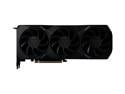
SAPPHIRE Radeon RX 7900 XT 20GB GDDR6 PCI Express 4.0 Graphics Card 21323-01-20G
Pros: - Runs almost all games I want at 4k with high settings at 90-100fps and above (even without FSR) - Cheapest next gen card that outperforms everything from previous generations. - Can get louder in smaller form factor cases if the airflow is limited but even then nothing compared to the jet fans we had in previous generations - Kind of the power requirements - full load with slight undervolt pulls max ~340W - Fantastic value for the money
Cons: - As mentioned in pros, depending on the model you might get mild coil whine but it's really way to overblown by reviewers. The card can get a bit louder in smaller form factor cases with 3 fans spinning at 3100rpm but even with full load it's nowhere close to annoying and I have an open mini-itx case right next to me. - Ray-Tracing performance is not great. A lot better than before but just not great. But I also have to say, I'm a software developer, I work with Unreal Engine, and I'm older, I've been watching Ray-Tracing promises for the last 2 decades and after 2 decades it's still not that impressive. It's a huge performance hog and most of the modern game engines including Unreal Engine have technologies that provide same visuals with smarter better technology. - This is why I don't care about Ray-Tracing, and honestly, personally, when I play the game, I don't really get to even see that ray-tracing as I'm either moving, shooting or whatever. It's just a fad and a gimmick that sells new stuff. Don't fall for it. Trust me when I tell you the games look stunning with 7900 XT. Spiderman at 4k and 120fps at highest settings looks STUNNING flying through the city and Warzone and Call of Duty looks smooth, fast, with most settings at high.
Overall Review: I have to say something here. I am doing ok financially and I patiently waited and was hyped at first to get 4090, then I waited to see AMDs offering and I watched all reviews and negativity about the prices, the AMD and Nvidia. Please understand that a lot of tech blogs, youtubers and others live of off contraversy. It took me videos and videos and actually watching people play the games to decide to go with 7900 XT. I had 5700 XT previously and I knew any card I get will be a massive leap but the point I'm trying to make is that I wanted a nice 4k experience at 90-100fps in games in the end without wasting money. Let me just say this, 7900 XT is a tremendous card. 20gb of vram, the price and the power requirements are all fantastic to run on your existing setups. I am running i9 9900k with 32gb of ram. More than enough for anything. I took out the 5700 XT and replaced it with this 7900 XT. I run Corsair 850W PSU and it is just amazing that I had ZERO problems. I simply couldn't be happier. Silky smooth 100-120fps+ in 4k in games like Spiderman Remastered (I do run FSR 2.1 in Spiderman), 120fps+ on Call of Duty in 4k with high optimized settings without any FSR turned on, I ran a few other games and they all ran silky smooth at 90-100fps+. If the game does have FSR 2.1 you will shoot up to 120fps+. That's incredibly impressive. I want to say this, from experience, unlike the tech blogs and youtubers who test and run these cars in max-ed out settings which are very misleading, I am just a person who wants to have games run smoothly and a nice 4k with fast FPS my minimum is 90fps and above. That was my goal and this card delivers. I never run "ultra" settings on anything even if the card is "supposed" to have no issues with it. Why? Because ultra settings have so many settings that are pointless and literally not visible as you play and yet cause a huge performance hit. Running optimized high settings while turning off useless ultra settings is what I advise everyone to do. I tried running these games in ultra settings, the frame rates dropped 10-20 fps for no reason whatsoever without any visual improvement you can percieve while you play. So trust me when I tell you, just take a bit of time to understand the settings of the game you play, look it up on forums and other places for the most optimal visual settings while minimizing useless punishing overhead and you will be super happy. You will get easily 4k at 120fps and gorgeous looking games. To wrap it up, this card is amazing, I don't understand the negativity around it simply because A) this card is cheaper than any other top tier last gen card yet consisently outperforms 3090ti and 6950XT by 15-20% margin. At $899 the price is incredible for what you get. 4k gaming at high FPS with stunning visuals. How is this not win/win for everyone. I personally didn't really need anything faster but if you can dish $100 more bucks just go for XTX. That card will give you another 20-30% more power but if not, trust me when I tell you, you will be very happy with 7900 XT. It's a no brainer and in this world of insane GPU prices it's amazingly priced. And this is coming from a person who ran up until the last card Nvidia cards all my life. P.S I'm using 22.12.2 drivers and have had zero crashes or performance issues so far.
12/23/2022See more detail
Doesn't fit in Cosmos 2 front plates for 200 mm fan
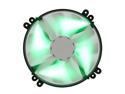
NZXT FS-200RB-GLED 200mm SILENT Green LED Fan with ON/OFF Switch
Pros: It's not loud and it pushes ok air. For case fan it's ok. It comes with dual connectors (one for led control and one for power).
Cons: Mounting holes don't fit at all standard 200mm fan. I can't mount it properly inside Cosmos 2 front because the adapter that comes with the case can't be properly twisted in as the holes don't match. I don't know what's the situation with other cases but if you wanted to get this fan for Cooler Master Cosmos 2 fan, this one won't fit. You can still make it work somehow (not ideal by any measure) but definitely not standard.
Overall Review: Solid fan but very disappointed that mounting holes don't match standard and I had to basically hack it in to get into my Cosmos 2 case. Would have preferred for the fan to come in black. I see absolutely no point in making the fan blades white.
1/29/2013See more detail
Amazing high performance and slick laptop

ASUS ROG G750 Series G750JX-DB71 Gaming Laptop Intel Core i7 4700HQ (2.40GHz) 16GB Memory 1TB HDD 256GB SSD NVIDIA GeForce GTX 770M 3GB GDDR5 17.3" Windows 8 64-Bit
Pros: Absolutely amazing laptop. Screen is gorgeous, 16gb of RAM and upgradable to 32gb, fast SSD drive and 1TB storage are plentiful for a speedy system. Overall has slick understated look. It doesn't scream cheese with some crazy colors or massive chasis. It's relatively thin for this type of beast of a machine. Fairly affordable price compared to what kind of computer you get. This is without a doubt easily a full blown, fast! desktop replacement. If you do serious work, this thing will handle anything you throw at it and really why I bought it. I'm not a big big PC gamer (only play BF4 and it's buttery smooth). GTX770m is SUPER fast. For 1920x1080 you will be playing at ULTRA settings and any serious work like video editing or graphics work this laptop handles like a dream. Awesome PROS: 1. Fast CPU 2. Lots of Memory 3. Solid storage that is upgradable to up to 3 drives. You can take out the optical drive bay and replace it with a caddy SSD. I bought a caddy on Newegg as well (Silverstone one). That's pretty fantastic. 4. Awesome display 5. Plenty USB 3.0 ports + Thunderbolt for additional storage (external Thunderbolt drives in SSD and regular SATA form are available and definitely much faster than USB 3.0). This is pretty great.
Cons: For $1900 I would have really expected to have more aluminum and less plastic. The touchpad buttons are a bit flimsy though I'm imagining that anyone who buys this laptop won't be using it without a mouse. For that purpose, touchpad will work just fine. It's good enough. It's not even close to touchpads on Apple's Mac Book Pro machines and that's kind of disappointing as this is not some rocket science. Not sure why it's so hard to simply copy Apple and make the same touchpad and how it works. This is one of the biggest deterrents eveyrone i know has from buying PC laptops. Not even Windows 8 so much as the trackpad. The major beefs I have are: 1. Quality of build for the price. Even though it doesn't feel cheap by any means, this laptop should have had more nice Aluminum like the area surrounding the keyboard. I understand why ASUS went with rubbery matter surface for the cover (to make it not slip as you carry it) but I would have prefered an aluminum matte slick chasis. 2. The way you get the SSD and 1TB storage drive prepared. Not really getting what ASUS was thinking. This is probably the absolute WORST way I have seen someone deliver the laptop OS on it. 256gb SSD is partitioned into 2 partitions (one 90gb and the other 120-130gb) and then they partitioned 1tb into another 2 partitions at 500gb .. Why would ANYONE do this is beyond me. Easily solvable by wiping everything, merging partitions and just having 1 big 256gb drive and 1tb drive. Yes, you will lose recovery but honestly since I have Windows 8.1 Pro and you probably do, you have no need for the recovery partitions. Just do clean stuff and install drivers from ASUS's website for stuff you need. 90% of the stuff is recognized anyways. 3. I'm hard pressed to say this is a con as I was well aware of weight and size but the G750JX is hefty for sure. I wish if they could have found a way to make it at least a pound or two lighter. Don't get me wrong, it's not a MASSIVE laptop. Compared to other competitors with these specs the laptop is fairly slim and looks great on the table but when you lift it up, it's definitely a bit heavier. Shaving a pound or two would definitely make it ideal! 4. Still comes with Windows 8 when Windows 8.1 is released. One more reason for you to do a complete wipe and do clean Windows 8.1 install.
Overall Review: Let me explain why I bought this laptop. After extensive search, I was looking for a laptop that would allow me to carry it with me, albeit a bit heavier and have a powerful workhorse machine for graphics, Photoshop, 3D, coding, video editing and also some gaming (primarily BF4) when I'm on the road. I wasn't concerned too much about battery as I usually plug my laptops into power outlet anyhow so 3-4 hours of battery life is sufficient enough to last me to the next power outlet. Since I spend a lot of time working in alternate OS and hardware at home, I was patiently waiting for that other company to show the new Haswell laptop that runs the different OS and after seeing the dissapointing specifications on it with subpar GPU and 2.3Ghz Haswell (standard) on their highest end models, no way to go beyond 16gb of ram, only one storage drive (flash memory) and price that's completely out of this world that's probably the most expensive laptop from that company I've seen so far, I've decided to get a PC laptop and use that alternate OS in addition to Windows 8 on it and I decided on G750JX. I knew that most PC laptops simply won't work with that other OS and I did a lot of research and finally I decided on ASUS G750JX. BOY WAS I glad I bought it. For the price that's almost half the price of that other laptop with specs that are far better I'm so happy I made this choice. If you are interested in getting a laptop that beats the pants out of that other laptop with GPU performance that's not even close and overall speed, this laptop is one of the rare ones that will work great! ASUS G750JX runs Windows amazingly well and fast but runs alternate OSs as well and quick. For that you can learn more on official ASUS ROG forums for G750 Series laptop if you have the need to run the latest fruit like OS. :) Overall this was a great purchase. Newegg great as always and I now have a beast of a Windows laptop for gaming, an OSX workhorse for coding and other Mac-type centric work. Next up to upgrade the storage to Samsung EVO drives (I will go in the near future for dual 500gb Samsung EVOs and one 1tb EVO for storage) and this will be a laptop to dream about. Overall ASUS did a really good job with this laptop and it's definitely a quality product.
11/4/2013See more detail
Unrealiable
Crucial M4 2.5" 512GB SATA III MLC Internal Solid State Drive (SSD) CT512M4SSD2
Pros: It seemed like a good value at the time for a bigger SSD drive.
Cons: Dead after 3 months or so. It was booting one moment and on the next reboot it couldn't be recognized anymore by the BIOS. It wasn't a champion of speed either.
Overall Review: Don't try to skimp out on $20-$30 and buy an SSD that is proven to be good like new SSDs from Samsung 840 series and others. I also had great experience with Corsair Force 3 (budget) and Corsair GT series as well as Vertex 4 from OCZ. They are all still alive and well more then a year in.
1/26/2013See more detail
Probably the absolute best PC case
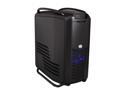
Cooler Master Cosmos II - Ultra Tower Computer Case with Metal Body and Hinged Side Panels
Pros: The case oozes with quality. This case was crafted with so much attention that it is hands down the absolute pinnacle in case design in my 20 year history of building computers. From the absolute beautiful fan controller with power buttons, to 2 hot swappable 3.5" drive bays on the front that hook directly into the motherboard to the cooling potential, the magnetic latches on the slider doors that require a slight touch and they smoothly go down and up. Tool-less design is truly one of the most convenient I've ever encountered. The 3.5/2.5" drive bays and the amount of them will make sure you will never have shortage of HDD bays and you won't need any 3.5 to 2.5" SSD converters. The PSU slide in and dual compartments is also extremely convenient and allows you to work on things separately making the computer building experience a wonderful one. The Corsair H100i water cooler fits beautifully and the top cover makes sure that your case remains clean and as intended in design. It is very hard to describe how beautiful and a bit intimidating this case looks when you take it out of the box. No video or picture does it justice until you actually take it out and see it. It really reminds you of an Aston Martin or some matte colored high luxury sports car. When I was looking at building my new rig, if you really wanted an amazing, clean beautiful luxurious case, you would have gone with one of the high end Silverstone cases or Corsair 800D/650D ones. There really isn't too many of them that fit the bill but this definitely took the gold. If you are looking for a case that you will have for a looooong time that looks stunning and is a joy to work with, look no further. This is it. And now, this case has dropped in price makes it even more amazing. I also have to say that there's a reason why I'm a looong time Newegg customer. I unfortunately bought the case at a higher price and price changed by the time I got it. Newegg being as amazing as they are, they refunded me the difference and bent over backwards to make me feel great about my purchase. They went against their own policy and credited my account for the difference. Now this is what I call an amazing company.
Cons: Needless to say, as many have noted, this case is ultra big but to be honest I'm not sure if this is really a huge con, if you haven't realized that by now, and you want something smaller, you probably won't get this case. If I had to nit pick and look for something, it would be the fact that they use plastic on the edges of the case and for the drive covers on the front. For this price, it would have been definitely nice to have them done in aluminum as well. Don't get me wrong, it's not a huge deal because the plastic is matte as well so it blends in nicely, but I think the perfection would be if those elements were done in aluminum as well like the side panels which are absolutely gorgeous. Another thing would be if Cooler Master created a window only version of the side panels we can just swap out. It's hard to make it work on this case and honestly I don't mind it so much, but after seeing a few examples there is definitely a nice way to do it and I feel Corsair should offer as an accessory side door you can buy.
Overall Review: Overall I'm very satisfied.. This will be my case for all future builds. It's the one that will truly last. Current setup: ASUS Sabertooth X79 LGA 2011 Motherboard Intel Core i7-3930K 6-core Sandy Bridge-E 3.2GHz (3.8GHz Turbo) Corsair Dominator Platinum 32gb DDR3 1600 Quad Channel 2x 512gb SSDs + 128GB Corsair GT SSD cache drive for Bridge/Photoshop 2x 3TB storage HDDs SATA 6gb/s (RAID 1) 2x EVGA GTX 580s Superclocked CORSAIR Hydro Series H100i Water Cooler COOLER MASTER COSMOS II RC-1200-KKN1 Full Tower Seasonic PSU 1050W
1/22/2013See more detail
Innovative Case - a Perfect 10
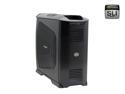
Cooler Master Stacker RC-832-KKN1-GP Black Aluminum ATX Full Tower Computer Case
Pros: The case is truly stunning. In the pictures it might not look like that, but the matte aluminum, the finish, no other word but very elegant. I got this case to house 2x Superclocked eVGA 8800GTS card in SLI, eVGA 680i mobo, 4Gb of Corsair Dominator 8500C5D ram w/ fans, Intel QX6700 overclocked to 3.2ghz, 2x Raptors 150gb in Raid 0 and Seagate 500gb 7200.10 with SB X-Fi and BFG 1000W psu. The install went FLAWLESSLY. Everything about this case is in the right spot. I used the screwdriver like only 3 times on couple of screws (psu, mobo support screws and hard drive 4-3 bay), but overall everything is tool-less. I also installed additional 5 120mm fans, 4 in the side panel and one on top as exhaust. AeroCool Turbine fans to be exact. They very silent and I actually hear more of the chipset cooling fan and dominator fans then these. Oh, and slide-out mobo IS HOT!!! It's so well done, you'll be thinking how did I ever build before this?
Cons: The power button turns on in a weird way. When you turn your PSU on from behind, you see the power button glowing, after that, it won't glow no matter if the computer is on or off. Weird. Aluminum finish leaves some fingerprints. Nothing really too visible, but it happens. Ok, maybe not really a flaw.
Overall Review: I would have to say, without a doubt, the best engineered case I've seen in my life, and I built 100s of computers in the past 15 years. As always, NewEgg is absolutely flawless, from parts pricing to shipping everything was incredible and with very low shipping price. I was really pleasantly surprised. Keep up the good work guys! I know it might be against rules, but it might help some people to decide about the size of the case and the build process. My whole computer building process including ALL parts from NewEgg with CM Stacker 832 case. http://www.flickr.com/photos/26449626@N00/sets/72157594517829410/
2/9/2007See more detail