
Your Browsing History


Liam P.
Joined on 11/18/08
0
0
product reviews
- 19
Great SSD for the price!
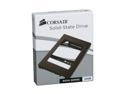
Corsair Nova 2.5" 32GB SATA II Internal Solid State Drive (SSD) CSSD-V32GB2-BRKT
Pros: Read performance is excellent for an SSD of this price. Games that use Texture Streaming systems like Crysis will benefit with drives like this due to the virtually non-existent seek time. It has TRIM support. If you want an SSD, you will want a drive with support for TRIM, so that performance doesn't go down the tubes as it fills up. Remember only Windows 7 has support for TRIM.
Cons: Write performance is decent, large file writes are best, small writes can cause a little stuttering. Annoying bracket, since SSD's lack moving parts, I just taped it to the side of my comp case. You won't get a lot on this drive. I got windows 7 and Crysis to fit with only a few GB's left. If you want to keep your entire library of games on an SSD, you'll need a much bigger one. With this one, you might have to swap games.
Overall Review: Do NOT disable the paging file with an SSD. Many apps are designed to use the paging file and will crash without it. Disabling it will not increase performance. Do NOT disable Superfetch, unless you have very little RAM (under 2GB). Superfetch will still improve performance when loading commonly used apps, even with SSD's. Do NOT disable Prefetching. It does not cache stuff in RAM, it just index's often used app's DLL locations. The prefetch folder rarely is larger than 4MB. Move the pagefile to a Hard Drive. Not only will the pagefile quickly kill an SSD due to the massive amounts of writes required, you'll get a lot of stuttering due to small writes being an area most SSD's suck at. If you want performance, get a RAM Disk for the pagefile. Don't disable Texture Streaming Systems in games like Crysis, or force preloading of game data. The SSD will serve up data extremely fast on the fly, forcing everything into RAM will just waste RAM space, for a very minimal quality boos
7/28/2010See more detail
Great bandwidth, poor range.
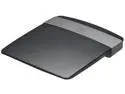
Linksys E2500 2.4GHz / 5GHz Advanced Dual-Band Wireless N Router IEEE 802.11a/b/g/n
Pros: Truly does get Wireless N speed, unlike many routers. Compatible with DD-WRT, and apparently Tomato as well (though less so, I'd stick with DD-WRT). 5GHZ works, though the range is worse than the 2.4GHZ. This is not all on Linksys though, by nature of the higher wavelength, 5GHZ signals have more difficulty passing through solid walls. It will still help a lot if you live in area where the 2.4GHZ band is so congested there are no free channels. Sleek design, it won't disrupt your home's "feng shui" (aka form). Stock firmware has some juicy features, such as QoS, guest access (good for restaruants or hotels where you'd like to divide the personal and guest internet access), etc. Fairly well ventilated. Haven't had overheating problems, even with the Tx Power upped from 71 to 80 amps. Fast, with lots of RAM. This router probably won't choke on heavy P2P/game activity.
Cons: Terrible range relative to my older WRT54GS Wireless G router. This is probably due to the lack of external antennas, which severely impacts the coverage this router can provide. Even small homes will have problems getting good coverage. Stock firmware has an impressive amount of features in some areas, and is lacking in others. For example, it has QoS controls (bandwidth limiting, the works), yet it lacks most common advanced wireless settings (i.e CTS enabled/disabled, beacon interval, Tx Power, etc, etc). This can be alleviated by installing DD-WRT (but be warned QoS in any recent DD-WRT builds is broken, see other thoughts). One important thing is the lack of the ability to change the Ack Sensitivity, which controls ACK timeouts. This can cause lots of congestion in certain uncommon scenarios, so you will definitely want DD-WRT.
Overall Review: DD-WRT is great for this router, however it has two main problems which may force you to stick with stock fw. The first and biggest problem is that the 5GHZ radio in this router is not yet supported by DD-WRt, so you're stuck with 2.4GHZ only. Seconly, DD-WRT's QoS feature is broken across all builds. You'll find that regardless of configuration, it kills the connection speed. WMM is unaffected though, so this should be alright unless you really need to define custom rules for applications bandwidth consumption. Follow the E2500-specific guide on the DD-WRT wiki when installing it, and take note that you should only install broadcom nv60k builds after installing the trailing firmware.
9/16/2012See more detail
Very stable, great BIOS, drivers are fairly recent
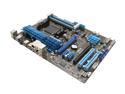
ASUS M5A97 AM3+ AMD 970 USB 3.0 ATX AMD Motherboard with UEFI BIOS
Pros: Best "budget" motherboard for overclocking. Very stable, no bad VDroop. The BIOS is filled with options, overclockers will love it. Every voltage setting is configurable, including the various NB voltages. No annoying quirks that I've observed. RAM SPD is properly detected, including the proper voltage. Main PCI-E x16 slot will actually run at x16, even if another card is occupying the other x16 slot (however, the second slot is capped at x8). A lot of motherboards will either run one card at x16, or two at x8. Great Northbridge heatsink. No IDE connector. Yeah, I know everything is SATA these days, but I haven't bothered upgrading my DVD burner (which uses, since that's just not one of those things you upgrade regularly. Has a button that apparently will schedule some simple diagnostics to determine stable RAM configuration in cases where SPD is misdetected
Cons: Argh! Why is it that motherboard manufacturers insist on putting two legacy PCI slots in, and cramming the two PCI-E x16 slots close together, so that it's impossible to fit two double slot cards in together. Legacy PCI is pretty much obsolete now, with the exception of perhaps a sound card. Additionally, the PCI-E x1 slot adjacent to the primary x16 slot is useless, since even a tiny video card will block it off. Ironically, the PCI slots (which I have not filled for at least the last 5 years), occupy a very spacious part of the board, as if Asus was trying to mock me :(
Overall Review: Lots of tools available from the website, they are fairly useful. However, they don't do anything that more established software can't (such as AMD Overdrive). Compared to other companies tools (*cough* MSI), they are a lot more useful though.
9/6/2012See more detail
Amazing RAM for the price
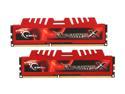
G.SKILL Ripjaws X Series 8GB (2 x 4GB) DDR3 1600 (PC3 12800) Desktop Memory Model F3-12800CL9D-8GBXL
Pros: Very flexible timings. Worked fine at advertised timings, had to manually set them though. Can run at a 1T command rate, without any problems (even stress tested). Great heat spreaders. They feel solid, rather than the flimsy ones you often see on budget ram trying to make it look more expensive. Additionally, they are well attached to the sticks, which is useful, since I've had heat spreaders pop off/lift off of the module when inserting it, so it's nice that this one feels reliable. Looks nice. Not ridiculously flashy (ala LEDs and multicolored iridescent plating). Heat spreader extends about half an inch above the actual module (so about 1.5 inches total height when in the socket). This should fit fine even with huge heatsinks.
Cons: The SPD (default bandwidth/timings) is incorrect: 10-10-10-27 @ 761 Mhz (approx 1600Mhz DDR) 9-9-9-24 @ 685 Mhz (approx 1400 DDR) As you can see, the RAM is not configured to run at the advertised 9-9-9-24 timings at the advertised bandwidth. However, this is not a big deal as the memory is perfectly capable of handling 9-9-9-24 at 800 Mhz (1600 Mhz DDR). Additionally, the SPD timings the motherboard will tend to default to are stable, so you won't get any horrific POST loops.
Overall Review: Manually configure your SPD timings if you want the RAM to run at it's optimal performance.
9/6/2012See more detail
Works great. Dirt Cheap.
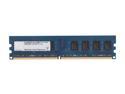
G.SKILL 2GB DDR2 800 (PC2 6400) Desktop Memory Model F2-6400CL5S-2GBNT
Pros: Great performance. SPD properly configured, so they automatically set themselves to their optimal timings. I have 3 sticks at the moment, and not one has failed since I purchased them more than a year ago, and all are still working just as well as they did when I bought them.
Cons: None. At this price, you can't ask for anything more.
4/28/2012See more detail
Best microphone for the price.
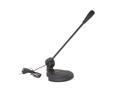
DCT Factory MIC-48B Black 3.5mm Connector Microphone
Pros: Great price. Sound quality is good, not good enough for something like podcasts, but does the job well for things like Skype, in-game voice chat, casual video commentary, etc. It's pretty clear. The stand is sturdy and adjustable. The mic can be removed from the stand and held in one's hand, and easily placed back in. The stand clings well to the mic's shaft, so there shouldn't be any problems such as the mic falling off. The volume is very loud, you shouldn't have to use Mic-boost (kills SQ). No noticeable noise at normal volume levels.
Cons: It's virtually omnidirectional. It will pick up everything in front of it, so it's probably not good for anything podcast/commentary related unless you live in a quiet area. The mic is not fixed to it's casing very well. This introduces the problem of any adjustment of the mic (be it raising/lowering, or even just touching it) will be picked up by it as rattling sounds. Barebones. This is a mic and nothing more. It doesn't have any noise cancellation, or anything like that.
Overall Review: It would be nice if it came with an optional foam covering, so that you can speak closely to it without breath sounds being picked up.
4/28/2012See more detail