
Your Browsing History


Christopher F.
Joined on 04/13/04
0
0
product reviews
- 31
Roadtrip necessity
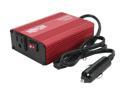
Tripp Lite 150 W Car Power Inverter with 1 Outlet, Auto Inverter, Ultra Compact (PV150)
Comments: This works just amazing for my HP Laptop in my VW Jetta (opt. 120 Amp Alternator). Remember to do the math on how much power you need. Check out your device you want to plug in and know that Watts = Volts * Amps. If your laptop is rated 6.5 Amps at 18.5 Volts, that's about 120 Watts. And you can convert that back again for your vehicle (your car's battery runs at about 12-13 Volts) 120W/12V = 10 Amps. If your alternator doesn't have 10-13 Amps to spare (it certianly should) you're going to stress it. This would typicially only be a concern with much larger inverters (375 - 1000 Watts) or smaller engines (3-4 cylinders).
8/4/2005See more detail
Dell C640 Incompatible
OCZ Value Series 512MB 200-Pin DDR SO-DIMM DDR 266 (PC 2100) Laptop Memory Model OCZ266512VSO
Pros: I would hope there are some.
Cons: This RAM does not work in a Dell Latitude C640. The system will POST but hangs. I purchased Two of these, Neither of them worked in any configuration with or without an existing, working, stick.
Overall Review: Maybe it's Dell Laptops that are finicky?
7/13/2006See more detail
Not incredibly fast.
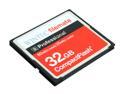
Wintec FileMate S Professional 32GB Compact Flash (CF) Flash Card Model 3FMCF32GBS-R
Pros: This card has huge capacity with a great price tag.
Cons: It just doesnt' seem to be as fast as it should. This card is sold as a 400x (w/166x write) speed card that performs more like a 133x card in my Sony DSLR.
Overall Review: Someone really needs to compare this card head to head with some others in a few cameras to see if we can get an actual metric on its speed. My only comparison is this: Shooting full-size RAW images over 15 seconds (to be sure to the buffer is full)... This card = 12 shots Lexar Pro 300x = 18 shots
7/29/2010See more detail
Works with DSOne SDHC
ADATA 8GB Class 6 Micro SDHC Flash Card Model MicroSDHC 8G card
Pros: This memory card has decent speed and works well in my Supercard DSOne adapter. The card is fast enough to run linux on a Nintendo DS.
Cons: None.
Overall Review: What can I say? It's a memory card.
9/23/2008See more detail
Odd feature
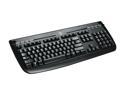
Logitech Internet 350 Black 104 Normal Keys 8 Function Keys USB Wired Standard Keyboard
Pros: There's something excellent about this keyboard that a lot of people might not realize. On a lot of keyboards as you roll from one key to the next, sometimes you depress the next key before you've lifted your finger fully off the key you previously depressed. Most keyboards handle this fine "rolling" across 2 keys. Some 3 keys. At some point "rolling" onto an additional key before letting up a previous key stops sending keystrokes. This doesn't seem important but for some people who type very fast it can sometimes be a cause of frustration with a keyboard that's hard to pinpoint. This Logitech 350 keyboard allows me to sequentially depress 6 keys in a row before a key has to be released.
Cons: I suppose this would be a bad feature if you had cats that liked to roll around on your keyboard.
Overall Review: Other than that fact this is a great general keyboard. All of the 'extra' keys (Audio, Mail, Home page, calc, play/pause, volume up, volume down, must) work just fine in both XP and Vista without specially installing any Logitech drivers.
2/7/2008See more detail
6 out of 7 isn't bad
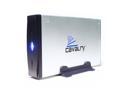
Cavalry CAUE 500GB USB 2.0 3.5" External Hard Drive PC-Ready CAUE37500
Pros: Decent, low cost External USB Drive. Up to specs, seems to have a low failure rate.
Cons: I've owned 8 of these and one of the eight was a bit unpredictable. It didn't sustain large transfers well. Not sure why. The drive light would go red and it would disconnect and reconnect. Returned it for a replacement.
Overall Review: I'm Using 7 of these with a low power 100Watt PIII running Ubuntu and using mdadm to configure them into a 3TB RAID5 array. Least expensive hot-swappable drive configuration I've found.
10/20/2007See more detail