
Your Browsing History


Erik S.
Joined on 10/27/05
0
0
product reviews
- 9
worked wonderfully here
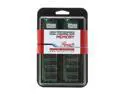
Rosewill 1GB (2 x 512MB) DDR 400 (PC 3200) Dual Channel Kit Desktop Memory Model RW400/1024KITDP
Comments: I used this ram in an Asus P4S800D-X. worked very well. it would help others when you explain what mobo's you put it in. Chip density can make a lot of difference to some mobo's. so i am tickled at this price. although many of the benchmarks that i have run say that you can get a little more performance from using buffered memory in large quantities. this works fine for an internet browser/ server/ video editor machine.
11/24/2005See more detail
pretty darn good
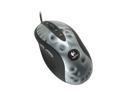
Logitech MX 518 Aluminum 8 Buttons 1 x Wheel USB Wired Optical Gaming Mouse
Pros: It works as advertised. Seems to function fine. The OTF resolution change works well in bf1942. Nice weight to it
Cons: The cord is stiffer than any of my Microsoft Intellimouse products. I bring it up through the desk so I notice the resistance of the cord. I have very large hands and it feels small. The thumb buttons could have been positioned better; one is ok to get to the other takes thought to depress. The scroll has very light clicks, very easy to change accidentally
Overall Review: It is a little larger than my Intellimouse. Would have preferred they use the mold from the Microsoft inellinavigator. The OTF buttons take concentration to get to. I do like it. I will adapt. The OTF is a functional tool. Maybe I can link the mouse resolution to certain views. The biggest problem I have is the light scroll. Changing the resolution quickly sometimes I bump the scroll and it rolls. Those detents could be more pronounced. Wish they had let me beta it for them. Be careful during driver install to NOT INSTALL the keyboard unless you have their keyboard. This could cause problems. This says it’s an 8 button, and it is but 2 are the OTF, would really like 1 or 2 more that are programmable. Pentium 4 650 800MHz FSB LGA 775 (stock cooler) ASUS P5N32-SLI Deluxe (not using NB/SB fans) OCZ DDR2 PC2-5400 Gold GX XTC Dual Channel (2x1G) BFG Tech Geforce 7800GT BFGR78256GTOC WD Raptor WD740GD 74GB 10,000 RPM SATA HDD WD Caviar RE WD1200SB 120GB 7200 RPM IDE Ultr
4/6/2006See more detail
worth every penny
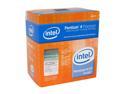
Intel Pentium 4 650 - Pentium 4 Prescott Single-Core 3.4 GHz LGA 775 84W Processor - BX80547PG3400F
Pros: No problems, installed fine and worked.
Cons: none. its fast.
Overall Review: the heatsink is ok to install, but be careful. It is easy to not fully insert the clips but still get them to click. Just pay attention. Stock heat-sink is fine for stock situations—IF the case is getting cool air. If the only case circulation your case gets is from the PS the chip will probably run warm on you. I see temps to the mid and upper 40’s C. Pentium 4 650 800MHz FSB LGA 775 (stock cooler) ASUS P5N32-SLI Deluxe (not using NB/SB fans) OCZ DDR2 PC2-5400 Gold GX XTC Dual Channel (2x1G) BFG Tech Geforce 7800GT BFGR78256GTOC WD Raptor WD740GD 74GB 10,000 RPM SATA HDD WD Caviar RE WD1200SB 120GB 7200 RPM IDE Ultra ATA100 Logitech MX518 /steelpad mousepad Case: Hydraulic SF-860 B w/2x80, 2x60 chassis fans (one added by me) Power Supply SeaSonic S12-600 600W XP Professional W/SP2 - OEM
4/6/2006See more detail
works fine
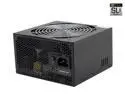
SeaSonic S12-600 600 W ATX12V / EPS12V SLI Certified CrossFire Ready Active PFC Power Supply
Pros: Works fine out of the box. Seems to be a quality unit. Very quiet.
Cons: None really
Overall Review: Lots of wires! Hard to make pretty if you are into that. Get a PS with the modular cabling if you want pretty. Asus PC probe and Sandra05 see the speed from the fan differently. Not sure this is a PS issue though. Though this unit can flow a lot of air, it usually does not and will not. So if this is the only fan for your system you may run into cooling issues. This fan is designed to cool the PS only, not really provide circulation for the other heat generators in your box. Pentium 4 650 800MHz FSB LGA 775 (stock cooler) ASUS P5N32-SLI Deluxe (not using NB/SB fans) OCZ DDR2 PC2-5400 Gold GX XTC Dual Channel (2x1G) BFG Tech Geforce 7800GT BFGR78256GTOC WD Raptor WD740GD 74GB 10,000 RPM SATA HDD WD Caviar RE WD1200SB 120GB 7200 RPM IDE Ultra ATA100 Logitech MX518 /steelpad mousepad Case: Hydraulic SF-860 B w/2x80, 2x60 chassis fans (one added by me) Power Supply SeaSonic S12-600 600W XP Professional W/SP2 - OEM
4/6/2006See more detail
Honda Civic or ’32 hi-boy?
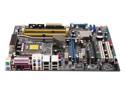
ASUS P5N32-SLI Deluxe LGA 775 NVIDIA nForce4 SLI Intel Edition ATX Intel Motherboard
Pros: I had no trouble installing everything and firing this board up. After loading XP, installing needed drivers and updating those drivers, I installed Sandra2005 and 3Dmark05. I ran these tests and performance comparisons. I have run the burn ins from Sandra with no temperature problems. No errors and very satisfactory performance. I am seeing MB temps (C) in the high 30’s idle and as high as 45 during extended game play, the CPU Idles upper 30’s and swings to mid 40's during BF1942. (using PC Probe II) the graphics card idles in the low to mid 40's and goes to low 50's. The installed bios was 0212, and I have not flashed it.
Cons: I have had 2 random reboots. No explanation. There is nothing in the log file. The on board audio is not very good. It does not meet the level of the SB Live! in my old computer. I am keeping the older computer together as my back up until this one is stable. Plan on buying a sound card, but you don't have to have it immediately. The NVidia sata drivers installed fine during the XP install. I tried to also install the SIS drivers at this time and received an error. Since I only needed one of the drivers at this time to install XP on the sata drive, I just kept going.
Overall Review: If you want the dependability of a Civic, buy a different board right now. If you want a hot rod buy this, but be ready to tweak. This board/cpu combination generates heat. And lots of it. While starting up with the side off the case I could feel the radiation from the board. I am adding new fans now, as I have gotten warnings from PC probe on MB temperatures. Some of this may be the new fancy PS. Since it has a fan controller, it runs at slower speeds to be quiet. So it cools itself only losing circulation to the rest of the components. Sandra and PCProbe II differ slightly on reported values. PC probe and Sandra differ on which temperature is the CPU. And how hot it is (4C offset) PC Probe does not like the PS fan speed. Sandra reports the speed of this fan as 2x what PC probe reports it. Pentium 4 650 800MHz FSB LGA 775 (stock cooler) ASUS P5N32-SLI Deluxe (not using NB/SB fans) OCZ DDR2 PC2-5400 Gold GX XTC Dual Channel (2x1G) BFG Tech Geforce 7800GT BFGR78256GTOC WD
4/6/2006See more detail
No problems here
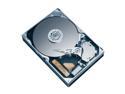
Western Digital Caviar SE WD1600JS 160GB 7200 RPM 8MB Cache SATA 3.0Gb/s 3.5" Hard Drive Bare Drive
Comments: Using a single one of these on an Asus P4S800D-X and XP Pro SR2. this is the boot drive and programs reside here. no problems so far. transfer rate is about 54 Mb/s. The IDE drives (also WD 160Gb) are running in the mid 45's. seek time is much lower on the SATA too.
11/24/2005See more detail