
Your Browsing History


James J.
Joined on 04/02/06
0
0
product reviews
- 10
My first water cooling
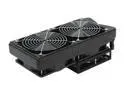
Swiftech H20-220 Apex Ultima Extreme Duty CPU liquid cooling kit
Pros: Easy to install and works great. This kit keeps my CPU ice cold. I touched the reservoir while playing a game for over 30 minutes and it was about the same temperature as tap water from the faucet. tubing has a relatively large diameter 7/16" I think and the pump moves a good volume of water fairly quickly. you can really see how powerful the pump is when your circulating out all the air bubbles during the first run.
Cons: Not enough tubing to run CPU and video card loop and keep a clean appearance.
Overall Review: You have to choose between a clean CPU only loop or a sloppy CPU / VGA loop with the amount of tubing supplied. I really like having a near show quality machine with hidden excess tubing and sleeving all cables in the case and routing them around the back of the case. Besides that this kit was easy to install, I didnt even use the manual and this is my first water cooling install. Swiftech did an excellent job making a powerful and easy to install Water Cooling solution.
10/4/2009See more detail
Quite and efficent
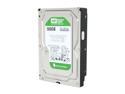
Western Digital WD Green WD5000AADS 500GB 32MB Cache SATA 3.0Gb/s 3.5" Hard Drive Bare Drive
Pros: Quite and it sips on power
Cons: little bit on the slow side. i wouldn't recommend this as a bootable drive unless you running RAID.
Overall Review: I used this in a machine I built for a relative and the OS start up times are dismal. It was running Windows XP with 4GB 1066Mhz DDR2. The CPU was no slouch either, I installed an older quad core extreme overclocked to 3.2Ghz and the start up times are just horrible. even launching Firefox presents a brief pause about 2-3 seconds to launch the browser. I would suggest using this drive as a separate storage or back up drive or a using in RAID.
10/4/2009See more detail
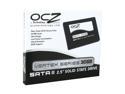
OCZ Vertex Series 2.5" 30GB SATA II MLC Internal Solid State Drive (SSD) OCZSSD2-1VTX30GXXX
Pros: Quick, durable and small. You do not need to "baby" these things. Firmware updating is extremely fast and easy. 0.1ms seek time and high I/O rates get a minimum 7.6 on the Windows Experience Index. O.C.Z. has a very active community that will help you solve any issues you may have. You don't need to tweak these things especially if you are only running 1. Just turn off De-frag and Indexing services in Windows 7. O.C.Z. advises not to turn off or moving paging file, just limit its size so it doesn't eat up too much space.
Cons: Not really a con against the S.S.D., but I have 2 in RAID 0 strip with the recommended firmware 1.41 for RAID and mine benchmark at 280+ MB/s burst speed and about 145 MB/s sustained read speed. This slightly better than what I would expect to see for just one drive, but 2 in RAID 0? maybe I need to get a hardware RAID controller.
Overall Review: Been using these for about 4 days now and no noticeable performance degradation like some have reported. I didn't time my computer boot cycle, but it is FAST. noticeable decrease from the time I see the log in screen to when I get to the desktop. looks about 4 - 5 seconds load time after the Win 7 splash screen comes up to get to the desktop. My wireless card initializes in about 2 seconds, thats down from about 15 - 20 seconds with my old Raptor. programs are snappy, web surfing is snappy. Also I noticed my internet is way faster than I though it was. Half of the time you are waiting for data to buffer during a download. With this S.S.D. downloads are insanely quick. Most are done as soon as you click the mouse, all accept downloads greater than 2MB. My system: Core i7 860 @ 4GHz E.V.G.A. P55 S.L..I F.T.W. 2 x O.C.Z. Vertex 30GB RAID 0 strip 2 x G.T.X. 280 4GB Corsair 1600MHz In.Win Commander 1200w P.S.U. A.u.z.e.n.tech Prelude 7.1 H20 Liquid Cooling CM 932 H.A.F.
1/12/2010See more detail
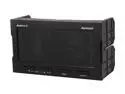
Controller
Pros: The panel operates as advertised. Color coded readouts make it easy to quickly glance at the panel and get the info you need. The panel has a somewhat muted brightness, its not at all unremarkable, it just that it has a very considerate brightness to sensitive eyes at the same time without being too dull. You can program it to alert you at a predetermined temperature. displays both deg C. and deg F. temperature probes are long enough to accommodate a full tower and still be concealable. The probes are more accurate than I thought CPU-Z reported an idle CPU temperature of 30oC, core 0 @ 33, core 1 @ 33, core 2 @ 35, core 3 @ 34. The Aero Cool CPU probe reported CPU temp @ 33oC. Good enough for me, that was the average of all 4 cores anyway.
Cons: Viewing angle is pretty bad. I took off 1 egg because of the viewing angle. Panel colors can range from blue to yellow depending on the angle you view it at and there is severe ghosting at some angles. Luckily I installed the panel at my eye-level and view it at about a 135o angle which it displays everything very clearly, but if you can not view this panel @ eye-level then you will get all the problems I mentioned at anything more than a 30o angle.
Overall Review: This panel reminds me of a Star Trek console Panel with its colors and art style. Im lucky its sitting at my eye-level or else I would hate it. Bad viewing angles if its above or below your eye-level.
1/4/2010See more detail
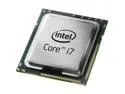
Intel Core i7-860 - Core i7 Lynnfield Quad-Core 2.8 GHz LGA 1156 95W Processor - BX80605I7860
Pros: very fast CPU. I was able to overclock it to 4GHz with hyper threading on. The 1156 motherboard I have has a dummy overclock feature there the motherboard will hadle most of the complicated stuff for you. It can only take you so far though (in my case 3.5GHz stable, anything over that and I BSOD when windows is booting. I had to manually adjust the voltage and my RAM timings but still left the dummy overclock on to handle everything else.
Cons: new socket style so that means new CPU coolers. I was lucky my motherboard had 1156 and 775 CPU cooler holes so I was able to keep my water cooling.
10/28/2009See more detail
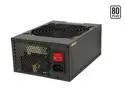
IN WIN COMMANDER IRP-COM1200 1200 W ATX 12V 2.3 / EPS 12V 2.91 SLI Ready CrossFire Ready 80 PLUS Certified Modular Active PFC Power Supply
Pros: very good power supply. It has more power than most people will need. It modular and come with very long cables so you route them however you like. If you want want 2 - 4 GPU's with a quad core CPU overclocked to 4GHz, this is your power supply.
Cons: I wish the cable sleeves were not see through.
Overall Review: I purchased this PSU because my 800 watt BFG exploded when I first turned on my new Core i7 860 setup taking out the motherboard, CPU and my secondary GTX 280. All were under warranty though. I have my i7 860 overclocked to 4GHz on water and two GTX 280 running @ 1920 x 1200 with this power supply and I couldn't be happier with it. This PSU takes a beating and doesnt even break a sweat. My UPS has a voltage meter and during a 3D Mark Vantage test it only broke 700 watts once, so if you are thinking about tri-SLI or Quad crossfire while overclocking this is the PSU fyou want.
10/28/2009See more detail