
Your Browsing History


Christopher R.
Joined on 12/24/05
0
0

product reviews
- 29
alright mobo
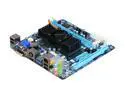
GIGABYTE GA-E350N-USB3 AMD E-350 APU (1.6GHz, Dual-Core) AMD Hudson-M1 FCH Mini ITX Motherboard / CPU Combo
Pros: Overclockable CPU/GPU, got the CPU to overclock at 1.92Ghz @ 1.35w GPU from 500mhz to 740mhz scored a 7100 points in 3dmark03 VERY low power usage has a 3 pin to add another fan, which I would recommend. Everything else just works the way I expected! Bios has alot of options in there from tweaking the CPU,GPU,Ram,voltage etc. Drivers were easy to install.
Cons: Didnt notice my ram on first time in bios, manually changed that and it works, not really a con since I been spending some time in there anyways ;-). USB 3.0 ports dont work? I can plug my mouse and keyboard into those ports but my WD My Book isnt reconized? I tried other ports and they are fine...but slower.
Overall Review: Other people have complained about the temp, I added 2 very quiet fan in a push/pull setup and my temp hovers around 40c to 50c. If they make any aftermarket cooper heatsinks I will get one asap! My setup, APEX MI-008 Black Steel Mini-ITX Tower this mobo G.Skill 4gb 1333mhz (888-21) 500gb WD Caviar black I didnt notice any difference in 3dmark03 when allocating 512mb ram to 1024mb, just thought I would add that. Plays 1080p rips just fine, no stuttering. power USB devices when powered off is a nice feature* Also you can only raise the FSB speed from 100 (stock) to 120. Gaming, dont expect much...seriously
4/10/2011See more detail
Bad start hopefully it lasts
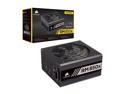
CORSAIR RMx Series RM850x CP-9020180-NA 850 W ATX12V / EPS12V 80 PLUS GOLD Certified Full Modular Power Supply
Pros: Lots of power and save space on the modular design.
Cons: Read a review with 1 egg saying something popped and leading to a burnt electrical smell. Same thing happened to me, got the new pc setup, installed the os but everytime i would stress the cpu id get a black screen. About the 4th time I tried it i heard a loud pop followed by a small amount of smoke. I found out the cpu cable shorted out and the female slot on the psu no longer powered. The burn was located on the heatshrink right before the cpu male connector, odd place. I used a different cable and port, problem solved. Luckily I didnt short out my cpu or motherboard but I am still sketchy about leaving the computer on over night or all day while im at work. Hope this doesnt discourage anyone from buying this, just make sure you stress it out first to find any problems.
Overall Review: Even after what happened id buy again. Maybe I just have bad luck lol.
4/29/2020See more detail
Runs great
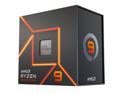
AMD Ryzen 9 7950X - Zen 4 16-Core 4.5 GHz - Socket AM5 - 170W Desktop Processor (100-100000514WOF)
Pros: So far my system has been good, I use VMware alot and the extra cores (coming from a 5900x) help alot. I paired this with the Arctic Liquid freezer 420 aio and boost clocks are in the 5.75ghz at 70F room temp. As for paste I used Noctua's brand, I could mention temps but we all know by now it goes straight to 90c which took me some getting use to. I feel at the moment this is fast enough without ANY bios changes, maybe in the future I'll tweak it for more performance. System specs 7950x Strix 670e 4090 Ddr5 32gb 6000 cl30 ram
Cons: As an early adopter there have been some bugs, when booting up windows 10 after the bios screen, I sometimes get a black screen and have to reboot. Normally it's fine afterwards. This is with the graphics card not igpu. Avg antivirus, if I disable the the antivirus and reboot the system the app crashes but ensure the antivirus is still working. If I reboot again it works fine. Some apps on the desktop randomly hang and take a while to load. Not sure if it's related to the Samsung 980 pro or motherboard or CPU.
Overall Review: Get the best aio you can fit or afford.
10/27/2022See more detail
Got a dud
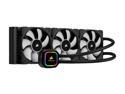
CORSAIR iCUE H150i RGB PRO XT, 360mm Radiator, Triple 120mm PWM Fans, Advanced RGB Lighting and Fan Control with Software, Liquid CPU Cooler LGA 1700 Compatible
Pros: Looks good, rgb worked
Cons: Didnt work better then my air cooler. Read overall review. Icue software lots of bloat.
Overall Review: Dry ran it the night before to see how loud or quiet it would be, sounded good. Next day went to install and temps were higher then my mugen 5 air cooler with noctua fans. Ran my 5900x on stock settings with an undervolt and same problem. Yes I put the settings to extreme full blast. Reapplied thermal paste 5 times and got similar results. I also had the aio in the best orientation according to gamer nexus. Also tried different pressures on the 2 thumbscrews and same results and used 99% isopropyl alcohol to clean the cpu and cold plate. Pump also made an oscillating once installed. Idk maybe mine just didnt have enough fluid or the cold plate flexes during install. But once I went back to the air cooler temps were stable at 4.6ghz, never going over 70c. Not gonna lie, didnt like the way it mounts on the am4 processors, if the thumbscrews twists the latch it could pop off. I found myself holding the latch while turning the thumbscrew to prevent this. Return in progress.
2/13/2021See more detail
Great cpu
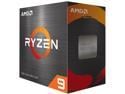
AMD Ryzen 9 5900X - Ryzen 9 5000 Series Vermeer (Zen 3) 12-Core 3.7 GHz Socket AM4 105W None Integrated Graphics Desktop CPU Processor - 100-100000061WOF
Pros: Switched from a 3700x to a 5900x. Booted up just fine. Pbo offers great performance but leaving everything stock raises the volts up past 1.4v which isnt good for long term, plus I was seeing temps of 90. Id suggest using CTR 2.0 to find the best performance plus underclock, make sure you have the latest bios that supports agesa 1.2.0. Performance on my air cooler mugen 5 is good with temps of 36 idle and 75 in prime using an all core clock of 4.2ghz in the meantime. All core clocks hurt performance but with only an air cooler I feel its fast enough for now. Make sure you get decent ram my 3700x on 3200 2x8gb was ok but I dont think its great for this processes. I did searching and reviews and 3600 dual dimm with c16 latency or lower seems to be the best for price/performance. 3800 and 4000 are nelidgeable and close enough for margin of error. Might be overkill for AAA games but that will change with time. Emulators such as rpcs3 and zenia saw alot of improvements over my 3700x. GOW 3 can now be played at 60fps with minor hiccups along with Gran Turismo. Zip and rar extractions are slightly faster but I dont think the utilize all cores.
Cons: Need watercooling to get the most out of this processor which I already expected and ordered a h150i. Again mugen 5 with 2 noctua fans does a decent job so I'm sure the D15 does fine. Availability sucks I'm just gonna say it and its not likely to improve for a while, so if you think by summer 2021 it will be avalible and cheaper dont hold your breath.
Overall Review: I "won" this in the product shuffle, definitely a better value then the 5800x. Keep trying to get this processer and dont pay scalping prices.
2/11/2021See more detail
For anyone running a 3700x or less
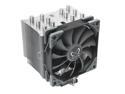
Mugen 5 Rev. B CPU Cooler with AMD AM4 Support
Pros: Cools my 3700x great. Before with the wraith prism I could only boost to 4.2ghz. It would get toasty around 80c. Now I get 4.4ghz and only see temps of 65c, idles at 35c. I am using a push pull configuration. Stock fan in front and a high static pressure in the rear. I also opted for Artic Silver 5 because i wanted to use it up and toss it. But reviewing online the scythe vs Artic silver 5 are relatively the same.
Cons: None really
Overall Review: With Am4 support it was super easy to install, didnt even take the rear cover off the rear to access the mobo.
5/10/2020See more detail