




 here!
here!
I’m your shopping assistant for PC builds, upgrades, and everything tech.
Got questions? Ask away!
Start a conversation
here!
I’m your shopping assistant for PC builds, upgrades, and everything tech.
Got questions? Ask away!
Start a conversation

Joined on 03/10/03
Super small, works
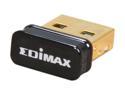
Pros: Great price. It is a nano USB 2.0 RealTek 8192CU based product. Which means, forget about the drivers on the disk, forget about the ones on edimax's www site, go directly to realtek and find the 8192cu and download it. This thing is really small - the plastic cover has a blue led that binks with traffic but it is not bright and not a bother. Very little heat from it even when I stress tested it. Connected to a netgear N900 I get the full 150Mbps - I'm only about 15ft away. I did not try any distance for this is in the back of a mini-itx home computer I built for a friend. Being on the rear I/o panel right next to all that metal is not affecting it at this short distance. I'm seeing no packets dropped and no ping lag. Amazing deals on this right now.
Cons: It's too bad that all of these companies simply will not ship the latest drivers on these products. But for this super low price, I can understand that once they have done the big production run, it is not cost effective to make new cd's.
Overall Review: www.realtek.com.tw -> support -> Communications Network IC's -> WAN NIC -> IEEE 802.11b/g/n Single Chip -> software -> RTL8192CU and download the .zip file Unzip it. Run the setup.exe if you want the realtek wireless manager, or just tell windows to search that folder for the drivers. For win 7/8 no reason to load that wireless manager, windows had one already that works, so just tell windows to search that directory and you are up and running. These drivers are significantly newer than what is on the mini-cd or edimax's www site.
Nice unit but fans could be improved
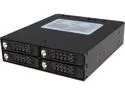
Pros: Nice all metal construction and this is the locking version so you can't accidently push the front tab and eject the drives. Install was simple and it fit 5.25" slot perfectly. I'm using this with 4 Samsung 850 EVO 1TB drives in raid 0 to have a 4TB drive used for a number of VMware VM's that are doing continuous builds for software development.
Cons: This would be a GREAT unit if it had good fans - but alas - they put in lower quality fans. Combo ball / sleeve bearing and they are simply not quiet at all. If you have this in a rack system where you don't care about noise - then the noise is not much of an issue but from the sounds I am starting to hear - I don't think the lifespan of these is that great. Come on Icy Dock - for something like this unit - users will pay the extra $10 to have better fans - heck I have $1800 in drives installed so I would pay a bit more to have high quality fans that are not so loud. I ended up purchasing from Digi-Key a couple of OD4010-12LB fans and putting them in myself (and thus voiding the warranty but I'm ok with that). Much better - virtually quiet.
Overall Review: The locking mechanism is not for security - it is just to prevent accidental removal of a drive. Anyone with the smallest of tools or a key could force the tab open (bending the tab and making that tray unusable) so consider what your application is. But this is better than other units that have plastic locks. Again - if it came with better fans - 5 eggs. If you don't need heavy usage then consider this 4 eggs. But the fans supplied are simply not up for 24/7. The ones I replaced it with are rated for about 7 years of 24/7 usage but I did have to do some simple soldering - which to me is no big deal.
Careful - it runs right at the USB specs
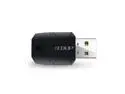
Pros: When it work, it works (see my cons below). Good price and small. It is a RealTek 8192CU device (not 8192SU). Both Win 7 and win 8/8.1 will autoload the latest drivers.
Cons: The unit runs right at the USB specs which is why folks are having a hit/miss experience with it. It's too close to specs to count on it. For the price, it is not worth it for me to return, so I'll keep it around just in case I need a usb wireless knowing that I need to use a power hub to count on its correct operation. So I'll be purchasing a different USB wireless adapter.
Overall Review: The reviews for this have been hit/miss. I spent a couple of hours with it trying to track down why a brand new win 8.1 build would not connect but see my wireless network, while other machines will see it. Your experience with it will depend on your motherboard chip set or if you are using a power hub. If you have the device connected to a powered hub - you are golden - it will work fine. BUT if you are plugging it into the port of a laptop or the back/front ports of a desktop - then you may or may not have a working device. The unit pulls power right near the USB spec. If your ports are not providing enough power, it will see your network but be unable to connect. For example, of the 8 ports in a brand new ASROCK H81M-ITX build, 3 of the ports allow it two work (1 usb 3, 2 usb 2), the other 5 ports all fail to connect. But if it is connected to a powered hub, that hub can be connect to any port and work. I tested with two laptops, an older IBM T61P and two ports work for it, but one does not. In a docking station, all back ports work. The other laptop is an HP 8540w. On this unit 1 USB port does not support it, but 2 other ports do. Tested with an MSI H81M-P33 motherboard system, in there 4 ports work, 4 ports do not. In all cases, using a powered hub allows it to work correctly in every port.
7950 < $200 = win!
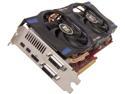
Pros: What more can you say - the prices of 7950's has dropped fast giving amazing graphics power for low prices. Do you have an older graphics board but have been holding off - now may be the time to upgrade. Thinking about a 27" 1440p monitor? This card will let you game at 2560 x 1440. This is a boost version of the card. Just grab the latest drivers from AMD, install them instead of the ones on the CD, go into the Catalyst control panel, Performance tab, turn on the graphics overdrive - no need to change any other settings. Now this will spin up to 925 Mhz with 1250Mhz clock depending on thermal load. And if you are an OC'er, have fun. This is slightly different version of the one that Toms Hardware reviewed. Advantages of this card is mainly quieter fans, but it does run a tad hotter than some other versions. But if you want lower temps, you can manually adjust the fan curve by either the catalyst control panel or install the PowerCooler utility to run the fan faster - with more noise. The card is quiet, not bad even at full load. When idle at the desktop, the fans are very quiet. So far I'm loving how this runs at 2560x1440 in the games that matter to me.
Cons: Slightly higher temps but that is due to the cooling solution. It does not blow the hot air outside - that would matter to those that do not have a nice airflow through their case. 3GB video memory is overkill with most of todays games, but this gives you years of viable gaming as games start to push over 2GB due to the new consoles coming out.
Overall Review: I have been holding of from upgrading my graphics card for a LONG time. I was running crossfire 4870's from many years ago. But AMD no longer upgrades the drivers for that legacy hardware, and I was sick of the "studdering" from the crossfire. I recently upgraded to a nice 27" 1440p monitor and those 4870's simply did not have the muscle to run at native resolutions with good quality. This bad boy was just the ticket and I'm glad I finally waited until the prices dropped under $200. This card was less than either of the 4870's I bought back then.
Beware of long term use.
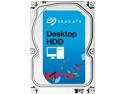
Pros: For over a year I have had a raid 6 home server used for media streaming, machine backup, photo/video backup, and a few low priority services. 8 of these drives, controlled by a LSI 9265-8i raid controller. Yes, I know these are not enterprise drives and do not support TLER but I was trying to save some costs. Into the 14 month range, I had two drives fail. What happen is one drive failed, and while running in degraded mode the next drive failed about 8 hours later. I then ordered 2 enterprise drives (Seagate CS series). When they showed up, replaced them and let the raid rebuild. During that time I was worried - what happen if another drive failed - I would have lost ALOT of data. Using SeaTools on the failed drives (another machine), both drives were giving fatal errors mid point of the scan. No prob, still under warranty, so RMA them with Seagate. Seagate has a $10 fee - they ship you a drive 2nd day service with a prepaid return label - actually a nice deal. The replacements (which I will keep around for emergency replacement if other drives start failing), one of them was DOA on arrival. Ok, it happens. RMA that one back, and now I'm back to two working backups - both passed the SeaTools full scan tests. So, lets talk about these drives. Low cost - lowest cost for the 3TB drives. But the warranty is so-so - they are only rated for 2400 power on hours. Think about that - 2400 hours is only 100 days of 24/7 use. These drives are designed assuming 5 hours of use per day with minimal duty cycle. These are NOT designed for long term use - the warranty is only 2 years. So why do you need a 3TB drive? If you are using it for backup storage - hum. Might want to think a different drive. If you are just making a large raid 0 drive for something like video editing - then no prob. As long as you have it backed up up- then go for it. But these drives - while fast and built with some of the most advanced head technology - are not designed for robust backups nor continuous use.
Cons: 2400 power on hours rated. 2 year warranty.
Overall Review: I have a total of four more of these drives used in two different machines. Two are used in an HP dual Xeon Z600 workstation setup for raid 0 used for software development. No issues with them, but everything is backed up - if any drive dies I simply have to replace and re-pull all that data back down from the version control server. No errors yet. I have two of the older versions of these (ST33000651AS) in my personal workstation that I use for video editing. Again everything is backed up to the home server, so if any drive dies, I just reload from the backup. No errors yet and they have been running for a couple of years 24/7 now. Again, these are fast drives but not designed for heavy use. They are absolutely not designed for removable/transportable environment. They are not designed for higher shocks, vibration - they need to be a non-moving solid case that is not bumped. When the four drives in my other machines die, I will be replacing them with other drives that are designed for higher usage. Not sure what that I will replace with - I'll deal with it when it happens. As the remaining 6 drives of these in my server die, I will replace them with enterprise drives. So would I use these again? Only if cost is a huge issue and only if the data is backed up and only If the machine is set for lower power usages and the drives are spun down when not used. It's too bad that all of this great technology is wrapped with low cost construction and materials. If you want the same technology in robust drives, look at Seagate enterprise drives but be aware, they are 2x+ the cost (for a reason).
Supports 3TB drive
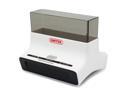
Pros: Picked this up as a quick way to test drives and to transfer data. Tested with ST3000DM001 (Seagate 3TB), data transferred as fast as the HD was able to. USB3 cable it comes with is thick and 4' long - nice length. It holds a heavy HD well and sturdy. I was impressed with the construction. It has a wall transformer type of power. The cord is 4.5' long - nice length.
Cons: There is a plastic insert that you put in for 2.5" drives to hold them vertical. Don't lose it.
Overall Review: Has a power switch, so makes is easy and safe to start power-off, plug in a drive, turn the power switch. To remove, just power off, and move disk after it has spun down. I did not bother with the supplied software to use the backup button on the front. I don't trust stuff like that, I'll take control of the copy myself.


