

Your Browsing History


Brandon G.
Joined on 08/30/03
0
0
product reviews
- 29
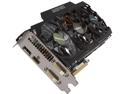
GIGABYTE GV-N78TOC-3GD G-SYNC Support GeForce GTX 780 Ti 3GB 384-Bit GDDR5 PCI Express 3.0 HDCP Ready Video Card
Pros: * Update from previous reviews Wanted to post another little update for folks as I have had pretty extensive experience with this card. I had posted previously about heat being a pretty big factor, and it is. One other thing that I have noticed as I read up in more detail on the GeForce GTX 700 series architecture is that the NVidia driver package automatically overclocks the cards based on what it thinks the card can handle based on temperature and power consumption the card detects with its onboard sensors during gaming. This sounds all well and good in theory to generate maximum performance for the user, but unfortunately the driver software has a tendency to overestimate what the card can handle. For example. With this card, Gigabyte has designed the card to handle 1085MHz maximum core clock. Well I've used MSI Afterburner to monitor my card's clock speeds during heavy gaming and I've noticed that the driver package apparently thinks my card can handle more, and takes it upon itself to clock my card up to 1137MHz during gaming. And at times, this can be too much for the card to handle, even with aggressive fan profiles enabled. So, I used MSI Afterburner to set the core clock to a -52MHz setting and this has corrected the NVidia driver issue to ensure that the maximum core clock it will set on the card is 1085MHz during gaming. Zero crashes with this setting enabled with an aggressive fan profile.
Cons: Just wanted to pass this along to folks in case it is helpful.
11/4/2014See more detail
Chk Disk Errors
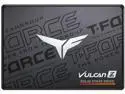
Team Group T-FORCE VULCAN Z 2.5" 512GB SATA III 3D NAND Internal Solid State Drive (SSD) T253TZ512G0C101
Pros: Easy to install and it does work.
Cons: Installed in a recently build rig as the main C Drive - upon installing the OS and running a ChkDsk within days of initial installation it already detected sections that needed repaired. Completed this and it's now seeming to run normal but it was definitely a cause for concern as I had experienced a couple of boot to black screen situations and this seems to have resolved since I ran the ChkDsk (the black screens are what led me to start investigating the boot drive to begin with).
Overall Review: This was my first Team Group product. It's currently working in the machine I built, but I definitely have concerns about it.
5/10/2025See more detail
High-Amp Fan Controller
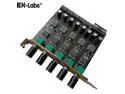
EnLabs 5 Channel 12V3A High Power 3pin & 4pin Fan Speed Controller w/ PCI Slot Cover,Support CPU Water Cooler,DDC D5 Water Pump Water Cooling Kit DIY
Pros: Love it - the only way it could be better is if they had it all tied into one knob for all 5 ports to make it easy. I'm using it to control the fans on my water-cooling system as I use very high amp fans.
Overall Review: 5/5
5/10/2025See more detail
Great well-priced CPU
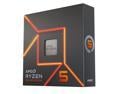
AMD Ryzen 5 7600X - Zen 4 6-Core 4.7 GHz - Socket AM5 - 105W Desktop Processor (100-100000593WOF)
Pros: Installed fine, no issues - running great.
Cons: None.
Overall Review: 5/5. Strongly recommended - this is a good mid-range CPU. Currently running my Plex server.
5/10/2025See more detail
Relatively Solid, Affordable Mainboard
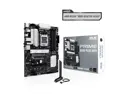
ASUS PRIME B650-PLUS WIFI AMD B650 AM5 Ryzen™ Desktop 9000 8000 & 7000 ATX motherboard, DDR5, PCIe 5.0 M.2, 2.5Gb LAN, WIFI 6E, HDMI™, SATA 6 Gbps, USB Type-C®, BIOS FlashBack™, Thunderbolt™ 4 Header
Pros: Easy to install. BIOS flashed easily to the latest version. Configuring the BIOS was easy.
Cons: Ran into an issue during initial setup where the system, for unknown reasons, would not boot with video output to my discrete add-in video card. (It was an NVidia Quadro A2000) Checked the BIOS, and everything was set to use the PCI-Express slot for video, but no matter what I did it would not output video. I even tried a 2nd monitor. Thankfully I was using a 7600X CPU that had an integrated GPU, so I swapped my monitor cable over to the integrated GPU outputs and then I was able to boot to my flashdrive to install the OS. After the OS was installed, all of a sudden things were working normally via the discrete video card. The obvious concern here is what if I had had a CPU that did not have an integrated GPU? I would have had to RMA the board.
Overall Review: Overall I'd give it 3/5.
5/10/2025See more detail
Excellent Product
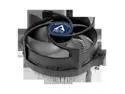
ARCTIC Alpine 23 CO - Compact AMD CPU cooler for AM5 and AM4, Thermal compound MX-2 pre-applied, for Continous Operation, Computer, PC - Black
Pros: Always have liked Arctic's coolers - they are quiet and easy to install.
Cons: None that I came across.
Overall Review: Definitely recommend to others.
5/10/2025See more detail