
Your Browsing History


Jacob V.
Joined on 12/28/07
0
0
product reviews
- 4
Good Drives
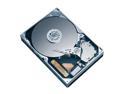
Western Digital Caviar SE16 WD7500AAKS 750GB 7200 RPM 16MB Cache SATA 3.0Gb/s 3.5" Hard Drive Bare Drive
Pros: bought 4 of these - they all work fine. these DO NOT get unusually hot as some people have said. also, they ARE NOT noisy. I have about 8 other hdd's and these function about the same as the rest.
Cons: I was a little hesitant to purchase these because of some of the bad reviews on here. any hdd manufacturer is going to have some hdds that die, it's inevitable. I checked seagates reviews because they are supposedly 'the best'. they have about the same number of bad reviews due to DOA drives. I've only had these for about a week, if they die I will write another review
Overall Review: I choose the highest technical rating I could because I see plenty of people on here who've chosen higher tech ratings and yet they don't understand some basic concepts about these. THIS DRIVE WILL AND SHOULD FORMAT TO 698GB. the math is simple 750GB = 750,000,000,000bytes divide that by 1024 and you get how many KB in windows, again and you get MB, once more and you get GB (698.49193096160888671875). it's not 750 x 1000 / 1024....
2/24/2008See more detail
Good Mouse
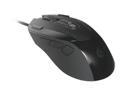
CM Storm Inferno - 4000 DPI Twin Laser Gaming Mouse with 128 KB Memory
Pros: Comfortable. Never had any issues with it. (owned since 10/2011) The DPI / sensitivity switch is useful for quick switching. It's sensitive enough that you don't need to max out sensitivity in Windows to get decent movement. All the extra buttons are somewhat 'out of the way'. This may be a pro or a con. I don't really need an 11 button mouse but wanted a decent mouse.
Cons: Buttons usually set as forward / backward are both on the left. I don't find it as easy to hit the forward as it is on a mouse that has it on the right side. Some of the extra buttons may be unusual/awkward to click. The two on the outside of the right/left click buttons are kinda out of the way. I prefer it this way, though. Does not have scroll acceleration. This might be a MS exclusive thing. It allows you to scroll a line at a time but it will also detect fast scrolling and increase the scroll speed. A great way to have precise scroll and still be able to scroll through a document without taking forever. No sideways scroll. I don't miss this too much, though.
Overall Review: Not sure why this has so many negative reviews here. Maybe I was lucky and got one of the good ones. I've never had any issues requiring disconnect / reconnection of the mouse. The settings DO store in the mouse. I've reloaded my OS since setting it up - the settings are still there. you can customize things like LED/light settings, scroll speed, button functions.
12/23/2012See more detail
Nice Rack
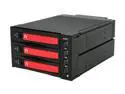
Thermaltake RC2300101A MAX-2533 5.25" (x2) Bay to 3.5" (x3) Bay Mobile Rack HDD Canister
Pros: Nice hdd rack, construction seems quality, not cheap. The aluminum trays easily slide in. The whole unit powers down when no drives are powered on. so, the fan and all the lights shut off. Many available adjustments: fan speed, hdd temp warning, hdd activity lighting on/off. Requries only 2 power connections. either 2 4pin molex or 2 sata power connections.
Cons: When you have one or two drives powered on already and then you power on one of the others is causes a momentary power lapse. on my system this causes any powered on drives to drop. my controller & controller driver detect removals immediately. on another system with a different driver this may not be so apparent (they may not disappear). however, during the lapse, you can see the red activity light come on for each drive while it repositions the head...or whatever the drive first does as it's spinning up. so if you're writing to one drive and then power on another I imagine it's going to cause data failure / write problems. this issue is due to the fact that all the power is tied together via the 2 molex or sata connections, rather than just having a separate connection for each drive. I confirmed this was not an issue with my PSU being too small or something internal via hooking up an external power connection to one of the molex inputs. I have one of those hdd kits which has a 4 pin
Overall Review: (cons continued)...molex. so I hooked it to one input and my psu was hooked to the other. this setup still resulted in any currently powered on drives dropping when powering on another. this is the reason for only 4 eggs. Other Thoughts: LEDs are all blue (fan, power, reset) HDD activity is red, it shows through the blue power for the drive. Trays have mountings for 2.5 and 3.5 drives. Came with sata cables and plenty of screws (16 for 3.5 drives, 12 for 2.5, 8 for unit mounting). My drives run under 30° in this (again, with the fan on high).
3/20/2011See more detail
excellent player
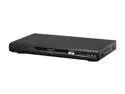
Panasonic Blu-ray Player DMP-BD80K
Pros: awesome player, plays just about everything. plays a few discs that a Sony BDP-S300 wouldn't play. before buying this I tested many players. this one seemed to be the only one that would properly play AVCHD's. possibly the alternates just needed firmware updates, but this one read them fine without any upgrading.
Cons: Not a fault but I wish it'd play mkv. Also it seemed kinda dumb that it won't upgrade firmware via a thumb drive, but that's no biggie. Scanning (rewinding / fast forwarding) on AVCHD's seems somewhat poor. a lot of times when you attempt to rewind it just restarts the whole movie. I don't suspect this is really a shortcoming of this specific player, probably just something to do with the avchd format.
Overall Review: there is a high clarity sound option, when enabled it disables analog audio output, possibly this is what the issue was for the other member. why have fancy bluray stuff if you're gonna use poor analog sound anyways?
10/26/2009See more detail