
Your Browsing History


Jorge C.
Joined on 10/12/06
0
0
product reviews
- 3
Know Its Limits and Enjoy Its Positives
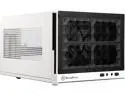
SilverStone SG13WB Black / White Mesh front panel, steel body Mini-ITX Computer Case Compatible with standard ATX12V/EPS12V Power Supply Power Supply
Pros: *It has an attractive, understated look. *The LEDs look great, and aren't blinding in the dark. There's two blue power LEDs with a single red activity LED in the center that form a spectrum of sorts in the recess under the USB ports and Silverstone logo. *The 120mm or 140mm fan mount in the front has an intake filter. *The rubber feet are very sturdy.
Cons: *It flexes in unnerving ways if you don't grab it by the internal skeleton. A motherboard tray shouldn't be doing the worm. *It has some slight screw hole and panel misfitting, which is not noticeable from distance. *Both of these cons are explained away by the fact that the case is $40.
Overall Review: I personally find Silverstone's logo kind of tacky. On this case, the logo was easily removable with brasso and an elbow without damaging the finish. Plan accordingly: -If you use a 140mm fan, then you limit your graphics card size to the more midrange sizes. If you use a 120mm fan, then you can fit a 10.3-10.5 inch card in there, but you have to insert it from the front. -If you go with a full 3x 2.5" drive configuration, then you are limited to a 150mm long PSU with 90 degree sata and power connectors, or 140mm otherwise. -You are limited to lower profile and stock coolers with the CPU under the PSU. A 120mm all-in-one cooler with the one fan mount would/should work out great, though. I ultimately made a steambox with this case out of spare parts and a refurbished mITX motherboard to plug them all in to.
11/7/2015See more detail
A Good Mouse For The Price (Cont.)
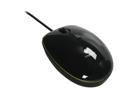
Logitech LS1 Black 3 Buttons Tilt Wheel USB Wired Laser Mouse
Pros: (Cont.)
Cons: I forgot to add that the other reviews are correct in that scroll click (mouse button three) does not work. It stopped working soon after I purchased it and I forgot about it.
Overall Review: I've been using the mouse without scroll click for so long that I forgot it was a con. It was always a minor inconvenience to me. To someone who regularly uses mouse button three outside of gaming, however, it would be a major con. This review and my last should average out to about four eggs.
3/9/2013See more detail
Very Impressed
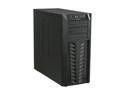
LIAN LI Lancool PC-K57 Black Steel ATX Mid Tower Computer Case
Pros: +AIRFLOW. 2x140mm fan slots in the front, 2x140mm fan slots on the side panel+1x120mm in the back. (I'm using 2x140mm for intake, and 1x140mm side exhaust over videocards). +Included 140mm Fan Filters +Bottom Mounted PSU +Cable Management Channel. (I use a partially modular PSU and I felt like I could have organized a non-modular PSU easily!) +USB3 +2x2.5 Internal Drive Bays for SSD's (I use an SSD as a boot and most used apps drive and this was convenient). +Rubber Grommets are included for front fan and internal HD installations. +There's open space under the motherboard's CPU socket for simplified CPU heatsink installation. +Sturdy +Spacious
Cons: -The flimsy plastic front panel is the foil of the heavy and sturdy steel construction. -USB3 is one of the early adaptations of front USB which has the cable going through a hole in the case to plug into the back of the motherboard. -Only three internal 3.5" bays and no external 3.5" bays.
Overall Review: *Use right angle SATA connectors for your 3.5 HDD's, it makes opening and closing the side panel much easier and less pressure on connectors is always a good thing. *Front case fan slots only accommodate 140mm fans, but the side panel can utilize 140mm or 120mm case fans. This was my fourth computer build and I've always enjoyed the process of building computers. However, there has also always been an element of frustration while putting the pieces together and making sure they fit. With this case there was only the enjoyment of the building process.
8/4/2011See more detail