
Your Browsing History


Alan I.
Joined on 06/13/02
0
0
product reviews
- 10
Update
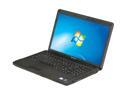
Lenovo 15.6" Intel Pentium T4400 4GB Memory DDR3 1066 Windows 7 Home Premium 64-bit G550(2958FDU)
Pros: See Below
Cons: See Below
Overall Review: An update about the recovery/CD/DVD situation: System does not included any CD or DVD's, but has a utility that you run which will burn a pair of DVD's that can be used to return the system back to factory state. It says it will take 3 discs and 3 hours, but it only takes 2 discs and much less time. BURN these discs! FIRST thing! If you ever need to go back or return it back to factory, it is easy to do. I tried them out and returning to factory is pretty painless, just boot the first disc and follow the instructions. They will delete ALL data and return factory fresh so backup anything you need before doing it. To the reviewer who is unhappy about CD/DVD's not being included - this is just how manufacturers do it these days. I haven't seen a notebook come with discs for a long time.
5/11/2010See more detail
Unusable for me...
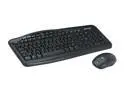
Microsoft Black USB Wireless Standard Optical Desktop 700 v2
Pros: NewEgg as always, rocks! Item was delivered quickly and packed well. I love NewEgg!!!! I don't have pro's to report about the product however.
Cons: I will admit right up front that I've only had a couple of wireless kb/mice and I am not that fond of them. The price was right and so I thought I would give this a try. I put some fresh batteries in (OEM didn't come with them) and plugged in the receiver. Getting the keyboard and mouse to connect was easy, but the issues once connected were a pain. I had read reviews about the range being short, but that shouldn't have been a problem for me because the keyboard/mouse was about 1 foot away from the receiver. The keyboard worked ok for the most part except that on occasion I would type a key and it would make it. It did this enough that there is no way I could use it on a daily basis. The mouse was even worse as it would go to sleep in 10 seconds and when you moved it the first 1/2 second or so of movement was lost. So basically you would have to wake it up everytime you wanted to use
7/2/2009See more detail
So far so good
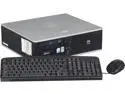
HP Desktop PC, 1 Year Warranty DC5700 (DTCOMQ5700-DT3W) 1.80GHz 2GB 80GB HDD Intel GMA 3000 Windows 7 Home Premium 32-Bit
Pros: It came with a 1.86G processor (Core2 Duo E6300 1066fsb) instead of the 1.8G processor advertised (I assumed it would be a Core2 Duo E4300 800fsb). Memory configuration is 2Gb with 2 open slots for more memory. Keyboard/mouse provided are new. Activation worked fine. You can add DVI easily by grabbing an ADD2 card. I'm going to try to upgrade to a 2.66G E6700 processor for a 50% performance increase for less than $20.
Cons: Case top has very scuffed paint and some metal in the corner of the top was bent.
7/10/2014See more detail
Some good some bad...
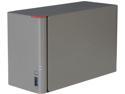
BUFFALO LinkStation 421e Diskless Enclosure High Performance RAID NAS Personal Cloud Storage and Media Server - LS421DE
Pros: Price is low Gigabit ethernet USB 3 2 bays Raid 0/1/JBOD support Email notification Low power, low noise, lot footprint
Cons: You can't have spaces in the user names. This is a problem if you want to connect using your windows credentials without having to be prompted. The devices stores its startup on the drives themselves. If you put new drives in the device, it fails to start. I found this out the hard way. There is a way to fix this, but documentation does not cover it. Use the firmware updater and modify the updater LSUpdater.ini file so that VersionCheck = 0 and NoFormatting = 0. With these changes you can then update the firmware which really formats the drives and writes the firmware to them so it can boot properly. Hard drives are in a plastic tray that doesn't allow them to transfer their heat through direct metal contact to the enclosure. There is a fan however. It seems to choke on heavy loads. While reading and verifying the crc of files I copied to it, one reported a failed crc and the other reported it could not be opened. A later check showed both files to be ok, but I've never had this happen before. XFS filesystem is incompatible with windows. There may be tools to access it, but you can't just pull a drive and attach it to a windows system and get at the files. Security is wierd. If you attach to a smb share, then disconnect, then attach again, it will not reprompt for the login/password. It caches it for a period of time I think. This is a pain because you can't disconnect and be truly logged out. I experienced a slow issue with accessing it from a Windows 7 box at 100mbit, read speeds of <2mb/s that should have been 10 or 11mb/s. My other win7 box at 1000mbit worked perfectly. Enabling SMB2 on the device did seem to solve this issue.
Overall Review: The truth is this little unit really has a lot going for it. I almost kept it, but the cons started stacking up. In the end I thought getting a small slim form factor PC and using it for a "NAS" would just be better for me. I can run Acronis on it, compatible filesystems, reliable security, etc.
6/26/2014See more detail
This notebook is fantastic!
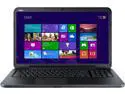
DELL Inspiron 17.3" Intel Core i5-4200U 6GB Memory DDR3 1600 Windows 8.1 i17RV-5457BLK
Pros: I think this notebook is fantastic for the price. I had tried a couple others that were a few hundred more and they all had issues that annoyed me. I love that this one has NO backlit keys, NO metal casing that scratches, real trackpad buttons that don't move the arrow as you click them, a power on led (the other dell I tried did not have one!), an insert key, and a LAN port without a spring expand part on it. It is a 3737 model which according to Dell specification only takes 8gb maximum, but I successfully installed gskill 16gb (8gb x 2) and it recognized the full 16gb right off.
Cons: The only con to me is the lack of gigabit ethernet.
5/23/2014See more detail
An update to my previous review
Lenovo 15.6" Intel Pentium T4400 4GB Memory DDR3 1066 Windows 7 Home Premium 64-bit G550(2958FDU)
Pros: Still working superbly! I really like this notebook the more acquainted I get with it.
Cons: But...it may not be able to go to a 1066FSB penryn processor. CPU-Z reports it has a GL40 chipset which according to intel spec and forum posts I've read seems to max out at 800FSB. This is a little misleading since the memory is advertised as DDR3 1033 and the tech note from Lenovo clearly lists 1066FSB processors. Perhaps those models do not use a GL40 chipset however, tough to say. I would think you should be able to upgrade to faster 800mhz penryn's however...
5/9/2010See more detail