
Your Browsing History


James N.
Joined on 01/12/04
0
0
product reviews
- 7
Perfect for new system
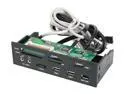
nMEDIAPC ZE-C98 All-in-one USB 2.0 Card Reader with USB/ IEEE 1394/ e-SATA Port/ HD Audio Ports
Pros: Works perfectly - tested every type of card. I haven't been able to test the esata port but the usb, firewire, and all card ports work perfectly. And everything transfers FAST - extremely fast - exactly what you would hope for from usb 2.0 connections.
Cons: Not really a con but every card just slides right in and stays there - then you pull them out. No spring loading on anything. So could be a tad bit difficult to make sure each card is seated while inserting it.
Overall Review: So so so glad I read the reviews and went with this card reader instead of slightly cheaper models. Do yourself a favor and pay the whopping 5 extra dollars and get one that will do the job rather than causing you headaches.
11/10/2008See more detail
Best NAS on the market
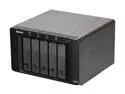
Synology DS1511+ Diskless System DiskStation Scaleable Network Storage for SMB Users
Pros: Super easy setup - especially with Synology Hybrid Raid. This will automatically optimize the volumes to give you 1 drive of redundant storage (it basically combines raid 1 and raid 5) - even if they are different size drives. Plus I can add two 510s later for 15 drive bays and 45 TB of storage if I really wanted to!
Cons: Not Synology's fault but it has some quirks if you want to go with the "green" drives from WD or Samsung and you may need to configure/update firmware on those drives with your PC before you put them in the Synology box.
Overall Review: 2TB drives are definitely the sweet spot right now. 3TB sounds cool but if you don't need it then you definitely should not pay the premium right now.
2/5/2011See more detail
Just Ordered - Will Update
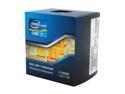
Intel Core i7-2600K - Core i7 2nd Gen Sandy Bridge Quad-Core 3.4GHz (3.8GHz Turbo Boost) LGA 1155 95W Intel HD Graphics 3000 Desktop Processor - BX80623I72600K
Pros: For anybody considering a new processor/computer, in my mind the i5-2500k or i7-2600k is the only way to go. You can overclock these so easily, I can't think of any reason not to get the K version.
Cons: Could always be cheaper, but hey at least I am not buying a $1000 processor.
Overall Review: I will post some overclock results as soon as I can do some testing.
1/9/2011See more detail
Awesome bag
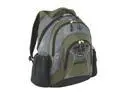
Targus Olive 15.4" Feren Backpack Model TSB03201US
Pros: Great padding for computer protection, several compartments. There are so many little mesh dividers, etc that it is really easy to stay organized with this bag. I travel a lot, and I practically live out of this bag for days. I don't know how I would get by without it.
Cons: Not a whole lot of room for books once you fill it with laptop stuff. (can fit maybe 1 or 2 textbooks)
Overall Review: I've had this bag for over 2 years now and I take it everywhere. It looks and feels brand new - I expect to be using it for years to come. If you want a bag that is made to last, look no further! I can't believe the price either - I paid 3 times as much.
7/22/2009See more detail
Perfect Notebook Mouse
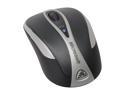
Microsoft Bluetooth Notebook Mouse 5000
Pros: I've been using the wired, optical version of this mouse for about a year now and was really happy with it but ready to lose the wire. This mouse is slightly larger than the last - not a full comfortable handful like a desktop mouse, but definitely big enough for everyday use. But it is definitely small enough to travel with easily. Perfect size for what it is really. It paired without a hitch. I turn on the computer, wake the computer from sleep, turn on the mouse with the computer already on, etc. and it wakes up and just flat out works. The tracking is laser so it works on pretty much any surface but glass. I got two of these - one for my Windows laptop and one for my girlfriend's Macbook Pro and we are both really happy with them. If your computer has bluetooth, save yourself the pain of having to plug in and keep track of another dongle and get this mouse!
Cons: None.
Overall Review: There is really no advantage to buying the retail version of this off of newegg for the roughly 15 extra dollars (this model is oem). Neither comes with software - but you can go to microsoft.com and search intellipoint 6.3 and install that for mac osx or any modern version of Windows - this will let you program and use the extra button.
11/14/2008See more detail
Phenominal Drive
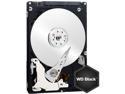
Western Digital Scorpio Black WD3200BEKT 320GB 7200 RPM 16MB Cache SATA 3.0Gb/s 2.5" Internal Notebook Hard Drive Bare Drive
Pros: Installed this drive as a part of my "laptop regeneration program" for my dell. This drive with 2gb of new ram has made vista a whole new world for me. No complaints whatsoever and twice the space of my old drive doesn't hurt either.
Cons: None
Overall Review: If you've never replaced a laptop hard drive before, make sure you either have new OS install dvds or make sure you buy a case (available on newegg) to put your old drive in so you can clone your old drive. Doing a fresh OS install is pretty much always the better option, and then you can just copy over your pictures, documents, etc.
11/10/2008See more detail