




 here!
here!
I’m your shopping assistant for PC builds, upgrades, and everything tech.
Got questions? Ask away!
Start a conversation
here!
I’m your shopping assistant for PC builds, upgrades, and everything tech.
Got questions? Ask away!
Start a conversation

Joined on 08/05/07
Good stop gap solution.
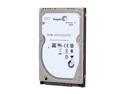
Pros: -This drive does speed up boot greatly, and one or sometimes two often used applications. -The algorithm for caching files is lower level, so it does not conflict with software level caching set ups. -This 750G hardware cycle has most of the bugs from previous productions worked out. Which is really nice. -1 Platter(no multi-level seeking makes it more stable and quicker in my humble opinion.)! Its really small, and really light!
Cons: -The cache is small :( This is honestly my biggest qualm about this product, and I see they will be producing larger caches on the newer drives. But, this drive works rather well now- it just needs more space to play around with caching and I think it will become a fantastic answer to storage vs speed. -You should really have sata 3gb/s or 6gb/s to see the biggest gains on this.
Overall Review: -The drive is a small one! Laptop size, its designed for a laptop and does not come with mounting brackets- buy some if your installing in a desktop! Overall, I think this drive is awesome! It provides a good boost in performance and has a very respectable amount of space. It is also really one of a kind on the market right now. It does work in tandem with a separate SSD cache drive- FYI.
Good drive, but know what your doing.
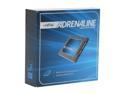
Pros: -Drive has very good reliability in comparison with other caching drives on the market right now. -This is a great budget performance improvement. Think of it as a stepping stone from a standard 7200rpm drive towards completely solid state. -As a gamer, I would say the comparison of loading times reduction that goes from 45 seconds (normal hdd/first load time) to 25 seconds (second load) to 15 seconds (third time loading) is pretty accurate. Things are loaded and responsive freaking fast. -As a user of Photoshop and audio-editing tools I would say that the initial start up of these tools is much faster.
Cons: -A tad bit slower than some other caching drives (~85-90% performance compared to others) you do gain a lot more reliability though. -The software can be annoying. You need to be smart about installing the software once you have configured and made sure all internal hardware devices on your computer have drivers/are identified (sound cards, graphics cards inc.) -The software ONLY supports the drive you install your OS on, so don't cry when it doesn't cache your 3 other drives with all of your actual information. Install your OS on one large drive and move the stuff you want cached there. -Drive doesn't really come with a 'manual'
Overall Review: I bought this from crucial website, why? Because you need to buy it from them directly to get their manufacturers warranty. Its like 10$ more there in general, but its a 3 year warranty. I would also like to say this requires some intelligence to use. There isn't much documentation, but reading what is there is pretty bloody useful. Also, following what I mentioned earlier about making sure your systems hardware is identified/installed. To the people who are heavily skeptical of SSDs, they don't fail as much as some people say. If a normal hard drive has a 5% fail rate, an SSD probably has closer to 8%. Also, for SSDs usage pattern matters a lot, and having an over-provisioned drive like this is a good idea, or having trim support.
Great card, no firmware switch
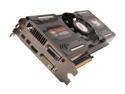
Pros: This card has handled flawlessly since I got it. I have no had any artifacts, screen tearing or the such since install. -AMD drivers have improved a lot over the last couple years! -AMD's lead in hardware specs has decreased sadly
Cons: Does not have the dual firmware switch. I know many people are looking for this to flash it to a 6970. I believe this model does have a high success rate with the flash, but it does not have the switch, so you risk bricking.
Overall Review: The card does not get as hot as many of the previous cards I have had. -Its a long card, make sure your memory, case or drives are not getting in the way. But, you should know that if your looking at a card like this!
Awesome Fan, just a little loud.
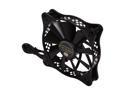
Pros: The fan cools like a boss. I know it has a listed rpm that is somewhat higher then average, and it does follow through with that very well.
Cons: The fan is loud, I know some people have mentioned this but let me see if I can qualify it. My case sits next to me in a room that conducts noise fairly well (tile, no carpet, cemented walls inc.) and I can hear the fan above other fans (200mm, 120mm, 2x80mm) when the fan idles at 30-40 percent. However my hard drives spinning is slightly louder (Western Digital single platter black/blue).
Overall Review: 200mm zigmatek 120mm coolermaster 80mm sythe I would say fan control for your board is required!! Not being able to tell it to run slower can generate a lot of noise, generally after the fan runs at 60% and higher.


