
Your Browsing History


Michael W.
Joined on 01/22/07
0
0
product reviews
- 9
Best (almost only) in class!
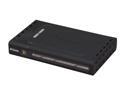
D-Link DGL-4100 Gigabit Gaming Router GamerLounge Broadband 1 x 10/100Mbps WAN Ports 4 x 10/100/1000Mbps LAN Ports
Pros: If you want a Gigabit connection (and if you have the 10/100/1000 NICs and Cat6 cable to support it) this is about your only option under $100 USD. -Easy to set up basics (like the internet connection) -Intuitive and feature-packed browser-accessed GUI for setting up advanced options -Very customizable (change IP address range, forward ports, set up a virtual server, set the DHCP to always assign a given MAC address the same IP address every time, etc.) -Great for gaming (many game port rules built in, other can be easily added) -Can by connected to WiFi routers (with DHCP turned off) or WiFi access points I ordered one of these to use in my parent's house (Dad works from home and is tech-savvy so a Gigabit connection would be nice for setting up a media server and whatnot.) Note that we also ran Cat6 cable throughout the house to take advantage of the Gigabit. It is working so well that I think I might buy another one for my house to replace an older wireless router.
Cons: Nothing major, but a few things to note -Firmware is old (ships with current version, which is version 1.7 2006/09/15) Note that this doesn't seem to cause any problems at all, I would just feel better if the firmware were a bit newer. -Only 10/100 WAN (Might not cut it if you have a T3 line or something but it works just fine for our ~25 Mbps Comcast Cable connection) -Only 4 LAN ports (I wish they'd make an 8 port version, but alas nobody else seems to be making a reasonably priced Gigabit router these days, let alone one with more than 4 ports.) -Rebate takes a long time (I haven't sent my form in yet but looking over the small print it looks like it could take as long as a few months. Even without the rebate, though, it's the best price on a Gigabit router that I've seen.)
Overall Review: Before I ordered this we had looked around at some routers that have built in VPN support but they were generally at least $200 USD. Just so you all will know, it is possible to set up a VPN with this router. I've done it, and here's what I did: -Got and installed OpenVPN (I used the Windows GUI version on a desktop running Win XP SP3) -Configured the Client and Server config files, including signing up for a dyndns.com account (The how-to on the OpenVPN site gives you most of what you need; this is not exactly easy) -Set this router (DGL-4100) under Basic "Add DHCP Reservation" to give my desktop the same IP each time. -"Add Virtual Server" under Advanced to forward 1194 (by default) to my desktop -"Add Game Rule" under Advanced to allow UDP on port 1194 (to be safe, this might not be necessary.) -Under Advanced->Firewall set "NAT Endpoint Filtering" UDP to "Endpoint Independent" -I also had to uncheck Wake-On-LAN because it was interfering So yeah, be aware that this can
7/26/2009See more detail
Great for Music and Videos in My Room
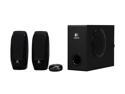
Logitech S-220 17 Watts 2.1 Multimedia Speaker System
Pros: -Reasonably loud -Clear sound -Cheap
Cons: Nothing comes to mind
Overall Review: I've had these speakers as my main desktop speakers for months now and no complaints. I am not an audiophile so sure, there are probably speakers out there that sound nicer but these sound just fine to me and the price is great!
11/4/2011See more detail
Reliable, Low Maintenance, Good Enough

Panasonic ES8103S 3-Blade Wet/Dry Electric Shaver With Nanotech Blades
Pros: -Even after several months of use still has a decent battery length (1 week maybe? Probably more, I don't pay that much attention) -Seems to shave just as well as it ever did after a few months with minimal care
Cons: Nothing comes to mind
Overall Review: I am not a razor expert, I don't generally give mine a lot of thought, and this razor has worked just fine for months now with little more than cleaning it once a month or so and plugging it in whenever it flashes 10% battery left. Yes, there probably are razors out there that give a closer shave, but honestly I don't have much to compare this one against as I'd only had one before this one (since switching from manual razors to an electric razor.)
11/4/2011See more detail
Great board, just a few complaints
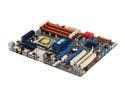
ASUS P6T SE LGA 1366 Intel X58 ATX Intel Motherboard
Pros: -Very helpful manual -Plenty of cables included with the board -Good driver support from ASUS website -Solid low-mid level 1366 (i7) board -Nice audio-out options for (mid-level) home stereo set-ups
Cons: -SATA slots are in a bit of an awkward position in my case, but it works -Main power connections are spread out, which surprised me -One potential VGA slot might be covered up if you have a large primary VGA (not an issue for me since I'm only using one but something to consider if you want a multi-graphics-card set up)
Overall Review: This went in to my first full computer build (with an i7 920, 500GB WD Caviar, 6GB OCZ, etc.) and it's been running fine with Vista64 for over a month now. I hear that other people have been having problems, and I don't know if it's a bad lot or what but mine has been working fine. I have a Blu Ray drive in mine and have a 5.1 surround set up connected via the RCA connectors on this board and it works great as a media center (among other things, of course.) I found the ASUS website and support to generally be helpful - the manual was great for a first-time builder.
9/23/2009See more detail
Works like a charm
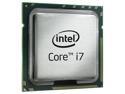
Intel Core i7-920 - Core i7 Bloomfield Quad-Core 2.66 GHz LGA 1366 130W Processor - BX80601920
Pros: -A breeze to install -It just works! (No need for accessory heat-sync, etc. unless you want one) -So easy to OC I just about have to consciously try NOT to if I don't want to
Cons: -None I can think of
Overall Review: This went in to the first computer I've completely built and it was one of the easiest parts to install - just 4 'clicks' and it's in. I haven't OC-ed it or put in a new heat sync and it still seems to sit fairly cool.
9/23/2009See more detail
Surprisingly, it works!
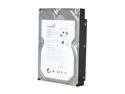
Seagate BarraCuda 7200.12 ST31000528AS 1TB 7200 RPM 32MB Cache SATA 3.0Gb/s 3.5" Internal Hard Drive Bare Drive
Pros: -Good price for storage (got on a Shell Shocker deal) -Actually was packaged decently for shipping -It works
Cons: -No fault of the drive's, just worth noting that Vista64 is kind of a pain for installing a second hard drive (nothing a bit of Googling can't fix, just sayin'...)
Overall Review: After reading several reviews (about this and other hard drives) I was worried that I'd get a DOA drive due to poor packaging but since the price was so good (on a Shell Shocker deal) I took a chance. It came to me in an anti-static bag wrapped in bubble wrap inside a box that left no portion of the drive directly touching the box (i.e. it was fully encased in the bubble wrap.) I put it in my i7 system and it worked just fine. Perhaps I just got lucky, who knows, but this worked for me and Newegg, I really hope you've been listening to reviews and starting to package your HDDs more effectively for shipping.
9/23/2009See more detail