
Your Browsing History


Jerry D.
Joined on 07/18/02
0
0
product reviews
- 22
Runs fine with AMD
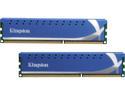
HyperX 8GB (2 x 4GB) DDR3 1600 (PC3 12800) Desktop Memory Model KHX1600C9D3K2/8GX
Pros: I should have bought this memory from the start! Works at 1600 speeds although the AMD architecture only supports 1333 by default. Overclocking is obviously required; the ASUS M4A79XTD mobo easily set the memory speed and voltage to 1600 and 1.66v (was either 1.66 or 1.64; not a 1.65 setting). Ran better at 1.66 vs. 1.64. Everything else was default or Auto and now works fine! The heatsinks are nice and discreet, not so large to impede airflow. I bought this memory to replace memory purchased during the holidays that exhibited intermittent crashes to desktop. A really good benchmark as of this writing is to run Battlefield Bad Company 2 with medium-high settings. This memory runs stable for literally HOURS at a time! My previous (cheap) memory did not have the SKILL to run this stable, and would crash no matter the BIOS settings. Do your homework to see the frequency of issues with other brands of memory, then come back to Kingston when you want a system that works!
Cons: None that I can determine. Not a con but my setup is now: ASUS M4A79XTD EVO mobo This memory! AMD/ATI Gigabyte 6870 video with EyeFinity 3x video Azza Hurrican case AMD Phenom II X4 955 Black Edition Deneb 3.2GHz Socket AM3 125W Quad-Core Processor HDZ955FBGMBOX Kingston SSD HD
Overall Review: Mobo had stability issues with the memory slots closest to the processor. This is a mobo problem and NOT a memory problem, but this may help others if stability is an issue. I could only tun stable by installing in the memory slots farthest away from the processor. Also, the "auto" settings in the BIOS usually don't work and need to be manually adjusted. I only had to adjust DRM speed and voltage Also, Battlefield Bad Company 2 is notorious for crashes to desktop (poorly written code). These settings help stabilize my system with the built-in soundcard and THIS memory: settings.ini: SpeakerCount=1 GameSettings.ini: OriginalVOForEnemyTeam=0 Also delete DirectX files from BFBC2 folder (already in system folder anyway!) ==== Now BF2 plays for hours with no crashes to desktop! Make sure your memory is Kingston, other memory does not have the SKILL to work. Don't take my word for it, do some searching and you'll quickly see what kind of memory has problems! :)
3/10/2011See more detail
New Speeds worth the money
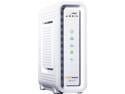
ARRIS SURFboard SB6141 8x4 DOCSIS 3.0 Cable Modem
Pros: DOCSIS 3.0 which is now available with Cox. Provisioned modem in about 5 minutes. Speed tests averaging 20Mbps up/down. Compare to my previous DOCSIS 2.0 average modem speeds at 5 Mbps up/down. What more is there to say... Speed tests ran during peak times (rush hour), so I know the wire is saturated since all my neighbors are home! Recessed mount points on back to attach to wall mount.
Cons: It isn't fiber... Power cord could be slightly longer.
Overall Review: Uploads seem to hit anywhere between about 15 Mbps - 25 Mbps (during peak times) depending on the server selected to test. Average downloads appear to *always* be right at 20. LED's glow green and blue when completely online. Not bad, just different vs. typical "single color" blinking LED configurations on other modems.
5/22/2013See more detail
Works Perfectly on Win7
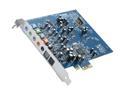
Creative Sound Blaster X-Fi Xtreme Audio 7.1 Channels 24-bit 96KHz PCI Express x1 Interface Sound Card
Pros: I bought this card for the singular reason that it is currently the only card with a TOSHLINK connection for < $50. Of course after installation Win7 recognized it and installed the default driver. With the default driver, I instantly started to experience the static popping noises everyone reports. After some research, I managed to find the Creative driver (dated 2009!) on the Creative support website, even though it isn't easy to find on their site. Regardless, I installed the new driver and rebooted. (I did not install any of the Creative apps). After reboot - CRYSTAL CLEAR SOUNDS! Whatever static popping noise issues they had in the past, is now resolved in this driver. Driver version 6.10.0.209 dated 5/21/2009. Works PERFECTLY as my "poor man's receiver" between my new 55" LG TV and surround sound speakers. As a "bonus" - the sound out of this card vs. the mobo built-in soundcard is significantly better. (surpise lol) Extremely pleased with how this worke
Cons: None so far...
Overall Review: My setup lets me use my computer as a home stereo receiver to pipe sound from my XBOX/TV (via SPDIF toshlink cable) to remote surround sound speakers. Since its via the PC, I am using an "inexpensive" ($60 range) 5.1 speaker set with cables ran through the walls to the corners of the room. This "poor man's receiver" setup lets me experience 5.1 surround sound for - wait for it - about $150 total! System setup intended mainly for movies and Netflix: XBOX > HDMI cable > LG TV > SPDIF cable > THIS sound card in my PC > 5.1 speakers. The Creative 5.1 speakers (from Newegg!) are adequate for my needs. I don't intend to power a heavy metal rock concert in my living room and therefore don't need more powerful speakers. Just enough to enjoy movies in my living room without breaking the bank. Besides I have other things to do besides watching movies every night :) Hardest part is running speaker wires to get everything connected.
12/30/2011See more detail
Great Qualty TV
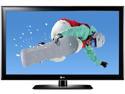
LG 55" 1080p 120Hz LCD HDTV
Pros: The picture is great! What's not to like??? Play around with the Picture/Color/Heat settings to get it looking good. Built-in speakers have great sound quality, considering they are the built-in speakers! Plenty of inputs on the back so we can hook up all the HDMI, RCA, and PC connector devices we have. Hanging the TV is easy with 2 people. It comes with long VESA screws in the box, but I went to the local hardware store and got some better looking ones that I know are good quality. I used a generic mounting bracket with 4 bolts into the studs and it is rock solid. What else can I say - "it is a 55 inch TV" :) Picture quality is outstanding with the newer movies. Detail on DVD movies I haven't noticed before is apparent on this screen. The picture quality has definitely met my expectations. I also bought the extended warranty to help resolve any issues I might have. Worth the extra peace of mind to avoid potential hassles. Always read the fine print on warranty i
Cons: The base on the built-in speakers causes a tinny vibration sound on the bezel. Annoying yes, but then again, who uses ONLY the built-in speakers? I have yet to install my surround speakers so we're using the built-in speakers until then. Because of that you can't turn up the volume for movies over 66 or so unless you turn off the "voice correction" audio feature. That does reduce it some. Once again, who uses only the internal speakers on a 55" TV? I intend to use surround sound speakers so we are living with the vibration for now. It is enough that the wife commented on it. The built-in owner's manual is generic for all LG TV's so it is really useless. You can look at the back connectors and walk through the menus with the remote to get more information from the manual. I have been told there are TV user groups online to help squeeze every bit of performance from the picture signal adjustments but have yet to search this out. I got it from "good" to "great" in 15 minutes
Overall Review: 16:9 works on most movies, but some old movies still have a black stripe all around the picture. I discovered that the output settings on our XBOX (our main DVD viewing gizmo) can be adjusted to "Stretch" which takes away the black bands. Meaning most of our older movies can be enjoyed on the complete 55" screen. If "Stretch" is not turned on at the XBOX, the old movies use only about 2/3 of the display. I'm glad I can use all the screen I have bought :) Great features like turning off the status light when the TV is off make this really nice. I intend to buy an XBOX remote to consolidate remotes. VESA mounts use the 400x400mm pattern. Newegg delivery service from NJ delivered to my house in VA in 3 days BEFORE CHRISTMAS! I was amazed - shipping ETA was the Monday after Christmas so they exceeded those expectations.
12/28/2011See more detail
2nd mouse - 2nd review
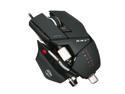
Cyborg CCB437080002/04/1 Black USB Wired Laser R.A.T. 7 Gaming Mouse
Pros: I am so pleased with the mouse that I purchased a 2nd one to use with my laptop when I am at work! Look for my 1st review that gets into the details of the mouse offerings and configuration. My opinion of the features has not changed. This mouse simply works, period. I am still pleasantly surprised to find I don't have the wrist/forearm pain that I used to have thanks to the customization of the panels on this mouse.
Cons: none!
8/4/2011See more detail
Surprisingly Comfortable

iHome IH-M178ZP Pink 2.4 GHz Wireless Laser Mid-size Mouse
Pros: Wife wanted a pink mouse for the laptop so we chose this one. Odd shape as mice go, so I was pleasantly surprised to find it is extremely comfortable to palm! Very good performance.
Cons: Battery life will be severely shortened if you leave the mouse switched on. We use rechargables so no biggie, but if you travel and leave it on you may find it is depleted when you arrive at your destination. Simple enough to switch off, no points off for this.
Overall Review: USB interface is extremely small making it easy to leave in the laptop all the time.
4/26/2011See more detail