
Your Browsing History


nathan w.
Joined on 12/19/01
0
0
product reviews
- 4
great but don't forget the adapter
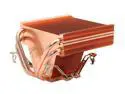
Thermalright XP-90C CPU Copper Heatsink
Comments: Although several reviews mention getting a LGA775 adapter to go with this cooler, I think it's worth saying again: EVEN THOUGH THE NEW EGG DESCRIPTION says it is 775 compatible, it is NOT unless you buy the additional adapter from Thermalright.
8/7/2005See more detail
poor black levels on HDMI input; poor support
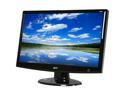
Acer H233Hbmid Black 23" 5ms HDMI Full HD 1080P Widescreen LCD Monitor 300 cd/m2 40000:1 (ACM) Built in Speakers
Pros: Good price. Good sharpness.
Cons: Poor black levels and cannot be calibrated for a video (as opposed to computer) input. Tech support from Acer costs three bucks per minute.
Overall Review: I have read the manual and do not find a solution to my problem of setting "blacker than black" (ie, pluge) when viewing VIDEO (not computer) content input into the HDMI port. Adjusting the brightness setting (which alters the black level) could solve this but does not have the range. I suspect the problem is: Computer gray scale is coded (0~255) while video should be ITU601/709 (16~235). So the display is showing too much details in the 0-16 gray scale range, when I feed it a video signal, and that impacts the ability to accurately set the brightness/black level. I am trying to learn whether the display is capable of the ITU601/709 (16~235) color space / gray scale. In working with Acer support, they told me that even though the product is within warranty period, I need to pay for tech phone support at a rate of three bucks per minute billed to a credit card! What kind of crazy support system is that?
6/1/2009See more detail
Good quality but missing some adjustments
Acer H233Hbmid Black 23" 5ms HDMI Full HD 1080P Widescreen LCD Monitor 300 cd/m2 40000:1 (ACM) Built in Speakers
Pros: Great true HD (1920x1080) resolution. Multiple inputs so lots of choices (HDMI, DVI, VGA).
Cons: Lack of a way to adjust the backlight level. So if you are using this in a dark room, you won't be able to get the overall grayscale range low enough. Lack of enough adjustment capability for the "brightness" control -- which is the black level control. Always shows so-called "blacker than black" -- or pluge level -- parts of the image, even when feeding it video (sRGB) levels from a HD DVR via HDMI or DVI.
Overall Review: Looking forward to using the VESA mount so I can hang it on a 20 buck wall mount from mono*****.
2/15/2009See more detail
no problems - quick and easy
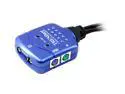
TRENDnet TK-206I USB KVM Switch
Comments: Not sure why a previous reviewer had trouble with a USB mouse. I'm using a "Micro$oft Intellimouse Explorer USB and PS/2 Compatible 5V 100mA" which is a USB mouse onto which I have attached its provided adapter to a PS/2 port -- and it's working 100% normal. Maybe the difference is that this is a USB mouse designed to ALSO be compatible with a PS/2 port.
7/29/2005See more detail