


Your Browsing History


NOLAN F.
Joined on 07/07/10
0
0
product reviews
- 5
Needed to Install USB 3.0 drivers on my laptop :S
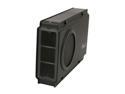
Rosewill RX-358 U3C BLK External 3.5" Hard Drive Enclosure to USB 3.0/eSATA, Aluminum & Plastic, Built-in Cooling Fan and Fan Switch, Support 3.5" SATA III/II/I Hard Drive up to 8TB and UASP Function
Pros: I appreciate the front panel, HDD installation method, fan (and switch), and design. The speed is obviously very nice, and suits the need of moving big bunches of files frequently.
Cons: None.
Overall Review: I was perplexed at first due to only getting USB 2.0 speeds. Yet, lo-and-behold, a problem that I did not think would arise, I had to install USB 3.0 drivers on a laptop (that I guess I assumed they would have been dealt with already.) Well there goes the utter confusion to the problem of a weird blaring flaw on what the enclosure is based on. (and if my other review was submitted, it is not to this enclosure's discredit, but to an assumed function on the part of the initial laptop installation)
10/8/2014See more detail
Kind of thin metal
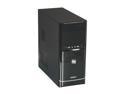
GIGABYTE GZ-F3HEB Black SECC Steel / ABS ATX Mid Tower Computer Case
Pros: It's lightweight, and the front panel cables are clearly marked (though that may be standard now). The way it looks isn't bad.
Cons: So it's lightweight, meaning the metal is pretty thin and easy to bend. Mine was a little bent out of shape on arrival. I wouldn't mind so much, but I once bought a cheaper metal case, and it was more solid, and not very easy to bend up. That aside, one thing that got me is that in the cheap case I mentioned, the hard drive bay was mounted in the case in such a way that if you have an over 9 1/2" GPU or so (estimate), it could slip into into the bay. A little obnoxious, but the hard drives were placed higher up to where it wasn't a problem. On this case, the hard drive bays are further toward the removable side (therefore not allowing the GPU to slip in), and there isn't much space in a medium case for a big GPU as it stands...
Overall Review: I bought it not expecting much, but the GPU thing got me a little (and I didn't study the pictures above well enough! bleh). I was hoping for a similar style to an older case :), but fortunately I still have that older case, so I swapped the motherboard and now we're home free...
9/4/2014See more detail
Mount Inserts Too Short
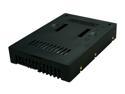
Icy Dock MB882SP-1S-2B | 2.5" to 3.5" SAS / SATA HDD & SSD Converter / Mount / Kit / Adapter | EZConvert
Pros: Works to the best of my knowledge.
Cons: Does not work with a SuperMicro X7DBU motherboard, or at least with the mounting trays. Apparently, according to Web Hosting Talk forums, some motherboards have a problem with these as the inserts (plugs) are a little too short, or don't make proper contact. Other SuperMicro users had a similar problem.
Overall Review: I thought the "manual install" method was default.
10/9/2013See more detail
Works well
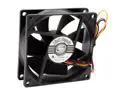
Link Depot FAN-80-BK 80mm Case Cooling Fan
Pros: Works wonderfully. The extra cord is a nice addition, though it was not needed (since I needed a motherboard 4pin case fan specifically..). No more bootup fan error.
Cons: None yet. It is an 80mm fan afterall.
9/1/2012See more detail
Big Card-both performance and size
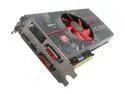
XFX Radeon HD 5830 1GB DDR5 PCI Express 2.1 x16 CrossFireX Support Graphics Card HD-583X-ZAFC
Pros: Well, been testing games on this thing, and it runs 'em all like a beast. I was raging around with 1000 dudes on a battlefield at once on Mound&Blade: Warband, which was pretty cool--never thought I'd see the day. Just Cause 2, the demo, runs average 60fps.. another beauty, considering before, I was coming from an ATi HD 4350.. which.. could barely squeak out 21 while staring at the ground.. Worms Armageddon.. anybody..? Anywhooo Yeah, rambling. This is a great card. Now I GTFO [of the pros]
Cons: I was a stupid idiot, and bought this card the last day of the rebate in April, so I paid square (ugh, stupid stupid me..).
Overall Review: Through the process of buying this, I learned that my PSU is one of those "REPLACE IT NOW" power supplies, apparently by Okia. Although I have yet to get the new 600watt PSU, the 450 Okia is holding its own (although I'm still flippin scared of it). Regardless, this thing is pretty monster. My case is cheap and I had to break part of the stupid little card plate thing in the back, but regardless, all's fine. Also, this card is 3mm away from being too big (almost jamming into the hard drive bays). As for final words, the 4-pin Molex adapters that came with this card work great [for now, until that new PSU etc.], and everything.. is as it should be!
5/9/2011See more detail