
Your Browsing History


Matthew C.
Joined on 01/08/02
0
0
product reviews
- 26
Solid Stable performance
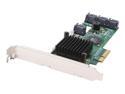
HighPoint RocketRAID 2320 PCI-Express x4 SATA II (3.0Gb/s) RAID Controller Card
Pros: *Solid performance with no errors in over a year while being up 24/7. *Expanded RAID5 array 3 times to encompass more drives and all 3 went without incident. *added 2 drives the first time expansion, and 1 each subsequent expansion *live expansion/migration (can add drives to volume ie. RAID 5, and while rebuild occurs, you can still access the files on the volume being expanded upon)
Cons: *obviously slow migration/expansion, due to no on board parity processor, and amount of data stored at the time, however he card performed the process live and I could continue to operate and use the files while the expansion occurred without incident. But I knew this when I purchased it, and used corresponding hardware (see other thoughts) to adjust for lack of parity processor.
Overall Review: Hit the 8 drive max. currently, now looking to buy another card and link with current to expand to 16 drives. However price of card increased and newer updated models exist. Heres my rig: GIGABYTE GA-EP45-UD3P; Intel Core 2 Quad Q8200 2.33GHz LGA 775 95W Quad-Core Processor Model BX80580Q8200; 2 sticks of G.SKILL 4GB 240-Pin DDR2 SDRAM DDR2 800 (PC2 6400) Desktop Memory Model F2-6400CL6S-4GBMQ; 8 drives of Seagate Barracuda 7200.11 ST31500341AS 1.5TB 7200 RPM SATA 3.0Gb/s 3.5"; Antec TruePower Quattro TPQ-1000 1000W Continuous Power; Microsoft Windows Vista Ultimate SP1 64-bit for System Builders - OEM
4/15/2010See more detail
Poor QC
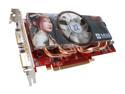
MSI GeForce 8800 GT 512MB GDDR3 PCI Express 2.0 x16 SLI Support Graphics Card NX8800GT 512M OC
Pros: Performs great so far, after fixed the hardware problem (see cons and other thoughts).
Cons: The fan was touching the plastic cover over the heatsink and around the fan. It made a loud annoying sound obviously because the fan was hitting the plastic cover. Luckily the plastic cover is removable with 4 screws. I removed it, no problems since then. Once I have the time i will grind the plastic around the fan back so it will not touch and replace it.
Overall Review: great card after removing the cover. I don't know the air flow dynamics, ie. if the plastic cover is helping the air flow over the heatsink, so i will grind the plastic around the fan back so it will not touch and replace it, to see if the operational temperature of the GPU changes.
3/15/2008See more detail
garbage
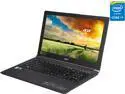
Acer Aspire V15 Nitro Black Edition - 15.6" - Intel Core i7-4720HQ - NVIDIA GeForce GTX 960M - 8GB Memory - - Windows 8.1 64-Bit (NX.MUUAA.001 )
Pros: *specifications as listed *cost * can get a good hour or 2 of playtime befer
Cons: Looks good on paper cost to performance ratio, but that is it. probably just me be my left thumb keeps resting on mouse control area and screwing with trying to use right hand. lol The main problem i have with this is that it was cheap alternative for remote gaming on the road. I thought this fit the bill perfectly but it does not when it locks up due to overheating with every game. Even the simple games like turn-based strategy and not graphics based lock this system up, its just a matter of time. i have tried sacrificing graphic settings, but still it is just a matter of time. It just too small a package for whats inside, in order to keep it from overheating i would have to bring some sort of cooler or something with it. LAME.I have used on coffee table, on lap til burned me on bed and on desktop with airflow which is in the back is completely openLooks good on paper cost to performance ratio, but that is it. probably just me be my left thumb keeps resting on mouse control area and screwing with trying to use right hand. lol The main problem i have with this is that it was cheap alternative for remote gaming on the road. I thought this fit the bill perfectly but it does not when it locks up due to overheating with every game. Even the simple games like turnbased strategy and not graphics based lock this system up, its just a matter of time. It just too small a package for whats inside, in order to keep it from overheating i would have to bring some sort of cooler or something with it. LAME.I have used on coffee table, on lap til burned me on bed and on desktop with airflow which is in the back is completely open
Overall Review: This major flaw defeats the the Pros and purpose of me getting this laptop. Basically I wasted $900 that could have been spent on an actual gaming laptop that works 100% of the time
6/8/2015See more detail
Dreadful
Philips Smart 3D WiFi Blu-ray Player, BDP5506/F7
Pros: *none
Cons: *Did not work. *Scratched up. * The player was written on in permanent marker. *after plugging into an power outlet, the device appeared to keep recycling power on and off (power light showing power on and power off repeatedly), thereby unable to get to the menu, let alone play a dvd/bluray.
Overall Review: The player was a gift to nephew who didnt get and still hasn't got his 3d bluray player. I RMA'ed the device, but it took awhile to receive a replacement. The replacement, did not come with remote or power cable and appears to be the exact same device. Thereby does not work. I tried to RMA again, but the website would not allow stating it was after the time period allotted. I called and was hung up on after waiting a long time for an service specialist, before I had to leave town for work. I basically have lost $70 and my nephew missed out on birthday gift.
10/17/2013See more detail
Defective
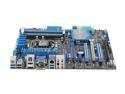
ASUS P8Z77-V LGA 1155 Intel Z77 HDMI USB 3.0 ATX Intel Motherboard
Pros: see the specifications.
Cons: *DIMM slots B1 and B2 were defective and did not work, causing the PC to not POST/boot. Therefore no dual-channel (2 DRAM modules). Booted in single-channel however (1 DRAM module). I used supported G.Skill RAM, and tried my corsair which was supported according to their website QVL, both worked only in single channel, not dual. *Support was sad. I was hung up on when calling for support. email responded 24hours later, with the following: "In this situation, please contact your retailer for a repalcment." Yes they misspelled the words through the email.
Overall Review: *updating bios via their was a little tricky because of instructions. But all you have to do is have power off, but power running through board. In other words PSU pluged into outlet and switch on PSU is 1 instead of 0, but do not power on PC motherboard. Or you can go through BIOS If u are lucky enough to be able to get there.
7/10/2012See more detail
Yamaha disappoints
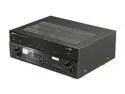
YAMAHA RX-V867 7.2-Channel Digital Network Home Theater Receiver
Pros: *Read the Specs. including 2 HDMI outs
Cons: *After a couple days and hours of use, the device does not power on. Apparently the protection circuit is preventing it from turning on. *RMA to newegg costs 43$ to ship the 29lb receiver back, and still waiting on replacement.
Overall Review: This is merely replacing an onkyo tx-sr606, which is now working in place of the yamaha again just fine. Note that I did not even get to try out any of the extras which I purchased this for, including the dual HDMI outputs. Hopefully the option to output to both ports simultaneously works, since I believe the Logitech harmony remotes do not allow you to program an activity and select the output.
1/16/2011See more detail