
Your Browsing History


Branden E.
Joined on 03/11/25
0
0

product reviews
- 1
Highly recommended, great for new builders
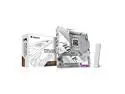
GIGABYTE B850M AORUS ELITE WIFI6E ICE AMD AM5 LGA 1718 Motherboard, mATX, DDR5, 2x M.2, PCIe 5.0, USB-C, WIFI6E, 2.5GbE LAN, EZ-Latch, 5-Year Warranty
Pros: - Incredible QOL features for building - Easy to understand BIOs and setup - Simple driver and software install
Cons: - CPU socket cover was difficult to remove, seemed to require much more force than necessary.
Overall Review: I recently built my 4th gaming PC using the Aorus Elite B850M ICE (rev1.1) paired with a 9850X3D and a 9070XT. Honestly, the motherboard has been the most impressive part of this new build, my second personal build. Coming from a budget-friendly, no-frills Asrock board used for the first build years ago, I was legitimately blown away with the simple, user-friendly features. The button-stye "EZ-Latch Plus" for the GPU PCIe slot was the first thing I noticed, having recently scratched the backplate of my GPU fighting to release the latch on the old motherboard. It's such an incredible QOL improvement for an mATX board. I also really enjoyed the tool-less m.2 "EZ-Latch Plus" mechanism, which just removes the fear of overtightening or stripping the m.2 screws. It was mostly a pain-free building process except for the CPU install. After seating the CPU in the socket, you close the locking latch over the CPU with the cover still attached to the latch. Maybe it was just me, but the amount of pressure required to physically pop the cover off felt like far more than was necessary. After nearly locking the retention bar into place, the cover finally released, but only partially and at that point I just removed it by hand before locking the retention bar. Maybe that's fine? I'm not sure since my previous build was on AM4, but it certainly didn't "feel right". Other than that minor issue the building process was easy. Powered it on for the first time, quicky posted and booted into BIOS without issue. Coming from my old Asrock BIOS, this was an infinitely better experience. My only issue here is certain settings can be found within two separate menus in the BIOS, which seems odd, and some of the features/settings have no useful descriptions or details. Otherwise, it was very easy to setup custom timings for the ram, as well as other modifications/customizations. The software side has also been a welcome improvement. After a fresh windows install and setup, I was prompted by notification install the GIGABYTE command center, which took care of all the driver and software downloads without having to navigate through website to find my motherboard specific downloads. The Smart Backup tool is a great addition, and the customized AORUS ELITE skin for HWinfo was a neat little surprise I stumbled on. I haven't tried the AI overclocking software/features, and likely won't, but I'm sure they could be useful for someone wanting a more hands-off, no-tinkering-needed setup. Overall, highly recommended! (easily the cleanest looking all-white motherboard.)
3/2/2026See more detail