
Your Browsing History


Tyler K.
Joined on 02/05/24
0
0
product reviews
- 3
Runs Hot
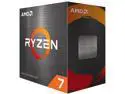
AMD Ryzen 7 5800XT - Ryzen 7 5000 Series Vermeer (Zen 3) 8-Core 3.8 GHz Socket AM4 105W None Integrated Graphics Desktop CPU Processor - 100-100001582BOX
Pros: -Workhorse -Nice cooler
Cons: -Fan header cable too short
Overall Review: After installing and doing some research I found out this CPU runs hotter than what I'm used to. I'm getting used to it, but just nerve racking when you're not used to seeing temperatures that high. I did have to go into the mobo app and adjust the curve that the fan speeds up to cool the cpu which helped a TON! Temperature went from 75-78C at load down to 65-70. I really enjoy the look of the cooler, but haven't tested any others to see how they compare in real world application. Biggest headache is the length of the fan cable. The motherboard I got has the fan header in a weird place so I had to invert the fan because the cable wouldn't reach without resting against the radiator. I had to completely undo my motherboard from the case because you have to tild the fan almost 60 degrees to get the first side hooked and there wasn't enough space above.. Now the rgb cable sits super close to the top mounted fans so I haven't hooked it up. Colors are still super cool, but wish I could sink it up with the rest of my setup. I know I could get a cable extender, but I didn't want to wait on shipping. An extra 5cm on the cable would be super helpful. As far as the 5800XT goes it seems to be a pretty solid upgrade from my 3600 at a good price point. Would recommend again, just with a few tidbits of knowledge for those looking at the brass tacks of the build.
7/21/2025See more detail
Great value for price
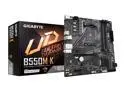
GIGABYTE B550M K AM4 AMD B550 Micro-ATX Motherboard with Dual M.2, SATA 6Gb/s, USB 3.2 Gen 1, Realtek GbE LAN, PCIe 4.0
Pros: -Price -User friendly Gigabyte Control Center app for RGB/Fan Control
Cons: -Cheap IO Shield -No CPU protective cover -CPU fan header location not ideal
Overall Review: Definitely a great value for the money. I would put no wifi/bluetooth as a negative, but it's not like that was listed as a perk and it doesn't work... it just doesn't have it. I really like the GCC app, but the normal fan speed graph didn't work great for my setup. I do have the 5800XT that's known to run hot so probably more a me problem than setup problem. 1) I didn't love the IO shield, just feels cheap compared to what I had on my old setup (Omen 30L by HP). 2) There was no CPU protective cover on the CPU socket out of the box. 3) The most frustrating was probably the location of the CPU fan header. Normally I have seen them in the top left, but this one is down and right of the cpu and next to the nvme slot. Normally wouldn't be a big deal, but with the wraith prism cooler it has to tilt to lock onto the top side (upside down) so that the cable doesn't press against the radiator of the fan. So the next time I want to redo the thermal paste I have to remove my graphics card and undo all the motherboard screws to slide it down 2 inches to create enough space to get the cpu cooler off. 4) Had to manually boot into bios to enable EXPO for my ram. Not sure if this is more a mobo/ram problem or if it's just something you have to do anytime you use expo/xmp ram. I'm aware most of these issues are just in my specific scenario... hence the 4* review, but thought they were worth mentioning for anyone looking at purchasing.
7/21/2025See more detail
Works as expected
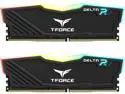
Team T-Force Delta RGB 32GB (2 x 16GB) 288-Pin PC RAM DDR4 3200 (PC4 25600) Desktop Memory Model TF3D432G3200HC16FDC01
Pros: -Look great -Operate at the speed marketed
Cons: -Bios updating required for full speed
Overall Review: Not sure the con is even because of this product or if it was the motherboard. Ram speed was about 2400 MT/s so I had to boot into bios and manually turn on EXPO. Once I did that everything worked great.
7/21/2025See more detail