

Your Browsing History


RYAN B.
Joined on 12/22/06
0
0
product reviews
- 8
Digital Innovations 4390200 Working well
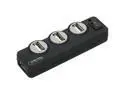
Digital Innovations 4390200 Connect + Charge 4-Port Hub
Pros: 4 Ports. Able to charge things without computer power. Able to go longer distance with powered USB. Power switch to turn the unit off when not in use.
Cons: My Microsoft Sidewinder X8 mouse will not charge without the computer being on - but I've charged four other devices in it with no problem...
12/4/2012See more detail
Samsung SH-222AL/BSBS
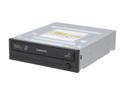
SAMSUNG CD/DVD Burner 22X DVD+R 8X DVD+RW 16X DVD+R DL 22X DVD-R 6X DVD-RW 48X CD-R 24X CD-RW Black 1.5Gbps Model SH-222AL/BSBS LightScribe Support
Pros: I've used this drive almost a year now. I use it to read discs and to burn lightscribe only now. Lightscribe software is mediocre.
Cons: I stopped using it as a DVD writer. After just a couple months, it started having problems, so I use another drive for that now.
12/4/2012See more detail
Nice, sturdy keyboard
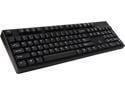
Rosewill Mechanical Keyboard with Cherry MX Red Switches - Retail - RK-9000V2 RE
Pros: Removable USB cord (easily replaceable if ever needed) Can be very quiet "Normal" arrow keys, number pad Seems very durable
Cons: Media keys are shared with F1-F8 keys using "FN" key (similar to many laptop keyboards). Not really a big deal except... the FN key has replaced the Context-Menu key (which is completely missing from this keyboard).
Overall Review: I press the keys somewhat hard, I guess, and so it does not normally type very quietly for me. If I work at it, I can type softer and it is very quiet then, but I tend to miss some keypresses when doing so. Enter key is one-row tall, with \| key above it. Some keyboards have a turned L shaped enter key.
2/22/2019See more detail
Crucial ballistix sport VERY low profile
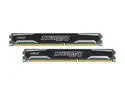
Crucial Ballistix Sport 16GB (2 x 8GB) DDR3L 1600 (PC3L 12800) Low Profile Desktop Memory Model BLS2K8G3D1609ES2LX0
Pros: As mentioned by other reviewers, these are very low profile. They also run at 9-9-9-24 1.35v 1600mhz without any problem (at least, on my motherboard- ASRock Z77 extreme6). I've got three pairs of these. None of them have had a problem yet. Memtest+ took about two and a half hours per pass to test them.
Cons: Price - sometimes.
Overall Review: I got my first pair of these at the end of 2012 for $71.99! After using them a while, I decided to get more. The price kept rising, at first around $100, then up to $120. Eventually, in May (2013) there was a Shell-shocker deal on these for $84.99. I bought two more pairs then and have been enjoying them immensely. I see today they are up to $133.99. I do some AVI video editing which greatly helps from extra RAM - or when I'm doing other projects I use some as a RAM drive.
6/13/2013See more detail
ASRock z77 Extreme6
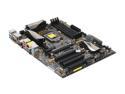
ASRock Z77 Extreme6 LGA 1155 Intel Z77 HDMI USB 3.0 ATX Intel Motherboard
Pros: - One of the few newer motherboards that still has Firewire, Floppy connector, PS/2. - Includes a 3.5" USB 3.0 mounting bracket for front of case. - Appears to be well constructed. - Mounting holes for 1155 AND 775 heatsinks. - Color-coded ports, easy to tell which are SATA2/SATA3, USB2/USB3.
Cons: - Floppy connector is in the very bottom back corner. - SATA connectors are stacked, facing toward the front of case, placed right across from PCIe slot. - No IDE connectors. I don't use them regularly, but it's nice to have for transferring from older drives. - No RCA-type SPDIF plug. Optical only.
Overall Review: I had to replace my floppy cable with a longer one in mid-size case; and had to order a 24" floppy cable for my full-size tower. Probably not a big issue for most users. My first install, I had installed motherboard, ram, video card only - to test before plugging in everything else. Afterwards, to plug the SATA cables in to motherboard, I had to remove the video card (it is a long one) to reach the SATA connectors on motherboard. I had read comments about the first RAM slot being too close to CPU heatsink, so I had ordered some low profile RAM. I think it was not necessary in my case (one computer uses stock heatsink/fan, the other uses a Zalman 775). I had an old SPDIF bracket (3-pin connector to RCA) from another motherboard that I was able to use. I was able to plug it into the internal HDMI audio pins (2-pin).
1/9/2013See more detail
Antec HCP 750
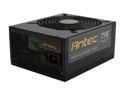
High Current Pro HCP-750 750W TX12V v2.3 / EPS12V v2.92 SLI Certified CrossFire Certified 80 PLUS GOLD Certified Modular Active PFC Power Supply - Intel Haswell Fully Compatible
Pros: 750 Watts. Modular (my first modular p/s) - not a lot of extra cables getting in the way. 80 plus gold. 5 year warranty. Lots of room for expansion in my current system. Even has a floppy connector (no molex adapter needed).
Cons: Nothing serious yet. There's 2 built-in 4-pin CPU plugs which I have no use for, right now. Same with the 6+2 PCIe, I only need the 6 pins for now. A little expensive, but I got mine on sale and with a rebate (which hasn't arrived yet, but it's only been about a week since I sent it in).
Overall Review: I got this to replace a 7-year old Antec TRUE 550 which was starting to have issues. So far, I'm glad I stayed with the brand. I'll probably get another one (to replace an Anted TRUE 550 EPS12V slightly older than the one I already replaced) if it goes on sale again.
12/10/2012See more detail