

Your Browsing History


Chris S.
Joined on 07/25/12
0
0
product reviews
- 2
Great Monitor, Recommended
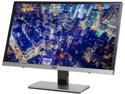
AOC i2367Fh Black / Silver 23" 5ms IPS Frameless Widescreen LCD/LED Monitor, 250 cd/m2 50,000,000:1, Ultra Narrow Bezel 2mm, Built-in Speakers, D-Sub HDMI
Pros: Looks high-end, matte display, thin bezels, matte metallic finish, viewing angles, good colors and brightness,
Cons: Not as robustly constructed as your average Dell monitor.
Overall Review: After doing a lot of research on the best monitor for around $150, I picked this one. It's among the better looking monitors out there, and looks much more expensive than it really is. I guess I lucked out because I'm not having any problems with this one: no wobbly, crooked stand, no heat issues, and I don't care about DVI or speakers since I rely on HDMI and earbuds.
2/5/2014See more detail
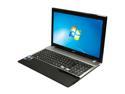
Acer Aspire 15.6" Intel Core i7-3610QM 6GB Memory Windows 7 Home Premium 64-Bit V3-571G-9435
Pros: Processor, graphics card, keyboard, touchpad scroll bar, stays cool, looks nice.
Cons: Hard drive makes a soft, quiet clicking kind of sound. Usb 2.0 ports are on the right side, not the left. screen resolution is low for this class of laptop. Battery life is mediocre. (the last 2 cons I can live with, as they are brought on by the CPU/GPU and low price, respectively)
Overall Review: I bought this for engineering college and cad, and I didn't want to bust the budget. This laptop has the best specs for the price ($779), and I did a ton of research and googling to shop around. The shiny finish is classy, in my opinion, though it gets smudged easily. The keyboard is awesome to type on, the scroll bar on the right side of the touchpad is handy. I ran CATIA, a high end cad program, on this and it runs flawlessly. No complaints about performance. I wish the USB 2.0 ports were on the left side, because if I have anything in them, they get in the way when I use a mouse. The resolution is low for this class, but I really don't mind it because I haven't been spoiled with 1080p laptop screens prior to this purchase. Something that concerns me slightly is that the hard drive started making a quiet clicking sound. Kind of like a dying hard drive o.O but not nearly as loud. Anyone else hear this on theirs? Not sure if it's normal.
8/15/2012See more detail