
Your Browsing History


Mark J.
Joined on 05/23/08
0
0
product reviews
- 6
Works with Vista64
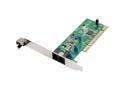
Rosewill RNX-56AG Agere 56Kbps PCI Bus (Plug & Play) Internal V.92 PCI Data/Fax/TAM modem Windows 8 Compatible
Pros: Works with Vista64. I didn't have to use the drivers that came with it. I plugged it in and turned it on. Vista64 found the card and installed everything necessary. I do not have internet so I use it just to connect one of my programs that needs regular updates and this work fine.
Cons: None so far.
Overall Review: I didn't install anything off of the CD. Just let Vista take care of it. I didn't try to set it up for caller ID so I have no idea if this issue has been fixed.
12/23/2008See more detail
Works fine so far.

Microsoft Windows Vista Home Premium SP1 64-bit for System Builders
Pros: Its Vista. And its 64 bit. Not much else to say. If you have used the 32 bit then you will see no real difference other than being able to see 4gb and up of RAM. Which is the only reason I went with 64. Still, I gave it 5 eggs due to it does what it advertises and I really haven't had any major issues so far. It is a bit slower to boot than XP was.
Cons: Would be nice if it was faster.
Overall Review: My HTPC setup: Case: Silverstone LC10B-E MB: ASUS P5Q SE Plus CPU: Intel Core 2 Quad Q6600 RAM: CORSAIR 4GB (2 x 2GB) DDR2 6400 Dual Channel HD: WD 250GB SATA II, WD 500GB SATA II, WD 1TB SATA II PSU: RAIDMAX Modular HYBRID 530W SLI Ready CrossFire Ready GPU: Radeon HD 4670 512MB 128-bit GDDR3 PCI Express 2.0 x16 HDCP Ready CrossFire
12/23/2008See more detail
Great HTPC Card.
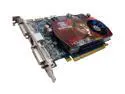
SAPPHIRE Radeon HD 4670 512MB GDDR3 PCI Express 2.0 x16 CrossFireX Support Graphics Card 100255L
Pros: Card works great for my setup. I don't use it for gaming so I don't know its performance rankings in this area. In my HTPC setup it works perfect. Lots of tweaking options in the ATI Catalyst panel. HMDI output to my 46" Samsung LCD is perfect. DVD's thru this actually look better than from my standard DVD player due to ATI's upscaling.
Cons: If you use ATI's auto settings for controlling the fan it is fine. But if you try to it to manual you can only go as low as 20% and up to 100%. At 20% the fan is considerably louder than the auto setting which has gone as low as 3% for me. The cooler your system the lower it will go. At 100% the fan is much to loud for a HTPC system and if mine had been this way then I would look for some other form of cooling for this card. Leave it on auto and as long as your system stays cool the fan is fine.
Overall Review: My HTPC setup: Case: Silverstone LC10B-E MB: ASUS P5Q SE Plus CPU: Intel Core 2 Quad Q6600 RAM: CORSAIR 4GB (2 x 2GB) DDR2 6400 Dual Channel HD: WD 250GB SATA II, WD 500GB SATA II, WD 1TB SATA II PSU: RAIDMAX Modular HYBRID 530W SLI Ready CrossFire Ready GPU: Radeon HD 4670 512MB 128-bit GDDR3 PCI Express 2.0 x16 HDCP Ready CrossFire
12/23/2008See more detail
Works Great.
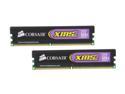
CORSAIR XMS2 4GB (2 x 2GB) DDR2 800 (PC2 6400) Dual Channel Kit Desktop Memory Model TWIN2X4096-6400C5
Pros: Everything. Works great. System added up all 4gb with no problems. Didn't have to adjust anything.
Cons: None so far. Wish rebate would have let me buy two sets.
Overall Review: Wish I would have bought another set to up my system to 8gb but the rebate only good for one at a time. Next time. My HTPC setup: Case: Silverstone LC10B-E MB: ASUS P5Q SE Plus CPU: Intel Core 2 Quad Q6600 RAM: CORSAIR 4GB (2 x 2GB) DDR2 6400 Dual Channel HD: WD 250GB SATA II, WD 500GB SATA II, WD 1TB SATA II PSU: RAIDMAX Modular HYBRID 530W SLI Ready CrossFire Ready GPU: Radeon HD 4670 512MB 128-bit GDDR3 PCI Express 2.0 x16 HDCP Ready CrossFire
12/23/2008See more detail
Great LCD for the price.
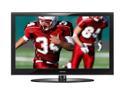
SAMSUNG 46" 1080p LCD HDTV - LN46A550
Pros: Great picture. Clear, bright and crisp. I have loved this TV from the moment I turned it on.
Cons: PIP is pretty much useless. Unless I have misread. You can only view an analog signal and a PC thru the PIP. You can not use any digital signals for the PIP function. This really limits its usefulness. Speakers are so so. But this really doesn't matter as I'm using a receiver for my sound. The TV has an optical output on the back but this will only carry 5.1 surround from over the air broadcast and I believe analog cable. It will not take the 5.1 from your Set Top Box (Digital Cable/Satelite) and output. Instead it will send it in 2.0. This is per the manual. Nor will it take 5.1 from the HDMI cable. Same problem. You will need a receiver and feed all your components thru it in order to get your 5.1 or better. The image that I found of the I/O panel on the back of the TV from Samsungs website showed that it had both Optical and Coaxil connecters was not correct. The TV only has Optical. Which in the end didn't matter due to the limitation of the sound output I listed above.
Overall Review: Even with the negatives on the sound. This really didn't affect me much as I have a receiver and run everything thru it. Though my PC is using HDMI output to the TV and since my receiver doesn't support HDMI yet I had to use the optical out on my PC to the receiver instead but it still works great.
12/23/2008See more detail
Great HTPC Case for the Price.
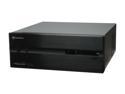
SILVERSTONE Black Aluminum / Steel Lascala Series LC10B-E ATX Media Center / HTPC Case
Pros: Great HTPC Case. Plenty of room for my components. Sleek simple design. Looks great next to my other Theater equipment.
Cons: The DVD drive door cover is bit of pain to put in place. Once you stick it your stuck. There is no second chance. If its crooked then oh well. Unfortunately no one else has come up with a better solution so I can't complain about this too much. I did manage to get mine on pretty straight. If your DVD player door has a slight arc to the face this will make it even a little more difficult. If you have a longer video card you may not be able to use the hard drive cage that is directly in line with the video card or you may not even be able to fit the video card. I would stick to video cards that are geared toward HTPC than gaming cards. The second hard drive cage is directly in line with the power supply and didn't cause me any problems. If you are looking for a Gaming Rig/HTPC. I would look for a larger case than this one as air flow and space is limited.
Overall Review: I had no problems fitting all of my components in the case. There is room to place 5 fans in this case. Two in front panel and 2 in the rear panel and one on the side near the CPU. I have fans in both the front and rear but I was not able to use the side as it is too close to the CPU. If you use a thin fan you will be able to use the side port. I found that the 4 fans have been plenty to keep my system cool and not too loud. My system. Silverstone LC10B-E. ASUS P5Q SE PLUS. Intel Core 2 Quad Q6600. CORSAIR 4GB (2 x 2GB) DDR2 800 (PC2 6400) Dual Channel. Radeon HD 4670 512MB 128-bit GDDR3 PCI Express 2.0 x16 HDCP Ready with CrossFire. RAIDMAX HYBRID 2 RX-530SS 530W ATX12V V2.2/ EPS12V SLI Ready CrossFire Ready. Western Digital 250gb SATA. Western Digital 500gb SATA. Western Digital 1tb SATA. Microsoft Windows Vista Home Premium SP1 64-bit.
12/23/2008See more detail