
Your Browsing History


David N.
Joined on 01/22/05
0
0
product reviews
- 3
Does not work with PowerMac G5
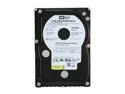
Western Digital Raptor WD740ADFD 74GB 10000 RPM 16MB Cache SATA 1.5Gb/s 3.5" Internal Hard Drive Bare Drive
Pros: Much faster than stock disk. I put two in a software RAID 0 array and went from the stock ~40 to ~130 MB/s.
Cons: Does not work with PowerMac G5. This is apparently not the disk's fault, but Western Digital knows about this issue. However, you have to search the knowledge base to discover it for yourself. This is very similar to the the way in which they handled the problem whereby a MyBook can not be used to boot any PowerPC Mac.
Overall Review: From WD: "The Apple G5 tower does not support certain standard Serial ATA interface protocols used by the... WD7400ADFD [sic]... hard drives resulting in an interface lock-up. This causes the computer system to hang... The only work-around we have identified at this time is installing a SATA Host Bus Adapter (controller card), effectively circumventing the on-board interface."
2/13/2009See more detail
Cannot be used as boot disk with Mac
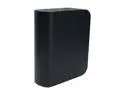
WD My Book Home 750GB USB 2.0 / Firewire400 / eSATA 3.5" External Hard Drive WDH1CS7500N
Pros: Reasonable build quality, variety of ports, inoffensive LED and inexpensive.
Cons: The disk cannot be used as a boot volume for PowerPC Macs (G4, G5). The newest firmware (1.0.28, Feb. 2008) did not fix the problem.
Overall Review: The Western Digital knowledgebase article 1715 gives the reason: The My Book is actually two FireWire devices. LUN 0 is the interface for the button and LED. LUN 1 is the disk itself. PPC Macs only check LUN 0 on boot. WD blames the problem on Apple, but WD probably should have tested this.
2/18/2008See more detail
Plays nice with my Mac

Acer 19" WXGA+ LCD Monitor 5 ms D-Sub, DVI X192Wbd
Pros: Automatically detected and configured by my G5 Mac (Radeon 9800, DVI). Colors look good after calibration. No annoying lights or on-screen messages. Simple user interface.
Cons: One dead pixel at edge of screen. Internal speakers are terrible. They're worse than my Mac's internal speaker.
Overall Review: The included DVI cable is a nice touch. I haven't tested the VGA interface.
6/5/2007See more detail