
Your Browsing History
 Holiday Shipping Details & Extended Holiday Returns Holiday Shipping Details & Extended Holiday Returns

Joined on 11/17/09
Best Bang for the Buck!
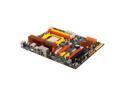
Pros: -Good layout. -Copper heat sinks all over! -CMOS reset on the back of the board (easy access). -Power and reset button on inside of board. -Mail in Rebate (Although I'm still waiting I will update later how long it takes). -Multiple PWM fan connectors. -Plethora of USB on board connectors. -Comes with 4 SATA cables... not 1 or 2 like the other manufacturers. -I like the back faceplate with the sponge coating that makes for a tight seal.
Cons: -No Firewire (the only thing missing for my computer case) -BIOS lacks detail in BIOS and in Manual to understand any proprietary items. -Had to update BIOS right out of box to support my AMD Phenom II 925. -ECS Website (See Other Thoughts)
Overall Review: Expertise - I used to test prototype servers for a large computer company. Experience - I would have to say that for being a "Budget Motherboard" as I had seen on many websites, this is fairly advanced for the price. I would not classify it as entry level, but for my budget, what I got was worth every penny. Website - The website could use a little work if ECS is looking to step up their game as a key contender. I had some issues finding drivers as what they had on their website was not the latest. I ended up going to the individual manufacturers (mostly ATI) to find the latest driver.
North Bridge Hot???
Pros: See my previous post. This is an update after more time.
Cons: It would seem that from a cold start the North Bridge appears in the AMD OverDrive Utility at 116 Degrees Celsius and at Idle it runs around 127 Degrees Celsius. Either the sensor is not reporting the temp correctly, or EDS needs to put a larger heat sink on that!
Overall Review: For any of those wondering, my case is VERY WELL organized with cable ties every where and a modular power supply to cut down on wasted space, two 120mm front fans, two 80mm rear fans, a 120mm CPU Fan, 120mm PSU Fan, and additional heat sinks on anything I could put it on.
Learning OK..
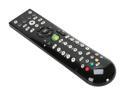
Pros: Learning remote that allows for: PC TV AV AUX Learning is pretty easy. VERY nice looking. Works well with Windows 7.
Cons: Very directional. Has to pointed at the receiver almost perfectly. Thin plastic (my two year old broke the battery cover in the first week. But that's a two year old)
Great
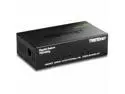
Pros: Used to connect my media center to my xbox and allow HD video throughput at max speeds. Attached to my router without any issues.
Cons: None.
WOW
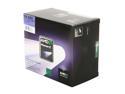
Pros: Scores a 7.9 on the windows Experience in Windows 7 64bit Ultimate.
Cons: That darn stock cooler is noisy... makes a buzz noise.
Overall Review: Bought it with the knowledge that I would be switching out the cooling fan for something better, but can't they just try a little to make the thing at least somewhat quiet????? Darn you AMD and your cheap cooler!
Works!
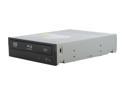
Pros: Quiet Works Shipped well...
Cons: None yet
Overall Review: Meets all my needs for my HTPC.