
Your Browsing History


Steven R.
Joined on 08/17/04
0
0
product reviews
- 11
Works great
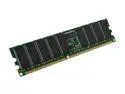
CORSAIR 1GB ECC Registered DDR 266 (PC 2100) Server Memory Model CM72SD1024RLP-2100
Pros: Compatible with my Tyan S2723 (Tiger i7501) dual Xeon motherboard.
Cons: Price? It's ECC Registered memory, so I knew it wasn't going to be cheap. Newegg had an excellent price on it compared to everyone else as usual! :)
Overall Review: Running 4GB of this in my Tyan Tiger i7501 w/ dual 3.06GHz Xeons (HT), Adaptec 29160 scsi controller, and 4x IBM 36GB 10K RPM drives. I use this server to run the recently release for free VMware ESXi server. I use the VMs as test environments.
9/17/2008See more detail
Great until the fail
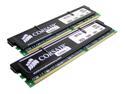
CORSAIR XMS 2GB (2 x 1GB) DDR 400 (PC 3200) Dual Channel Kit Desktop Memory Model TWINX2048-3200
Pros: Decent price and performance.
Cons: I've now had 2 sets of this memory go bad in less than 6 months. Verified with memtest86, errors galore. :( The first set was replaced by Newegg with no problems. I've decided not to bother with this second set. Why keep getting bad modules? I'm going back to Mxxxkin - I've yet to get a bad stick from Mxxxkin.
6/11/2006See more detail
Love it!
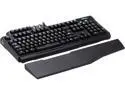
Gigabyte Aivia Osmium Cherry Brown Mechanical Gaming Keyboard White Back-lit (GK-OSMIUM BRN)
Pros: I love this keyboard. I enjoy the feel of the mechanical keys (seriously, I hate membrane keyboards now). The anti-ghosting works. I don't really use the programmable keys, so I can't comment on those. I like that that the back-lighting has adjustable brightness (as well as you can turn it off completely), and I find the volume wheel and fn keys useful, too.
Cons: I can't think of any, other than price, but it seems that all good quality mechanical keyboards are pricey.
6/30/2013See more detail
Works great
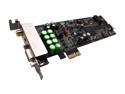
AuzenTech AZT-FORTE X-Fi Forte 7.1 Low Profile PCI Express Sound Card
Pros: I've not had any problems with drivers. Worked out of the box no CD required in Windows 7 x64 Release Candidate! Also was trouble free for me in Windows XP 32-bit and Vista x64. (Used the drivers from the CD for XP).
Cons: Haven't found any so far.
Overall Review: I love it!
8/20/2009See more detail
I love 10k RPM WD drives!
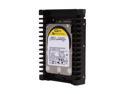
Western Digital WD VelociRaptor WD3000HLFS 300GB 10000 RPM 16MB Cache SATA 3.0Gb/s 3.5" Internal Hard Drive Bare Drive
Pros: Excellent performance. If you have a case that has rubber grommets for the hard drive mounting, you'll never hear these drives. On the flip side, if you don't have rubber grommets, you'll hear the read/write heads during heavy use. I cannot hear them at all when they are idling.
Cons: Price, but you get what you pay for.
Overall Review: The review below me mentioned he's had terrible luck with WD, and got a bad VelociRaptor. A shame really. I've been using WD for 15 years. During that time, there was a year where they had some DOA problems, but that was 1 year in 15, and I've had a total of 2 dead drives in 15 years from WD. I have several of the first generation Raptors that are still running awesome also.
6/2/2009See more detail
Powerful graphics solution
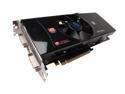
SAPPHIRE Radeon HD 4870 1GB GDDR5 PCI Express 2.0 x16 CrossFireX Support Graphics Card 100259-1GL
Pros: Fast GPU, plenty of memory, nice price. I bought two of these and run them in Crossfire. However, if you buy two of these to run in crossfire, there is a space issue. See Cons below for details.
Cons: You'll need a motherboard that puts two other slots between your x16 PCI-E slots. You need the wide space because of the screws that stick out on the backsides of these cards. They are the screws that hold the cooler on. I tried putting these in the closest two x16 slots and couldn't because the screws would have interfered with the fan on the card above it.
Overall Review: My motherboard has 4 x16 slots, so I just moved my second card down to the next x16 slot. Asus was smart enough to include long Crossfire bridges with the motherboard. My setup: ASUS M3A79-T Deluxe (790FX) Motherboard AMD Phenom 9850 Black Edition 4GB DDR2 1066 SDRAM (Mushkin) Crossfired Sapphire Radeon HD 4870 1G 150GB Raptor, Samsung DVD-RW, etc.....
2/18/2009See more detail