
Your Browsing History


Daniel C.
Joined on 09/12/12
0
0
product reviews
- 51
Let’s Get to the Point: Yeah, I’d buy another one.
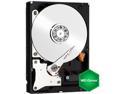
Western Digital WD Green WD20EZRX 2TB IntelliPower 64MB Cache SATA 6.0Gb/s 3.5" Internal Hard Drive Bare Drive
Pros: Low power consumption. Very quiet. Runs very cool (even during protracted and sustained read and writes). 2 year warranty. Excellent choice for a secondary drive for storing data.
Cons: The drive is slow… Not horribly Slow… But slow. Not the choice for a primary drive running OS and programs
Overall Review: This drive is ideal in my opinion for its intended use: “Quiet, Low Power, Economical DATA Storage”. I currently use 1 and 2TB platter drives to archive digital images and this one is going into the rotation with about 12 other drives of varied models and makes. In the future Western Digital WD Green WD20EZRX 2TB drives will be what I’m using. I did a little “stress test” on this drive by sticking it in a dock and writing nearly 1.7 terabytes of image data to it all in one shot. The sustained write time was @ 110 to 120 MB/s (Notably lower than the advertised 145 MB/s but I can cut WD some slack because I honestly don’t know how much the drive dock chokes the signal) which is kind of pretty slow anyway but what was remarkable is you could handle the drive without getting blisters which is something of a shock considering how hot some of these drives get under those conditions… So… I formatted, and did this two more times in a row just for good measure. The drive truly runs cool and even sitting there on my desk in the open it was difficult to discern any noise whatsoever. Currently it is installed in the big box that is my “Digital Dark Room” slowly loading up with RAW images to be archived once it is full… Unlike some of the drives I've used for this same purpose, I hardly notice it’s there.
3/20/2013See more detail
Perhaps this is unfair... However:
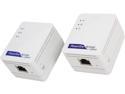
NETGEAR Powerline AV500 Nano Kit (XAVB5101), up to 500Mbps
Pros: Very Easy Setup, PnP in Windows 7 Ultimate
Cons: No place near 500MBs
Overall Review: It could very well be my apartments wiring but I can not get anyplace near 500MBs out of these. More like 75MBs. I may take them and test them in another home and I will update this review if they do better there. As it stands I am not impressed.
4/14/2013See more detail
Ultrabook Excellence
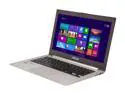
ASUS Zenbook Prime UX31A-DH71 Ultrabook Intel Core i7 3517U (1.9GHz) 4GB 256GB SSD 13.3" FHD IPS Display Silver Aluminum
Pros: Very low profile, light weight, illuminated Keyboard, excellent display
Cons: memory is not up-gradable, price
Overall Review: I can't find one thing wrong with this Ultrabook, true that the memory chips are soldered to the MB, therefore preventing an upgrade, however for a notebook running Windows 8? 4GB is more than plenty and this Zenbook runs Adobe Photoshop CS6 without a hitch as well. There have been some complaints about the Touchpad and feel of the keyboard from others reviewing this unit but I'll be darned if I can find a problem with it... I actually really like the keyboard's feel. The overall finish, feel and quality of build is excellent... Very slick machine. The price is on the high side, but heck... It's only money.
1/26/2014See more detail
Decent Card for the Price
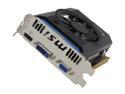
MSI GeForce GT 640 2GB DDR3 PCI Express 3.0 x16 Graphics Card N640GT-MD2GD3
Pros: Compact, Quiet, Performance.
Cons: Not for the Heavy Gamer.
Overall Review: When the drivers are sorted it can give you a "7.2" on your Windows Woo-Who Score for Video. Plays Well with Photoshop CS6. Excellent "Bang for Buck" Factor.
4/1/2013See more detail
Unimpressed
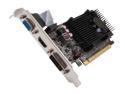
EVGA GeForce GT 610 1GB DDR3 PCI Express 2.0 x16 Graphics Card 01G-P3-2615-KR
Pros: Pretty Cheap
Cons: Not Cheap Enough
Overall Review: Old Sandy bridge i3 on board Graphics on a low end MB is actually a whole lot better... At least I can appreciate that now. Tried latest drivers and several configurations and it's just not going to get any better.
3/22/2013See more detail
Inexpensive Wireless KB & Mouse
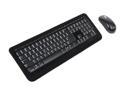
Microsoft 5SH-00001 Black USB RF Wireless Standard Desktop 800 for Business
Pros: Inexpensive and it works.
Cons: KB doesn't have the "feel" and is a little cramped.
Overall Review: Keyboards need that "Positive Feel" about them for me... But It's true I started out typing on an IBM Selectric in the '70s so I might be a little fussy.
3/20/2013See more detail
seller reviews
- 1
Shipped Very Quickly
Shipped very quickly and the item was as described.
On-time
Delivery
Product
Accuracy
Customer Service
Satisfactory
10/19/2012See more detail