




 here!
here!
I’m your shopping assistant for PC builds, upgrades, and everything tech.
Got questions? Ask away!
Start a conversation
here!
I’m your shopping assistant for PC builds, upgrades, and everything tech.
Got questions? Ask away!
Start a conversation

Joined on 06/18/03
got what I expected
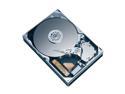
Pros: Works as expected Drive noise level was low enough to not increase total system noise level after installation.
Cons: Not the fastest drive, but you are not choosing this drive for raw speed.
Overall Review: Newegg bundles a 4pin molex to SATA power cable adapter in the package. Doesn't come with SATA interface cable, be sure you have one avail, or add one to your order.
so-so
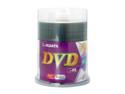
Pros: Newegg's fast shipping as usual
Cons: It only burns at 4x speed on my burner (Pioneer 108) using dvd decryptor. Granted my burner is pretty old so there's no more firmware updates available, but it's solid. Other media including olderRitek/Ridata brand (ID: RichohR02 RichohR03)bought here from newegg properly identified and burned at 8x or 12x. Good thing I bought a spindle of verbatim also
Overall Review: Media Identified as RITEKF1
Clearing up overclocking misconceptions
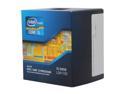
Pros: There is a lot of misconception about overclocking the non-k processors. After some research, the answer is you get "limited" unlock with non-k processors since sandy bridge. You can add up to +4"bins" (400mhz) to the multiplier on these non-k processors, which is a super easy 1 field change in your bios. After you do the math: single thread (stock rated)3.1+turbo(4)=3.5 +4bins(oc) =3.9ghz max speed on quad core, the way turbo works, is that it can't give you as much of a boost. So you will be a few bins lower if you are multithreaded. After you hit the multiplier wall, you can squeeze out a few more % fiddling with the clock (old school method of overclocking) but then you have to fiddle with your ram, timings, and voltages. This is pointless, if you wanted more, you should have gotten a k processor so you can raise the multiplier by itself without a dependency on the RAM.
Cons: i don't use the stock cooler, but 212evo, but i would think it would still work even at 100% cpu overclocked . It is the same stock cooler they give for the 3.9ghz chips out of the box. Anyway, watch your temps just in case.
Overall Review: search google for intel "limited unlock" bins for more info. It is a no-brainer to overclock this chip to the maximum mulitplier (+4). It's such a mild overclock that it doesn't require sacrificing any stability or time to trial and error. Intel speedstep will still reduce your multiplier to 16 when you are idle, so you won't use the extra speed until you have a task for the cpu to do.
Clearing up overclocking misconceptions
Pros: There is a lot of misconception about overclocking the non-k processors. After some research, the answer is you get "limited" unlock with non-k processors since sandy bridge. You can add up to +4"bins" (400mhz) to the multiplier on these non-k processors, which is a super easy 1 field change in your bios. After you do the math: single thread (stock rated)3.1+turbo(4)=3.5 +4bins(oc) =3.9ghz max speed on quad core, the way turbo works, is that it can't give you as much of a boost. So you will be a few bins lower if you are multithreaded. After you hit the multiplier wall, you can squeeze out a few more % fiddling with the clock (old school method of overclocking) but then you have to fiddle with your ram, timings, and voltages. This is pointless, if you wanted more, you should have gotten a k processor so you can raise the multiplier by itself without a dependency on the RAM.
Cons: i don't use the stock cooler, but 212evo, but i would think it would still work even at 100% cpu overclocked . It is the same stock cooler they give for the 3.9ghz chips out of the box. Anyway, watch your temps just in case.
Overall Review: search google for intel "limited unlock" bins for more info. It is a no-brainer to overclock this chip to the maximum mulitplier (+4). It's such a mild overclock that it doesn't require sacrificing any stability or time to trial and error. Intel speedstep will still reduce your multiplier to 16 when you are idle, so you won't use the extra speed until you have a task for the cpu to do.
Pretty good, not perfect
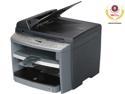
Pros: OK, So i've read all the reviews, and updated my drivers and all that. -Fast printer -Does not choke on "large" PDF files like my 10year old serial port printer. -network ready
Cons: -my main gripe for not having 5eggs is the scanning/copying of pages from the AutoDocumentFeeder come out crooked, approximately .25" lower on one side. Printing of documents from computers comes out straight. -UI menu is a bit tricky to setup, need to keep the manual around to go through the steps
Overall Review: Network scanning is slower than USB, but not as slow as other reported, perhaps 30sec/page. Bought this on sale at Newegg, good deal at the sale price.
seems good

Pros: fast newegg shipping, everything seems good to go
Cons: rebates! I hate rebates :( would have rather paid a little extra and split the rebate money with newegg 50/50
Overall Review: Media ID MCC 03RG20


