




 here!
here!
I’m your shopping assistant for PC builds, upgrades, and everything tech.
Got questions? Ask away!
Start a conversation
here!
I’m your shopping assistant for PC builds, upgrades, and everything tech.
Got questions? Ask away!
Start a conversation

Joined on 05/24/04
FINALLY a thin version!
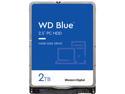
Pros: 2 TB on a 2.5" drive only 7mm thick and made by Western Digital! Drive seems fast for a 5400 RPM drive with read operations - I get read speeds nearly 200 MB/s. Small writes are also very quick, probably because of the MASSIVE cache.
Cons: For some reason the label is on the bottom of the drive and the top is just a blank white label... not sure why WD did this but it really doesn't effect the use at all, but looks weird.
Overall Review: In all seriousness, I wish WD has made these available for sale like 2 moths earlier when I bought 5x 2TB Seagate FireCudas. The Seagate FireCuda has a slight edge on speed due to it being a SSHD, and has a much longer warranty, HOWEVER... I've had the Seagates for 2 months and have already had 2 failures. At the time WD only offered a 15mm thick PMR version (and with less cache). I'm very pleased that this drive is finally available as now I can have the vastly better reliability of WD. I can't wait until the capacity gets even better. Keep your data safe... buy WD. Be aware that this drive uses SMR technology (Shingled Magnetic Recording) to achieve such high density in a small package. If you don't know what that is, think of how shingles on a roof are laid out partially overlapping each other - that is how the data is laid out on the drive platters. While this allows significantly higher capacities, it creates some complexity to writing. If the drive needs to write data in the middle of existing data, it can't just "place" it there like a HDD using PMR technology because other data also overlaps it. What it has to do is put the data in a temporary location, then re-write all the shingled data afterwards to the end of the track break. What does this mean for you? No change really in the way you use it. Just be aware that writes to the drive place the data in a temporary position, which is then relocated and shingled later on. The drive is smart enough to do this when you aren't busy, but this will make the drive sound like it's doing a lot of work even when the computer is idle. So if you hear the drive churning away while you are seemingly doing nothing - this is completely normal on any drive using SMR. The constant busy sound is not a defect, but rather a side effect - and it stops when the shingling is complete. If you use this as a main system drive, there are so many random writes with the paging files and temp files that it may never fully shingle the drive, making it sound as if it never stops working. For that reason, these are best used as storage drives that are read to often, but written to rarely. Don't even think about using an SMR drive in a RAID setup as you'll get very poor performance.
It's a downgrade from Windows 10.
Pros: Can take advantage of the new architecture in 12th-gen Intel processors.
Cons: Windows 11 is a lot like Windows 10, except without all the great things that made Windows 10 great. Customizations are gone. Features and utilities for power users are gone. You can't even display taskbar tray icons by default anymore! The OS is slightly faster, but everything takes longer to do because things have been buried in too many menus. What used to be 2 click is not 4-5 clicks, and some stuff you can't even do at all anymore.
Overall Review: It feels like this OS was designed for the computer illiterate in mind. Microsoft claims to have designed it based on feedback from users, but if you look at the Feedback Hub, it's nothing but people asking for the options they had before. Microsoft clearly thinks all their users are unintelligent now, and they've made an OS that makes you work inefficiently whether you want to or not.
Great RAID drive.
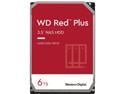
Pros: Not as power hungry as the 7200 models. Designed for RAID so it has TLER (Time-Limited Error Recovery). VERY quiet. All 5 worked right out of the box with no issues.
Overall Review: I though 5640 RPM was a little strange, so I read up on it a little bit. Turns out WD has been making drives with the RPM for a while, but in the past has mis-marketed their drives with a "classification" rather than the actual speed. These were previously marketed as "7200 RPM-Class" and do indeed seem to perform accordingly, but it is nice to know the actual speed. I was specifically looking for 5400 RPM drives for my low power NAS, and 5640 is close enough. I wouldn't have bought if I though they were 7200. These have a long, slow startup which is nice so as to not tax my PSU too much. With 5 of these, my entire NAS draws only 100W during power up, and idles around 60W. The quietness of these drives in my NAS are noticeable compared to my server which has WD Gold drives. The Gold are so noisy you can hear them from the next room over (they are high-performance RAID drives), while these Red Plus drives I can't hear sitting right next to the system.
Super Fast
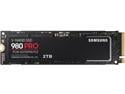
Pros: High quality Samsung Pro SSD. Ridiculously fast. Boots Windows 11 in like 2 seconds. PCIe 4.0.
Overall Review: I seriously can't even express how fast this is. All programs load near instantly, and it doesn't seem to get too hot either.
MASSIVE
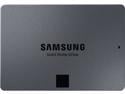
Pros: 8 TB of SSD storage in a 2.5-inch form factor!! It's about as fast as SATA can go. Was shockingly not that expensive.
Overall Review: Jeez, I remember walking into a store once and seeing a 640 MB hard drive and wondering... My goodness, is it possible they could break the GB barrier soon? And who could ever need that much storage?!? In my first server I had rows and rows of 3.5-inch HDDs that all added up to a whopping 2 TB. But now, here it is... 8 TB in the palm of my hand for a fraction of the cost and at incredible speeds, and just for my desktop PC. I dare not speculate who actually needs this much space, it sure is nice to see progress.
Still the king.
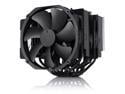
Pros: It's big, it's efficient, it's quiet, and now it's black! Looks great in my all-black build. Cools a 125W i9-12900K without breaking a sweat.
Overall Review: I've been using the NH-D15 since the dawn of time for every PC build I can squeeze it into. I still have one running on a Core2 Quad (3-pin back then) that's been running nearly 24/7 for 15 years and it's still just as quiet as day 1. I even use one of these to cool an i9-7980XE 165W processor and it does so with ease. It seems there is nothing this cooler cannot handle.
Good seller, but very slow shipping.
This seller had exactly what I was looking for at a reasonable price. Unlike most businesses which markup EOL products ridiculously, the pricing was good. Shipping was very, very, very slow. From the time I placed the order to when the product shipped from the seller was 7 days; not sure why that took so long. Overall I would buy from again, but not if I needed something quickly.


